The Mastervolt Multipurpose Contact Output is a DC relay designed for integration into a MasterBus system, offering versatile control capabilities for various applications. This device acts as an interface, allowing other MasterBus-based devices to control its relay and enabling the Multipurpose Contact Output itself to control other devices through event configurations.
Function Description
The primary function of the Multipurpose Contact Output is to provide a controllable potential-free contact (relay) within a MasterBus network. This relay can be switched On (Activate) or Stand by, and its state can be overridden manually. It supports both normally closed (NC) and normally open (NO) configurations, making it adaptable to a wide range of control scenarios.
The device's operation is entirely MasterBus based, meaning its functionality is configured and controlled through the MasterBus system. This allows for sophisticated automation and integration with other Mastervolt products. For instance, it can be used as a Charger Status Interface (CSI), switching at charger failure, or to control external devices like fans, buzzers, or generators based on specific events within the MasterBus network.
Usage Features
The Multipurpose Contact Output offers extensive configuration options through the MasterBus system, allowing users to tailor its behavior to specific needs:
- State Control: The relay can be set to "Stand by" or "Activate." An "Override" function allows for changing the state of the relay manually, independent of programmed events.
- Language Settings: The menu language for the Multipurpose Contact Output can be set to English, Nederlands, Deutsch, Français, Castellano, Italiano, Norsk, Svenska, Suomi, or Dansk.
- Device Naming: Users can assign a custom name to the device, up to 12 characters, for easy identification within the MasterBus system.
- 1-Second Pulse Option: A specific option allows for generating a 1-second starting pulse, which is particularly useful for certain types of generators requiring a brief activation signal.
- Minimum and Maximum Runtime: The device supports configurable minimum and maximum run times for the relay.
- Minimum Runtime: If selected, a minimum run time can be set from 15 minutes up to 45 days, ensuring that the relay remains active for a specified duration once triggered.
- Maximum Runtime: If selected, a maximum run time can be set from 15 minutes up to 45 days, preventing the relay from staying active indefinitely.
- Event-Based Control: The core strength of this device lies in its event-based control capabilities. It can act as both an event source and an event target within the MasterBus network.
- As an Event Target: Other MasterBus devices can control the Multipurpose Contact Output's relay. For example, a ChargeMaster can be configured to activate the DC Relay upon a "Failure" event (Event command: Activate, Event action: Copy) or upon an "On" event (Event command: Activate, Event action: Inverted copy). This enables the relay to respond to conditions like high temperature from a Mass Charger (controlling a fan), a blown fuse from a DC Distribution unit (controlling a buzzer), or low battery from a MasterShunt (controlling a generator).
- As an Event Source: The Multipurpose Contact Output can also initiate actions on other connected devices. For instance, its "State" can be used to control the feedback LED of a Digital Switch Input (Event command: Feed back 1, Event action: Copy), providing visual feedback on the relay's status.
- Installation: The device is designed for easy installation. MasterBus cables connect to the dedicated MasterBus connector, and relay cables connect to a screw terminal input and outputs. The screw terminals are clearly labeled: Input (1), Output normally closed (2), and Output normally open (3). A Communication LED (4) illuminates when the state is "activate," providing visual confirmation of operation.
- Relay Functionality: In "Stand by" mode, terminal 1 is connected to terminal 2 (normally closed). In "Activate" mode, terminal 1 is connected to terminal 3 (normally open).
Important Technical Specifications
- Model: Multipurpose Contact Output
- Product Code: 77030500
- Delivery Includes: Screw terminal, MasterBus cable, MasterBus Terminator, User manual
- Function of Instrument: MasterBus controlled Multipurpose Contact Output
- Potential Free Contact: NO-C-NC – 1 A / 30 V DC. This indicates a maximum switching current of 1 Ampere and a maximum voltage of 30 Volts DC.
- Power Consumption: 132 mW. This low power consumption makes it efficient for continuous operation.
- MasterBus Powering: No. The device is not powered by MasterBus itself; it requires an external DC power source (up to 30V DC) for its relay operation, but its control signals are transmitted via MasterBus.
- Din Rail Mounting: Yes, Din rail 30 mm [1.2 inch]. This allows for easy and secure installation in standard electrical enclosures.
- Protection Degree: IP 21. This rating indicates protection against solid objects larger than 12.5 mm and against vertically falling water drops.
- Dimensions: 66 x 78 x 32 mm [2.6 x 3.1 x 1.3 inch]. Its compact size facilitates integration into various setups.
- Weight: Approx. 80 gr [0.18 lb]. Lightweight design.
- Maximum Relay Current: 1A. This is a critical specification for ensuring that the connected load does not exceed the relay's capacity.
Maintenance Features
- Identification Label: Users are cautioned not to remove the identification label, as doing so will void the warranty. This label contains crucial product information for support and warranty claims.
- Warranty: The product comes with a two-year warranty from the purchase date, provided it is installed and used according to the manual's instructions. Improper installation or use can void the warranty. The warranty covers the cost of repair and/or replacement but does not cover labor or shipping costs.
- Disposal: The product is designed with high-quality, recyclable materials. Users are advised to dispose of the product according to local regulations for electrical and electronic waste, rather than with normal household waste, to prevent negative environmental and health consequences.
- Documentation: The manual emphasizes the importance of reading the entire manual for safe and effective operation and keeping it in a secure place for future reference. Mastervolt's commitment to continuous development means that technical data and functional specifications may change, and users are encouraged to consult the most current Terms & Conditions of Sale.
- MasterBus Information: For detailed information on MasterBus and its event structure, users are directed to www.mastervolt.com. This ensures access to the latest information for system integration and troubleshooting.

 Need help?
 General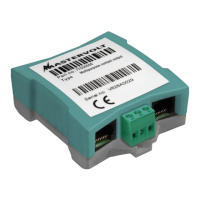

 To Next Page