2
Perform Additional Tests
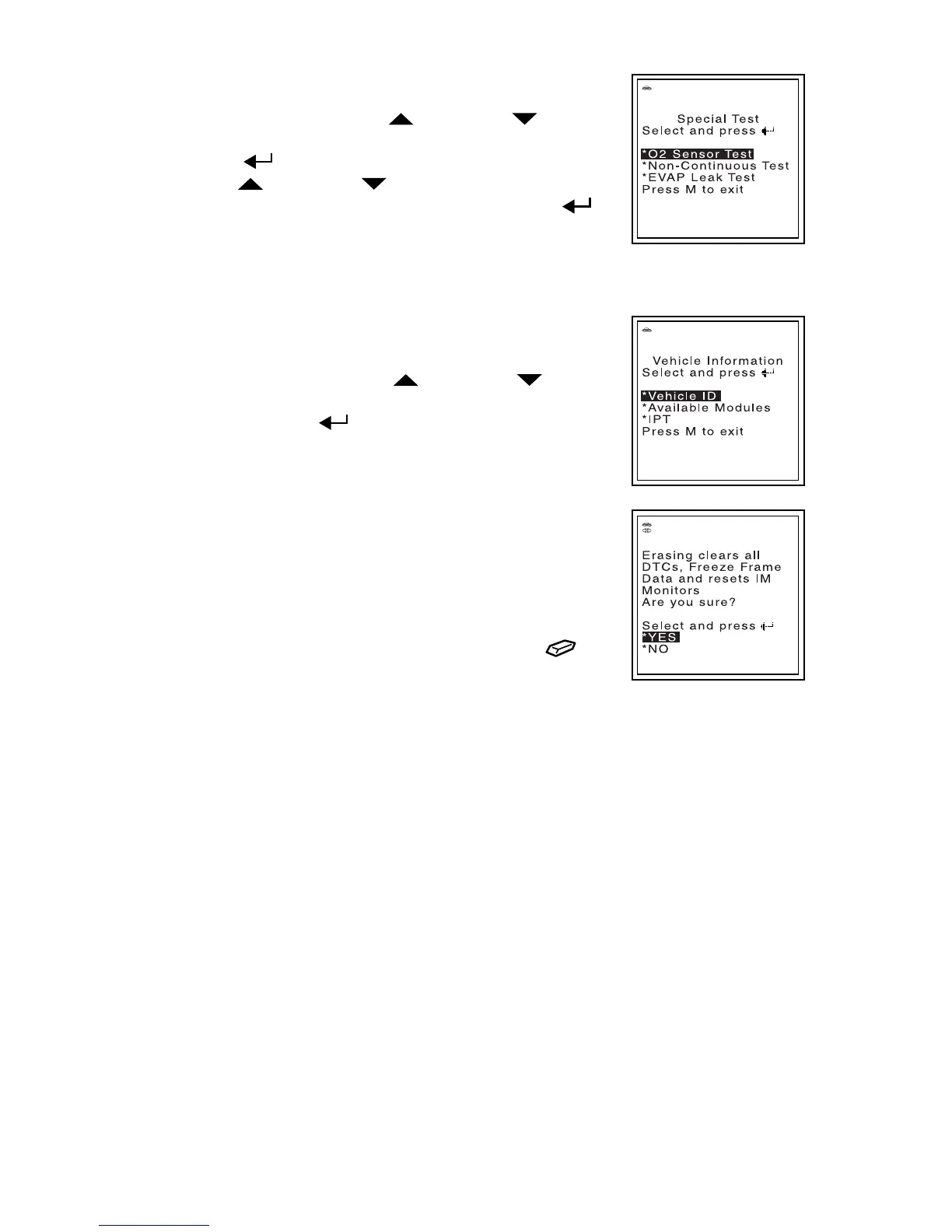
While linked to a vehicle, press the M button. The Main
Menu displays. Use the UP
and DOWN buttons,
as necessary, to highlight Special Test, then press the
ENTER
button. The Special Test Menu displays. Use
the UP
and DOWN buttons, as necessary, to
highlight the desired option, then press the ENTER
button.
You can use the FixAdvisor Pro to perform additional diagnostic tests (O2 Sensor
Test, Non-Continuous Test, EVAP Leak Test).
View Vehicle Information
While linked to a vehicle, press the M button. The Main
Menu displays. Use the UP
and DOWN buttons,
as necessary, to highlight Vehicle Information, then
press the ENTER
button.
You can use the Scan Tool to view vehicle information
stored in your vehicle's on-board computer.
Erase DTCs
Connect the FixAdvisor Pro to the vehicle’s test
connector. Turn the ignition key "On.” DO NOT start the
engine. The tool will automatically link to the vehicle’s
computer.
Press and release the FixAdvisor Pro’s ERASE
button.
ABOUT REPAIRSOLUTIONS®
RepairSolutions® is a web-based service created to assist both the do-it-yourselfer
and professional technicians in quickly and accurately diagnosing and repairing
today’s vehicles. RepairSolutions® allows you to view, save, and email the diagnostic
data retrieved from a vehicle’s on-board computer(s) using an Matco Scan Tool.
RepairSolutions® also provides access to an extensive knowledge database.
Accessing RepairSolutions®
1. Link your FixAdvisor Pro to a vehicle and retrieve diagnostic data.
2. Visit matco.carscan.com and download the latest RepairSolutions® software for
your FixAdvisor Pro (select the Support tab, then choose
Troubleshoot/Downloads).
3. Connect the FixAdvisor Pro to your PC using a Mini USB cable (cable included).
Your default web browser launches automatically and connects to the
matco.carscan.com website.
4. Login to your RepairSolutions® account using your registered Email Address
and Password.
If you have not yet established an account, you must register for a FREE
RepairSolutions® account before proceeding.


 To Next Page