Need help?
Do you have a question about the Matias FK302 and is the answer not in the manual?
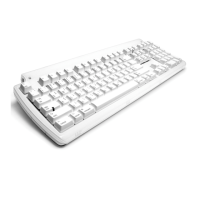
Plug the Tactile Pro keyboard into your computer.
Setup instructions for Mac OS X 10.3 Panther, 10.2 Jaguar, and Mac OS 9.
Setup instructions for Mac OS X 10.4 or later, initiating the Keyboard Setup Assistant.
Guide to finding symbols like ™, €, £, © using the Option key on Mac keyboards.
Information on using volume keys, requiring Mac OS X 10.3 or higher.
Follow the Keyboard Setup Assistant: click Continue, identify the keyboard, and select ANSI type.
Provides website links for technical support, injury prevention, health, and warranty information.
Lists Matias Corporation's address, telephone number, and email for inquiries.
Covers defects in workmanship and materials for 1 year from purchase date.
Excludes liability for incidental, consequential, or indirect damages related to product use.
Steps to contact support, troubleshoot, and return the product for repair or replacement.

 To Next Page
 General