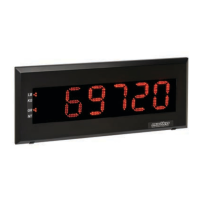
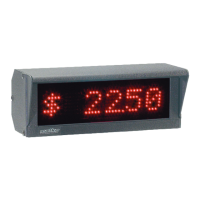
If possible place a weight on the scale. Wire up the display according to Section 2 and congure
the transmitting device to output continuously. The Corresponding LED will blink when properly
wired and the indicator is transmitting. Hold the FACTORY DEFAULT button until the display
counts down. At the end of countdown the display will ash "LEARN" then the BAUD rate such as
1200 and then the weight. Shift the data using the LEFT and RIGHT buttons until the desired
weight is in view.
To change the display’s intensity:
Press and release the RESET button
Hold the RIGHT button during countdown
At the end of countdown the RIGHT button will toggle between displaying “high” and “low”
(On 7 segment displays “lo” is displayed)
Select the desired intensity and press LEARN to save changes
Factory default is “low”
*Intensity may also be adjusted using Option 6 (See Sections 4/5)
SSD Series Specs
Protocol
8 Data bits No Parity
7 Data bits Odd Parity
7 Data bits Even Parity
300 to 19200 Baud
Interface
RS 232
RS 422/485
20mA Current Loop Active/Passive
Optional Interface
4-20 mA or Wireless
Power
All SSD Displays can run on 12 VDC by bypassing the power supply and connecting 12 VDC directly to
the LED board. Do not run more than 12 VDC without ordering a DC power supply as over voltage can
damage the unit.
Standard Units:
~110-240
DC Units:
~12-35 VDC
8
Section 3: Quick Setup Procedures
Section 3:
Quick Setup Procedures


 To Next Page
 Loading...