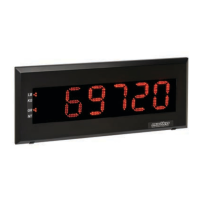
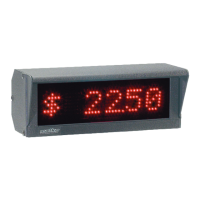
During normal operation, pressing the Option Menu/Save button will enter into the option settings. Option
Number UP/DOWN will toggle through the available options numbers and Option Value UP/DOWN will adjust the
values of the selected option. At any time pressing the Option Menu/Save button will resume normal operation
To restore to factory default, press the Factory Default button. The display should briey display “Default” then
count down. Option training videos may be found at www.matko.com/SSDVideos
#
0
1
2
3
4
5
6
7
8
9
10
11
12
13
14
15
16
17
18
19
20
21
22
23
24
25
26
27
28
29
30
31
32
33
34
Name
Default
Addressable
Toledo / Fairbanks
Time out Length
On Demand
No Data
Intensity
Red Stoplight
Green Stoplight
Amber Stoplight
Minimum Weight
Maximum Weight
Fairbanks Addressable
Shift
Baud
End Character
Hardware Test
Stream View
Software Echo
Disable Alpha
No Count Down
No 0 Suppression
No Shift
Mirror
Fixed Decimal
Fixed Annunciators
Demo Mode
Counter
Siemens
Blank Out Character 1
Blank Out Character 2
Blank Out Character 3
Grams/Ounces
Version
Description for "ON" Value
Resets all settings to factory defaults
Makes the display addressable
Decodes Toledo / Fairbanks status bytes
Maximum time allowed between data transmissions Default = 5 seconds
Data received less than once a second
Set what is displayed when no data is received
Set the intensity low 0 or high 1
See Section 6
See Section 6
See Section 6
Sets the minimum weight to display
Sets the maximum weight to display
Addressable for Fairbanks 40–41
Set the shift amount
Sets the baud rate
Sets the end character
Test Hardware Serial Ports
View the decimal value of the serial stream
Transmit data out RS232 and RS422 ports
Will display only numeric characters
Does not count down on startup
Does not suppress leading 0's
Disable auto shifting while learning
Displays data to be seen in a rear view mirror
Sets a xed decimal point position
Fix the LB/KG and GR/NT annunciators indicated regardless of data stream
Cycle through dierent weights as a demo
Count Up/Down based on signal input (requires SG-SSD Card)
Use Siemens BW500 Modbus Protocol (manual at www.matko.com/siemens/)
Sets a character to cause the scoreboard to blank
Sets a character to cause the scoreboard to blank
Sets a character to cause the scoreboard to blank
Display annunciators for grams and ounces (Requires Custom Decals)
Displays the current software version
9
Section 4: Option Summary
Section 4:
Option Summary


 To Next Page
 Loading...