Matrox GXM – User Guide (Mac version) 17
3
Attach the Matrox input cable
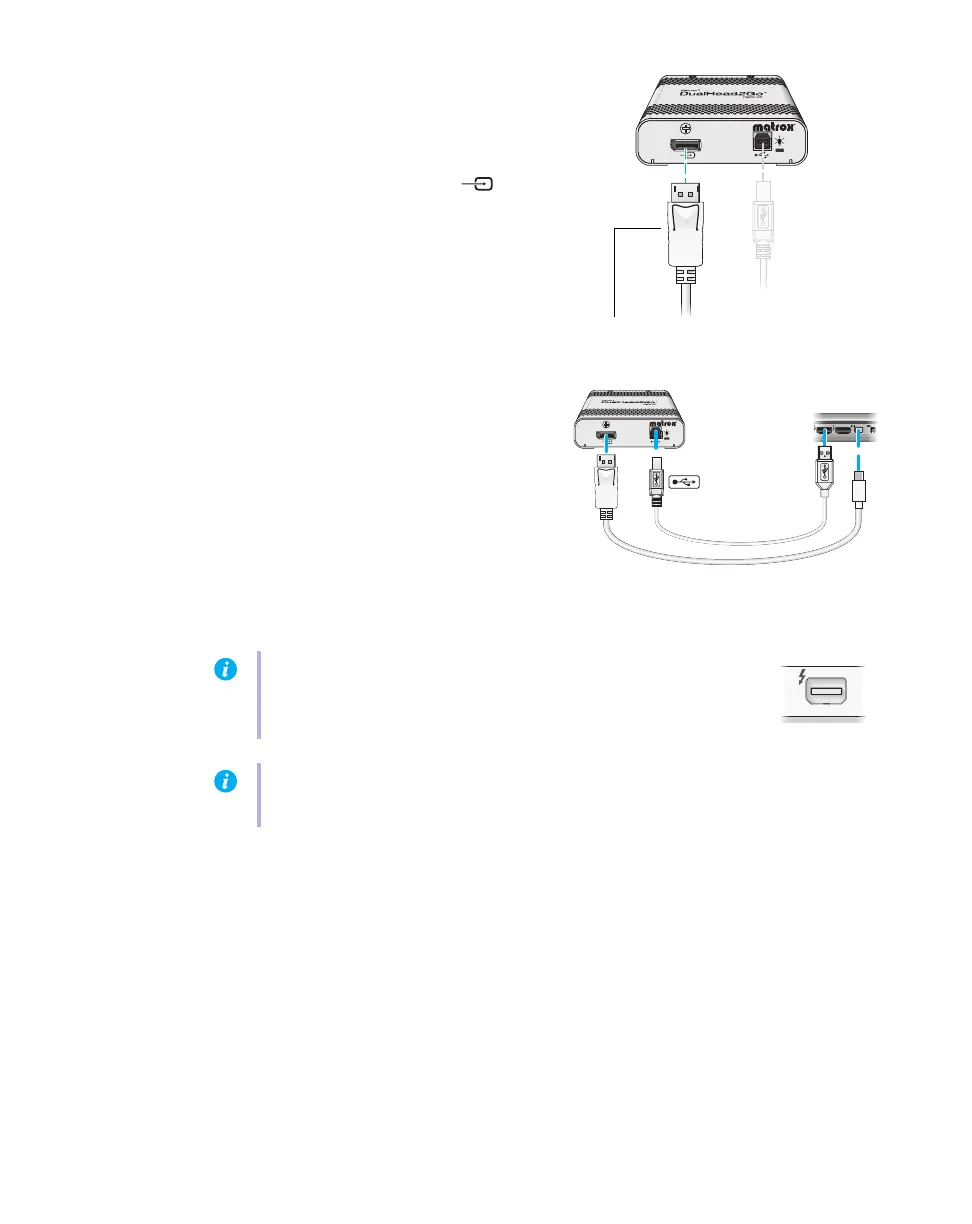
Attach one end of the Matrox mini
DisplayPort to DisplayPort cable provided
with your Matrox product to the
DisplayPort input connector ( ) on your
Matrox product.
Attach the other end to the mini DisplayPort
graphics connector on your computer.
Matrox input cable
(Mini DisplayPort to DisplayPort)
Matrox input cable
(Mini DisplayPort to DisplayPort)
Note:
Thunderbolt
– If your system has a Thunderbolt connector,
attach the other end of the mini DisplayPort to DisplayPort adapter to
the Thunderbolt connector on your computer instead.
Note:
To avoid problems related to image quality, make sure the DisplayPort connection to
your graphics hardware is firmly in place.


 To Next Page