Matrox GXM – User Guide (Mac version) 29
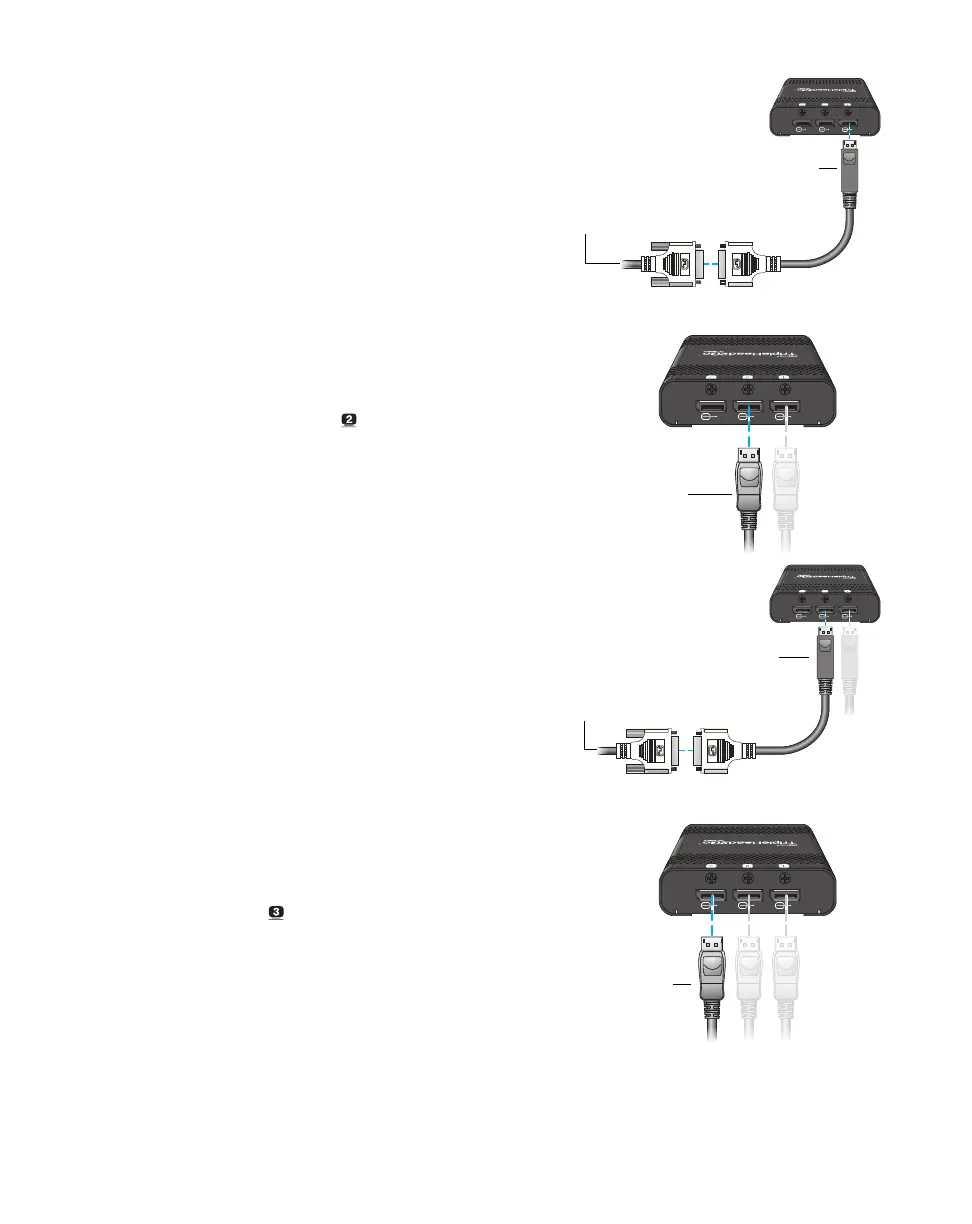
If your monitor has a DVI connector, use a
DisplayPort to DVI adapter (sold separately)
to connect your monitor to the connector.
5
Connect the second monitor
Use your monitor cable to connect your
second monitor directly to the second
connector ( ) on your Matrox product.
If your monitor has a DVI connector, use a
DisplayPort to DVI adapter (sold separately)
to connect your monitor to the connector.
6
Connect the third monitor
Use your monitor cable to connect your
third monitor directly to the third connector
( ) on your Matrox product.
Monitor cable
(DVI)
DisplayPort to DVI
adapter
Monitor cable
(DisplayPort)
Monitor cable
(DVI)
DisplayPort to DVI
adapter
Monitor cable
(DisplayPort)


 To Next Page