center these
two white lines
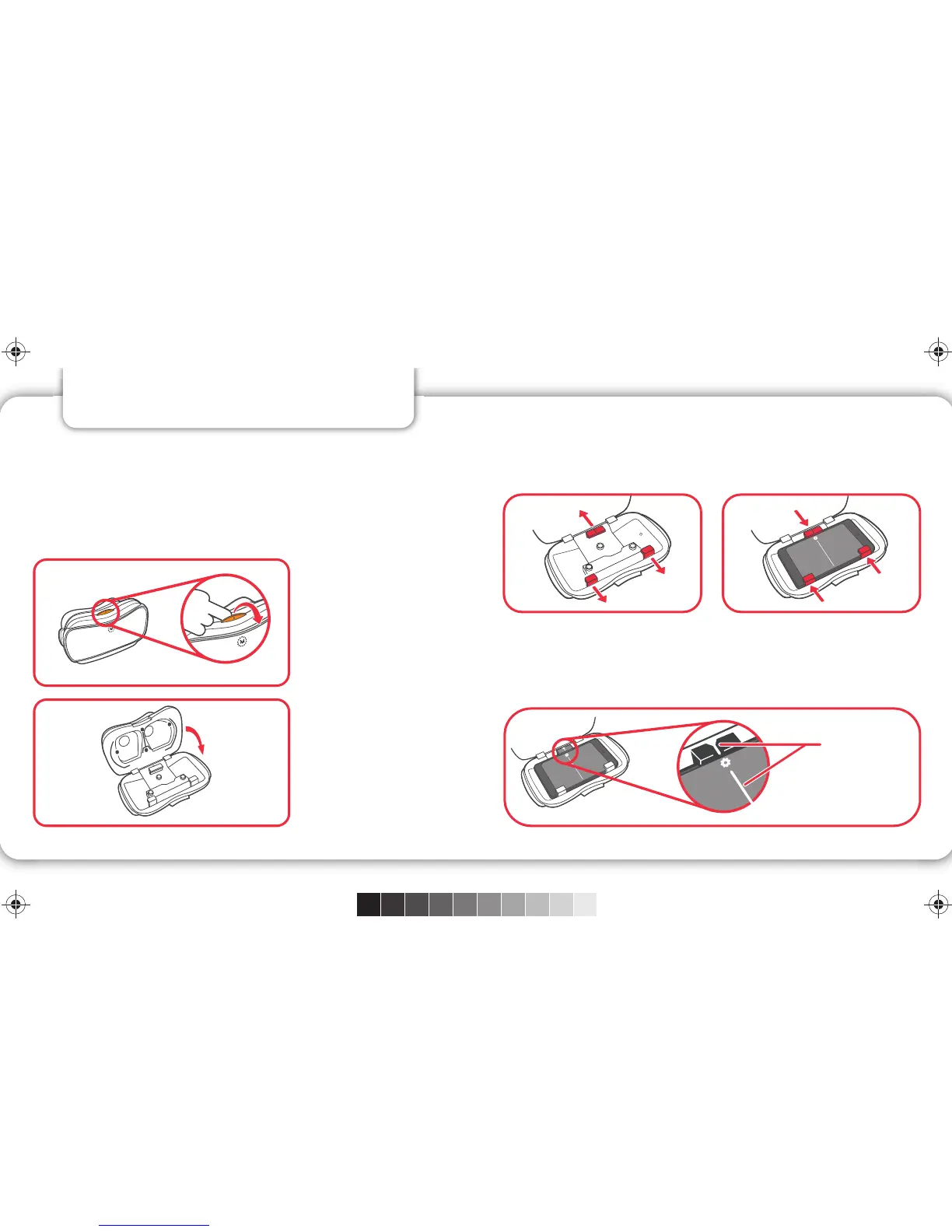
2. INSERT YOUR SMARTPHONE
• Launch the app and choose your preview
experience.
• When prompted, flip the latch to open the
View-Master® VR viewer.
Remove any case from your device then place your
device between the clamps in the View-Master® VR
viewer so the screen is facing you.
Aligning Your Viewer: It is very important that you
center your device in the View-Master® VR viewer.
Line up the divider in the middle of the screen with
the white mark on the lower clamp.
Flip the
latch.
Open the
viewer.
5 6
C
M
Y
CM
MY
CY
CMY
K
DLL68--ViewMaster--Viewer-Instructions-01C-CS5 6.ai 4 15-7-9 4:58DLL68--ViewMaster--Viewer-Instructions-01C-CS5 6.ai 4 15-7-9 4:58



 To Next Page