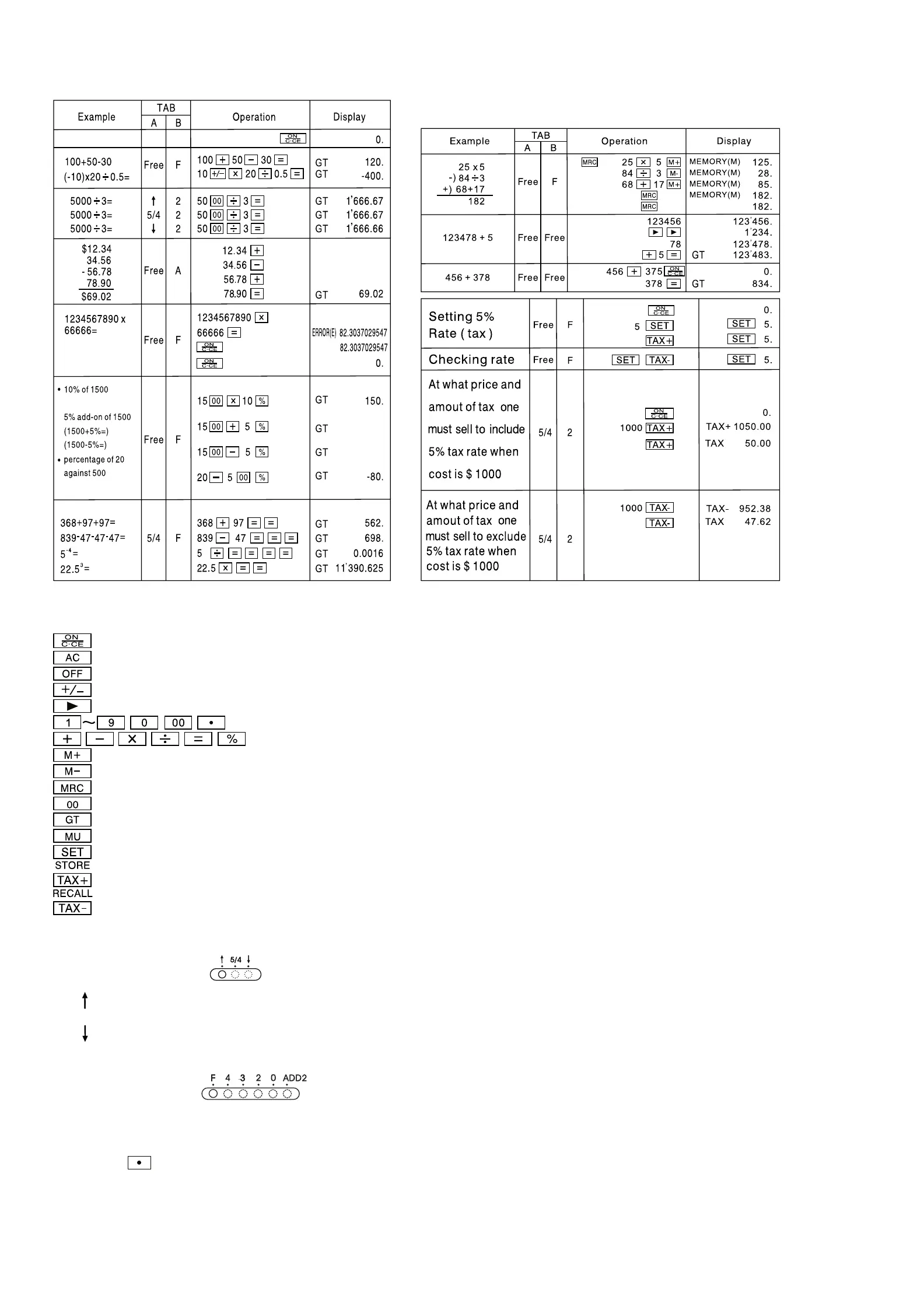
GB: Operating Instructions desktop calculator MXL 12
12.34 +
46.9 -
-9.88 +
1’575
1’425
Key Operations:
: Power On / Clear / Clear Error
: All clear
: Power Off
: Sign change key (Changes the sign of the displayed value from positive to negative or vice versal.)
: Right shift key (Shifts the displayed value to the right deleting the rightmost digit.)
: Numeral key
: Function key
: Memory plus (Acids the displayed value to the independent memory.)
: Memory minus (Subtracts the displayed value from the independent memory.)
: Memory Recall / Memory Clear
: Fast addition of „0“ (Displays two „0“ when pressed once.)
: Grand Total
: Mark -up / Mark down key
: Tax Setting key
: Price with tax key and store tax rate when pressing „SET“ & „TAX+“ keys
: Price without tax keys and recall tax rate when pressing „SET“ & „TAX-“ keys
Switch Description:
* (TAB - A)
Selection of decimal mode
(UP)
: Rounding up
5/4 : Rounding off
(CUT)
: Rounding down
When calculating the rate, do not switch on power for A stopper.
* (TAB - B)
Selection of decimal digits
* This switch is for selecting the effective decimal digits.
· F: Floating decimal point
· 4, 2, 0 indicates 4, 2 or 0 decimal
· A(ADD2): When the switch is set to „A“, which indicates that the decimal digit is automatically set to 2 (for example: lf you key in „8“the value is 0.08)
but if you key in
then this position is the base (This mode is useless for multiplication and division).



 To Next Page