
 Need help?
Do you have a question about the Maverick ET-8 and is the answer not in the manual?
Explains the LCD diagram and the color-coded screen's display behavior for temperature.
Details the function of each button: MODE, HR, °F/°C, MIN, MEAT, START/STOP, and TASTE.
Specifies the battery type and quantity required for the thermometer unit.
Instructions for measuring meat temperature against standard USDA doneness levels.
Procedure for setting a specific desired meat temperature for personalized cooking.
How to set and use the countdown timer functionality for cooking.
Instructions for activating and monitoring the count up timer.
Provides tips on probe temperature limits, flame contact, and LCD display errors.
Lists critical warnings regarding age, water exposure, heat, and microwave use.
Guidance on how to properly clean the probe and the main unit.
Details the warranty coverage, contact information, and conditions for voiding.
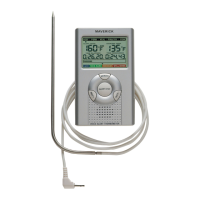
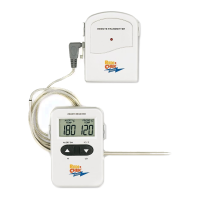
The Maverick ET-8 Digital Alert Roasting Thermometer is a programmable food thermometer designed to help users achieve precise cooking temperatures for various meats. It features an LCD with a color-coded backlight that changes based on temperature progression, providing visual cues during the cooking process.
The device operates in two primary modes: thermometer mode and timer mode. In thermometer mode, it measures the internal temperature of food using a stainless steel probe. Users can select from a variety of pre-programmed meat types (PROG, Ground Beef, Ground Poultry, Beef, Veal, Chicken, Pork, Poultry, Lamb, Fish) and desired doneness levels (Rare, Medium Rare, Medium, Medium Well, Well Done) based on USDA guidelines. The display shows both the actual probe temperature (PROBE TEMP) and the set target temperature (TEMP SET). When the meat reaches the preset doneness level, the unit beeps, and the LCD backlight turns red, alerting the user. Alternatively, users can manually set a target temperature to their specific taste, with the display changing to "PROG" when a custom temperature is set.
In timer mode, the device functions as a countdown or count-up timer. Users can set hours and minutes for countdown, and the display will show a small "TIMER" icon. When counting down, a "▼" icon blinks every second. Once the countdown reaches zero, the timer starts counting up and beeps for 60 seconds, with a "▲" icon blinking. The timer can also be used as a simple count-up timer, with a "▲" icon blinking every second during the count-up process.
 General
| Brand | Maverick |
|---|---|
| Model | ET-8 |
| Category | Thermometer |
| Language | English |


 To Next Page
