INSIDE THE BOX
When you receive your Maverix USA Electric Skateboard you will
find the following inside each box:
1 Fully Assembled Skateboard with Battery Attached (wattage
according to model purchased)
1 Wireless Remote Control w/ 9 Volt Battery
1 Tool Kit
1 Extra Timing Belt (800W Model only)
1 Extra Circuit (also called a fuse)
1 Charger
THE WIRELESS REMOTE CONTROL
Regulating Your Speed:
1. The wireless remote control regulates the speed of your MAVERIX skateboard.
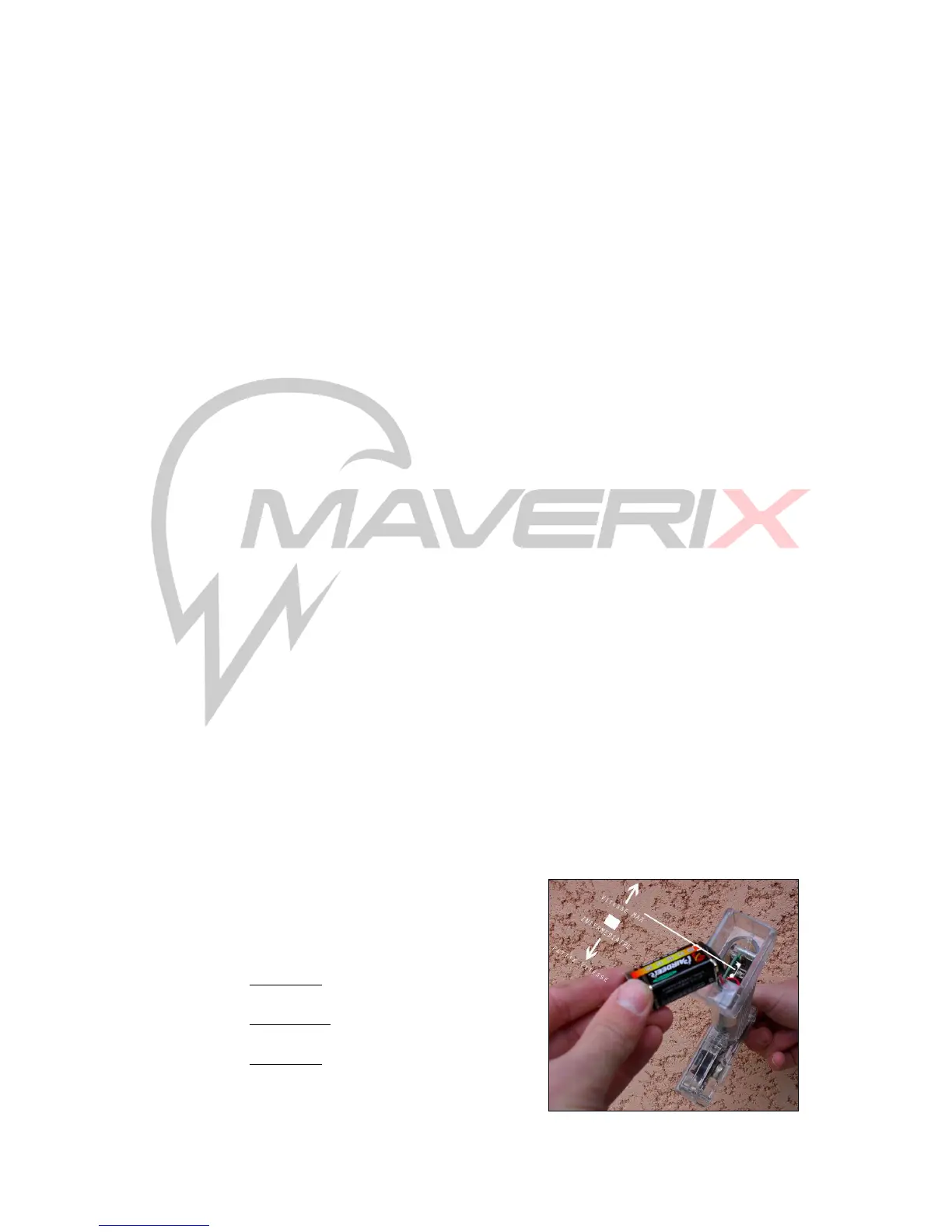
This speed control is accessed in the bottom of the handle, under the 9 volt battery.
To choose your speed slide the bottom open, remove the battery and choose your
speed level. Return the battery, replace the cover and you are set.
We recommend you always begin at Position 3 – Low Speed to acclimate yourself to
riding your Maverix USA board. Once you feel you are comfortable in riding at low
speed you can increase your speed levels.
2. Pulling the trigger toward you will accelerate the board. Releasing the lever
will return it to the near-neutral position, and allow you to coast downhill. Pushing the
trigger away from you will engage braking.
Your Wireless Remote Control has a range of approximately 5 feet beyond which the
skateboard will automatically free wheel.
Three speed positions are available under the 9
Volt battery as follows:
o Position 1 : maximum speed
o Position 2 : medium speed
o Position 3 : low speed


 To Next Page