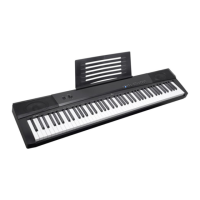
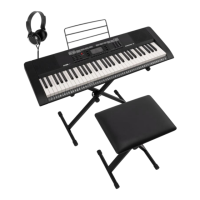
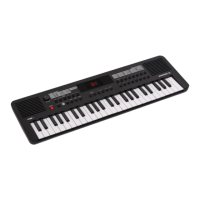
The MAX Music KB4 Electronic Keyboard is a 61-key instrument designed for both beginners and experienced players, offering a wide range of functions for learning, playing, and creating music. This keyboard is an excellent tool for musical exploration, providing various sounds, rhythms, and training modes to enhance the user's experience.
Function Description:
The KB4 keyboard features 61 keys, allowing for a broad musical range. It includes built-in speakers for direct sound output, and a headphone/output jack for private practice or connecting to external audio systems. The keyboard operates on a DC 9V power input, typically supplied via an adapter.
At its core, the KB4 offers a rich selection of 255 timbres (tones) and 255 rhythms, allowing users to experiment with different musical styles and instrument sounds. The default tone and rhythm are "000," but these can be easily changed using the numeric keypad or the "+"/"-" buttons.
Usage Features:
The keyboard's control panel is intuitively designed, featuring dedicated buttons for various functions:
- Power ON/OFF: A simple switch to turn the keyboard on or off.
- Master Volume: Adjustable via "+" and "-" buttons, allowing users to control the overall sound level. Simultaneous pressing of both buttons resets the volume to its default.
- Tempo: Controls the speed of rhythms and training modes, adjustable with "+" and "-" buttons. Like volume, simultaneous pressing resets the tempo to default (120 tempo/min).
- Transpose: Shifts the pitch of the notes up or down by up to 6 semitones, useful for playing in different keys without changing finger positions. Reset to default by pressing both buttons simultaneously.
- Accompaniment Volume: Adjusts the volume of the automatic accompaniment, with a reset option similar to master volume.
- Start/Stop: Initiates or halts selected programs, rhythms, or training modes.
- Fill-In: Adds a temporary interlude to the active rhythm, enhancing musical transitions.
- Sync: Activates the accompaniment rhythm when in rhythm mode by playing any key in the chord key zone.
- Single Chord/Fingered Chord: These modes allow for easy chord playing. In Single Chord mode, a single key in the chord zone triggers a full chord. Fingered Chord mode enables playing individual notes of a chord with the left hand to trigger the accompaniment. Both can be toggled on/off.
- Record/Play: The keyboard includes a recording function ("REC") to capture played notes. Once recorded, these can be played back using the "PLAY" button. If storage is full, "FUL" will appear on the display, and recording will stop automatically.
- Program: This function allows users to program up to 32 percussion sounds, turning the keyboard into a percussion instrument. Programmed rhythms can be played back.
- LED Display: A central display shows the current mode, notes to play, rhythm, tempo, and other relevant information.
- Training Modes (One-Key, Follow, Ensemble): These modes are designed to assist learners:
- One-Key Training: Focuses on duration learning, allowing for mistakes in pitch while the keyboard plays correct notes.
- Follow Training: Guides the user to play correct notes, waiting for the user to hit the right note before proceeding.
- Ensemble Training: Aims for comprehensive learning of song duration and notes, shielding the keynote and automatically playing the correct note if the user fails to play within 3 seconds.
- Demo Song: The keyboard comes with 24 pre-stored demo songs ("000" to "023") that can be played sequentially or selected individually.
- Metronome: Offers four different beat options (1/4, 2/4, 3/4, 4/4) to help with timing and rhythm practice.
- Keyboard Percussion: Transforms the keyboard keys into percussion instruments, with each key corresponding to a different sound.
- Sustain/Vibrato: These buttons activate or deactivate sustain and vibrato effects, adding expressive qualities to the sound.
- Num Pad: Numeric keys for direct input of values for timbre, rhythm, and song selection.
- Timbre/Rhythm: Dedicated buttons to enter timbre or rhythm selection mode, allowing users to choose from the available 255 options.
Connections:
- Microphone Input (MIC): Allows connection of a microphone for singing along while playing.
- Headphones/Output (PHONES/OUTPUT): Connects headphones for private practice, automatically disabling the built-in speakers. Can also be used to output audio to external devices.
- DC 9V Input: For connecting the supplied power adapter.
Recommended Training Apps/Games:
The manual highlights several external applications that can enhance the learning experience:
- PIANO DUST BUSTER: An introductory piano game for kids, focusing on making learning fun by "dusting off" the piano while collecting points. Available for iOS.
- PIANO MAESTRO: An in-depth educational tool for studying piano, covering sight-reading, rhythm, and technique. It offers structured progress through chapters, new songs, and personalized learning experiences. Available for iOS (iPad compatible).
- SIMPLY PIANO: Guides users from beginner to advanced, teaching piano basics, sight-reading, and playing with both hands. It listens to the user's playing and provides instant feedback. Compatible with both iOS and Android devices.
These apps offer additional training, songs, and additives, some of which may involve costs for expanded content.
Maintenance Features:
The manual emphasizes several key maintenance practices to ensure the longevity and safe operation of the keyboard:
- Cleaning: Use a dry cloth to clean the unit. Avoid chemicals, as they can damage the varnish. Do not use cleaning sprays on switches, as residues can cause dust and grease deposits.
- Environmental Conditions: Operate the keyboard in rooms with temperatures between 5°C/41°F and 35°C/95°F. Avoid humid rooms or outdoor use. If the device has been exposed to drastic temperature fluctuations, allow it to reach room temperature before switching it on to prevent condensation damage.
- Power Cord Care: Be careful with the mains lead and avoid damaging it. Check the mains lead for damages and faults before every use. Always pull the plug, not the lead, when unplugging.
- Storage: Keep the original packing material for safe transportation.
- General Safety: Do not open the housing, as it contains voltage-carrying parts. Do not place metal objects or pour liquids into the product. Keep the unit away from heat sources, vibrating surfaces, and ensure ventilation holes are not covered. Do not leave the unit unattended, especially near children.
The manual stresses the importance of reading and adhering to all safety instructions. Repairs should only be carried out by qualified technicians to avoid electrical shock. Any unauthorized modifications to the product will invalidate the CE certificate and warranty. The manufacturer is not responsible for personal injuries or damages caused by inappropriate use or disregard of safety recommendations.

 Need help?
 General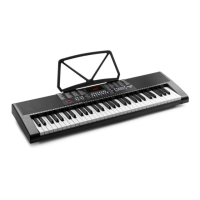

 To Next Page