EasyManua.ls Logo

Maxair CA-DLC-CAPR-36 - User Manual

Maxair CA-DLC-CAPR-36
4 pages
Print Icon
To Next Page IconTo Next Page
Loading...
P/N 01023649 Rev B Page 1
DLC Cus
(Disposable Lens Cus)
User Instructions
Intended Use
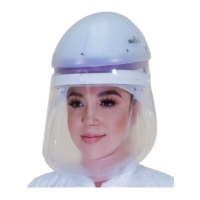
The MAXAIR DLC is to be donned with a MAXAIR CAPR
®
Helmet and a MAXAIR Filter Cartridge.
CAPR DLC Systems lter aerosolized and droplet particulates.
DLCs are designed for single use applications.
O.N. 2365-02SM
O.N. 2365RB-02SM*
(01031316)
Small-Medium
O.N. 2365-02ML
O.N. 2365RB-02ML*
(01031291)
Medium-Large
*RB indicates plastic
reusable dispensing box vs.
standard cardboard.
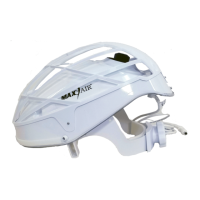
1. 2081-03 Helmet with
2051-07 SnapOn Cage
removed, 2071-08 Liner, and
2590-05 Power Cord
2. 2167-10 Filter Cartridge*
3. 2061-08 Filter Cover
Cap (FCC)
4. 2500-36TSC Battery** 5. 2000-76 Battery Belt
6. 2600-01 Battery Charger*** 7. 2365-02 DLC ML & SM
Materials
DLC Lens is PETG
DLC Cu󰀨 is Polyurethane
* Alternate Filters include the 2180-05, 2166-10, and 2164-10
** Alternate Batteries include the 2500-37TSC
*** Alternate Charger includes the 2602-01.
5 64
32
7
Symbol Denitions
Warning, Caution, or Note
Order Number Part Number
!
O.N. P/N
1
Standard CA-DLC-CAPR-36 System
1
with DLC
MAXAIR Recommended System Temperature Limits:
Use/Handling: 0
o
C to 54
0
C at a maximum 80% Relative Humidity.
Charging: 0
o
C to 45
0
C at a maximum 80% Relative Humidity.
Storage: 0
o
C to 35
0
C at a maximum 80% Relative Humidity.
All MAXAIR Systems, components, and disposables are latex free.
Regulatory
NIOSH
Specications
WARNING
Failure to follow User Instructions P/N 03521015 and the instructions
contained herein may be hazardous to the user’s health.
Use only if package is received unopened and contents are
undamaged. If damage is noted, contact the shipper for replacement
or repair.
Prior to using any MAXAIR
®
System or component, be sure to be
familiar with the system’s NIOSH approved conguration.
DO NOT use if any component is damaged. If any components are
damaged or contaminated and therefore unt for safe and e󰀨ective
use, they should be replaced immediately.
Only trained and experienced personnel who have read and
understand the User Instructions should use MAXAIR Products.
The institution using this product in any application is responsible
for determining the appropriateness of this equipment relative to
regulatory requirements. Bio-Medical Devices Intl, Inc. does not
recommend the appropriate systems for a particular institution or
facility.
Use only MAXAIR Systems/ NIOSH approved compatible
components.
NOT for use in atmospheres immediately dangerous to life or health
(IDLH), and atmospheres containing less than 19.5% oxygen, or
more than 25% oxygen.
Flammability Level I: fabric may burn if exposed to open ame.
Follow current local regulations governing biohazard waste to safely
dispose of single use MAXAIR Products.
If you need more information, contact your BMDI Sales
Representative, or call BMDI customer service at 1-800-443-3842.
!
CAUTION
Before use, thoroughly read MAXAIR CAPR P/N 03521015 User Instruction (received with all CAPR Helmets and
available at www.maxair-systems.com.
!
Question and Answer IconNeed help?

Do you have a question about the Maxair CA-DLC-CAPR-36 and is the answer not in the manual?

Summary

General Safety and Usage Information

CAUTION and WARNING Statements

Important safety notices regarding product use and potential hazards.

Intended Use of MAXAIR DLC System

Details the purpose and application of the MAXAIR DLC system.

Symbol Definitions

Explanation of symbols used in the manual for warnings and information.

DLC Cuff Assembly

Assembly Steps (Option A)

Step-by-step guide for assembling DLC using Option A method.

Assembly Steps (Option B)

Step-by-step guide for assembling DLC using Option B method.

Donning and Doffing Procedures

Donning the MAXAIR DLC System

Instructions on how to properly put on the MAXAIR DLC system.

Doffing the MAXAIR DLC System

Instructions on how to properly remove the MAXAIR DLC system.

Disassembly and Disposal

Disassembly of DLC Cuff

Steps to detach the DLC cuff from the helmet components.

System Specifications and Materials

System Components Overview

Identification of parts in the Standard CA-DLC-CAPR-36 System.

Technical Specifications

Details on recommended temperature limits for use, charging, and storage.

Materials and Regulatory Information

Information on materials used and regulatory compliance (NIOSH).

Overview

The MAXAIR DLC (Disposable Lens Cuffs) is a component designed to be used with a MAXAIR CAPR® Helmet and a MAXAIR Filter Cartridge. This system is intended to filter aerosolized and droplet particulates, with the DLCs specifically designed for single-use applications.

Function Description:

The DLCs are an integral part of the MAXAIR CAPR system, providing a disposable barrier that works in conjunction with the helmet and filter cartridge to protect the user from airborne particulates. The system ensures that the user's face is protected, and the DLCs are designed to be easily donned and doffed.

Important Technical Specifications:

  • Temperature Limits:
    • Use/Handling: 0°C to 54°C at a maximum 80% Relative Humidity.
    • Charging: 0°C to 45°C at a maximum 80% Relative Humidity.
    • Storage: 0°C to 35°C at a maximum 80% Relative Humidity.
  • Materials:
    • DLC Lens: PETG
    • DLC Cuff: Polyurethane
  • Latex-Free: All MAXAIR Systems, components, and disposables are latex-free.
  • Regulatory: NIOSH approved.
  • Flammability: Flammability Level I; fabric may burn if exposed to open flame.

Usage Features:

Intended Use:

The MAXAIR DLC is donned with a MAXAIR CAPR® Helmet and a MAXAIR Filter Cartridge. The CAPR DLC Systems filter aerosolized and droplet particulates, and DLCs are designed for single-use applications.

Available Models:

  • Small-Medium: O.N. 2365-02SM, O.N. 2365RB-02SM* (01031316)
  • Medium-Large: O.N. 2365-02ML, O.N. 2365RB-02ML* (01031291)
    • RB indicates plastic reusable dispensing box vs. standard cardboard.

Standard CA-DLC-CAPR-36 System Components:

  1. 2081-03 Helmet with 2051-07 SnapOn Cage removed, 2071-08 Liner, and 2590-05 Power Cord.
  2. 2167-10 Filter Cartridge* (*Alternate Filters include the 2180-05, 2166-10, and 2164-10).
  3. 2061-08 Filter Cover Cap (FCC).
  4. 2500-36TSC Battery** (**Alternate Batteries include the 2500-37TSC).
  5. 2000-76 Battery Belt.
  6. 2600-01 Battery Charger*** (***Alternate Charger includes the 2602-01).
  7. 2365-02 DLC ML & SM.

Donning Instructions:

  1. Secure the Helmet FCC: Ensure the Helmet FCC is in your lap with the helmet front facing up, and the top of the helmet facing towards you.
  2. Align the FCC Front TurnClip: Align the FCC front TurnClip horizontally.
  3. Secure DLC Front Alignment Hole: Ensure the DLC Front alignment hole is centered on the Front Turn Clip.
  4. Attach DLC to FCC (Option A):
    • With thumbs pressing the DLC against the FCC front white foam strip, press and slide your thumbs down each DLC side until you can grasp each end of the DLC at the Flappers.
    • Pull each DLC side down towards the Helmet back and tightly against the white foam strip, positioning each side DLC Mounting Hole as centered as possible over each respective FCC side Mounting Post.
    • Press the DLC tightly against the FCC to secure the Mounting Hole onto each Mounting Post. An audible "click" indicates proper securement.
  5. Attach DLC to FCC (Option B):
    • Secure the DLC Front Alignment Hole. Grasp one DLC end by the Flapper and stretch it tautly until that side Mounting Hole is over that side Mounting Post.
    • Center that side DLC Mounting Hole over the FCC side Mounting Post, press the DLC down fully onto the Mounting Post. An audible click indicates the DLC is properly around and down securely on the Mounting Post.
    • Repeat for the other side.
  6. Place Battery Belt: Place the Belt top edge under the Battery Clip, with the Belt fully under and up to the Clip top. Place the belt around the waist with the battery near the side-back of the right hip.
  7. Connect Helmet Power Cord: Connect the Helmet Power Cord to the Battery. Push the Power Cord Connector into the Battery Receptacle until the Secure Connection audibly clicks.
  8. Loosen Headband Adjustment Knob: Turn the rear Headband Adjustment Knob counterclockwise.
  9. Don Helmet: Hold the Helmet at the rear headband, pull the DLC Cuff down, place your chin into the DLC Cuff. Pull the Helmet over and down on your head.
  10. Tighten Headband Adjustment Knob: Turn the rear Headband Adjustment Knob clockwise. Ensure a tight but comfortable fit for all activities.
  11. Position DLC Cuff: Slide your fingers between Cuff and face from temples down under the chin to pull the DLC Flappers away from the lens, and properly position the cuff.
  12. Verify Fit:
    • Condition 1: Ensure the DLC Flappers are away from the Lens, positioned perpendicular to your temples, and in front of the FCC Side Tabs.
    • Condition 2: Ensure slight tension on the cuff is felt continuously while sliding the index or first finger between the cuff and the face all along the chin and up to the temples, from the right side of the face to the left.
    • If both conditions are not met, switch to the other size DLC and repeat donning steps.
  13. Position Helmet: Position the Helmet so that the front headband is within ½ inch of the eyebrows and the rear headband is resting under the occipital bone above the vertebrae on the neck. Tighten the Adjustment Knob clockwise to ensure the most secure fit. Do not overtighten.
    • Optimum Setting: Achieved when the helmet is secure for all movements, and the front headband is within ½ inch of the eyebrows to allow good visualization of the LED Safety Status Indicators in the upper peripheral vision.
    • Height Adjustment: If the Helmet is not secure or comfortable, adjust the Height Adjustment (which raises and lowers the rear headband and the Helmet angle) to properly position the DLC Lens from the chin. Adjust by unsnapping the Height Adjustment tabs on each side of the Helmet Liner and repositioning upward or downward. Ensure both tabs are in the same position.

Doffing Instructions:

  1. Loosen Headband Adjustment Knob: Turn the rear Headband Adjustment Knob counterclockwise.
  2. Remove Helmet: Pull the DLC Cuff away from the chin and lift the Helmet up, forward, and off the head.
  3. Disconnect Battery: Disconnect Battery from the Helmet by pushing the Secure Connection Button down, pulling the Cord Connector out, and releasing the Button.
  4. Disconnect Battery Belt: Disconnect the Battery Belt from around the waist by unsnapping the buckle.
  5. Charge Battery: With the Charger connected to the mains wall power, push the Charger Cord Connector into the Battery Receptacle until it is fully seated.

Disassembly Instructions:

  1. Align FCC front TurnClip: Align the FCC front TurnClip horizontally.
  2. Remove DLC Flappers: Grasp both side DLC Flappers and lift out and away from the FCC Side Attachment Posts.
  3. Remove DLC from TurnClip: Continue to pull the DLC forward off the front TurnClip and away from Helmet.
  4. Dispose of DLC: Dispose of the DLC according to your institution's protocol for contaminated waste.

Maintenance Features:

  • Pre-Use Inspection: Use only if the package is received unopened and contents are undamaged. If damage is noted, contact the shipper for replacement or repair.
  • Component Damage: DO NOT use if any component is damaged. If any components are damaged or contaminated and therefore unfit for safe and effective use, they should be replaced immediately.
  • Disposal: Follow current local regulations governing biohazard waste to safely dispose of single-use MAXAIR Products.
  • Charging: Refer to Section 9, User Instruction Manual P/N 03521015, for details on proper use of chargers and for charging batteries.

Important Cautions and Warnings:

  • User Instructions: Before use, thoroughly read MAXAIR CAPR P/N 03521015 User Instruction. Failure to follow these instructions may be hazardous to the user's health.
  • Trained Personnel: Only trained and experienced personnel who have read and understand the User Instructions should use MAXAIR Products.
  • System Familiarity: Prior to using any MAXAIR® System or component, be sure to be familiar with the system's NIOSH approved configuration.
  • Compatible Components: Use only MAXAIR Systems/NIOSH approved compatible components.
  • Atmosphere Restrictions: NOT for use in atmospheres immediately dangerous to life or health (IDLH), and atmospheres containing less than 19.5% oxygen, or more than 25% oxygen.
  • Institutional Responsibility: The institution using this product is responsible for determining the appropriateness of this equipment relative to regulatory requirements. Bio-Medical Devices Intl, Inc. does not recommend the appropriate systems for a particular institution or facility.
  • Head Size: Always start with the ML size unless the wearer has a very small head size.
  • Lens Side: The DLC Cuff side must face to the inside of the Helmet; the Lens side must face to the outside of the Helmet.
  • Helmet Compatibility: This shows the 2081-03 Helmet with 2061-08 FCC; it is similar for the 2083-03 Helmet and 2061-04A Hard Hat.
  • Customer Service: For more information, contact your BMDI Sales Representative, or call BMDI customer service at 1-800-443-3842.

Maxair CA-DLC-CAPR-36 Specifications

General IconGeneral
BrandMaxair
ModelCA-DLC-CAPR-36
CategoryProtection Device
LanguageEnglish

Related product manuals