Need help?
Do you have a question about the Maxcess Fife TruWide SE-45 Series and is the answer not in the manual?
Defines key terms used in the manual for better understanding.
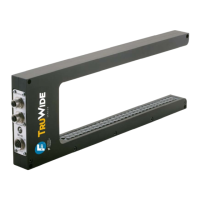
Provides an overview of the sensor's capabilities and intended use.
Highlights safety precautions and operational advisories for safe use.
Details the physical connector interfaces (Ethernet, Auxiliary, Output) on the sensor.
Explains how to properly supply power to the SE-45 sensor via different connectors.
Covers network setup, IP addresses, and MAXNET protocol for communication.
Describes the fundamental scanning technology and how edges are detected and processed.
Details the configuration and mapping of analog output signals for sensor data.
Explains how digital output signals are transmitted via the Maxnet Serial Protocol.
Describes the support for storing and recalling up to 8 different job configurations.
Explains the mode for guiding and web width monitoring of a single web.
Details the mode supporting up to 16 virtual sensors for complex edge tracking.
Method to automatically build virtual sensors based on web edge positions.
Setting the width of virtual sensors for all virtual sensors in a job.
Method to link multiple virtual sensors to follow a master sensor.
Illustrates the default signal mapping for edge and virtual sensor positions.
Lists the default data registers and their descriptions for Modbus communication.
Explains how to issue commands to control sensor operations remotely via Modbus/TCP.
Displays an image of the sensor upon initial connection.
Provides sensor information like serial number and firmware version.
Allows editing of network settings like IP address and subnet mask.
Enables configuration of analog output channels and their signal sources.
Allows setting the polarity for each analog output independently.
Describes the process to calibrate the sensor to the material being guided.
Displays the main interface screen with function key assignments.
Explains the function of each key on the operator interface.
Provides guidelines on navigating through the sensor's menu system.
Details how to configure job-specific settings like sensor mode and virtual sensors.
Outlines the hierarchical structure for accessing job configuration settings.
Explains how to select and enable different job configurations for the sensor.
Describes the step-by-step procedure to calibrate the sensor's transducers.
Allows enabling or disabling specific job configurations for the sensor.
Enables or disables control of the sensor from remote devices.
Sets the measurement units (mm or inch) for displayed values.
Allows viewing or modifying device and usage names.
Displays the model and serial number of the SE-45 Sensor.
Shows the firmware version installed on the SE-45 Sensor.
Shows the software version installed on the SE-45 Sensor.
For viewing or modifying Application ID and Sub Function for filtering.
Covers editing IP address, subnet mask, gateway, and DHCP settings.
For viewing or editing the MAXNET address for communication.
Displays the sensor's MAC-ID (physical address).
Allows viewing current values of output signals, power, temperature, and network status.
Displays input voltage, internal temperatures, and network connection status.
Lists general specifications like input voltage, power consumption, and temperature.
Details the communication port and sensor output capabilities.
Outlines requirements for Ethernet and other cable connections.
Lists product certifications and protection class ratings.
Covers essential system notes, cable handling, and safety warnings.
Provides instructions for cleaning the sensor transducers.
Instructions for returning the sensor for service, including packaging.
 General
| Brand | Maxcess |
|---|---|
| Model | Fife TruWide SE-45 Series |
| Category | Accessories |
| Language | English |

 To Next Page