4. Connection and Setting
1) Wireless Connection
①
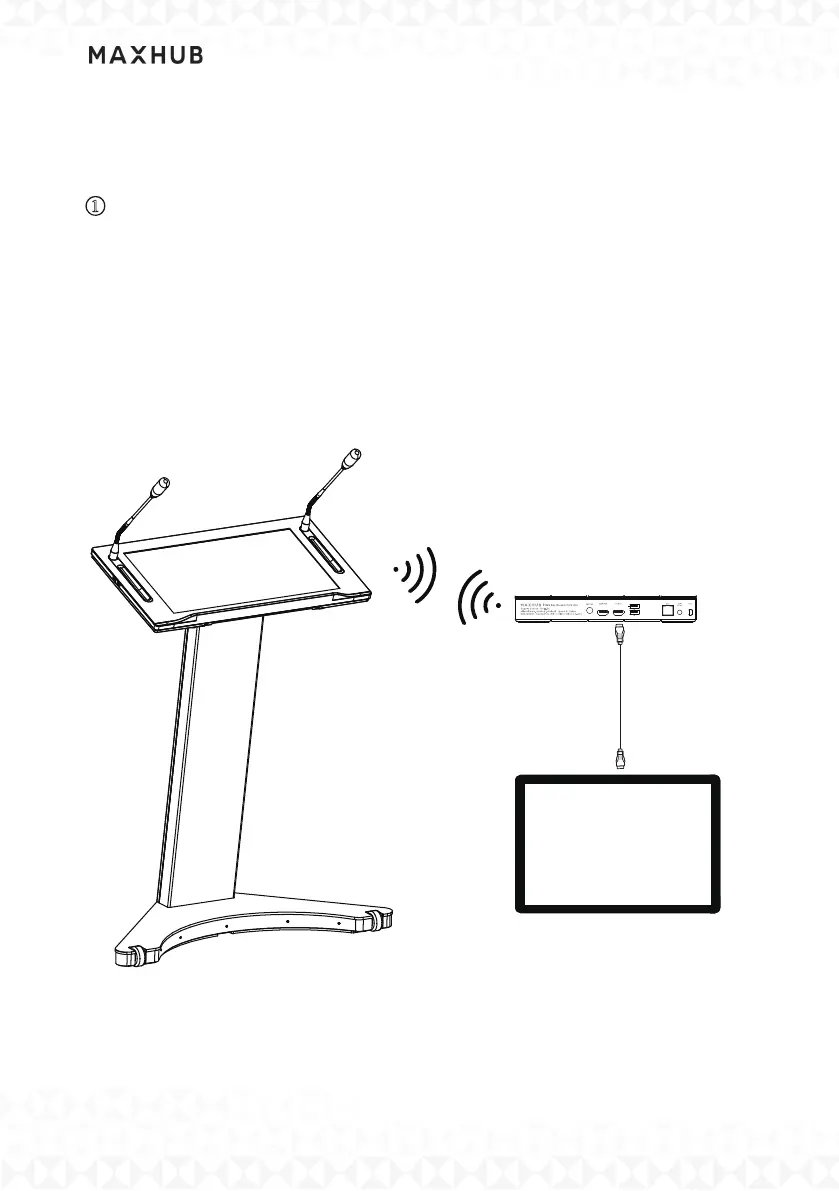
Wireless Scre enshare (With use of wireless screen box)
Smart Lectern may wireless Con nection to a MAXHUB wireles s screen
box. By connecting the wireless screen box to another display, you may
share the contents from the Smart Lectern wirelessly.
Note: The Smart Lectern and MAXHUB wireless screen box need to be
in the same LAN.
HDMI Cable
MAXHUB Display



 To Next Page