Spangenberg International B.V. – Nijverheidsweg 19F – 3641 RP Mijdrecht – Holland – T. +31 (0) 297 253 969 – F. +31 (0) 297 256 445
info@maximaholland.com - www.maximaholland.com
Operation
• Plug the appliance into the main socket. Make certain the socket is earthed.
• Warning! Never move the appliance during use.
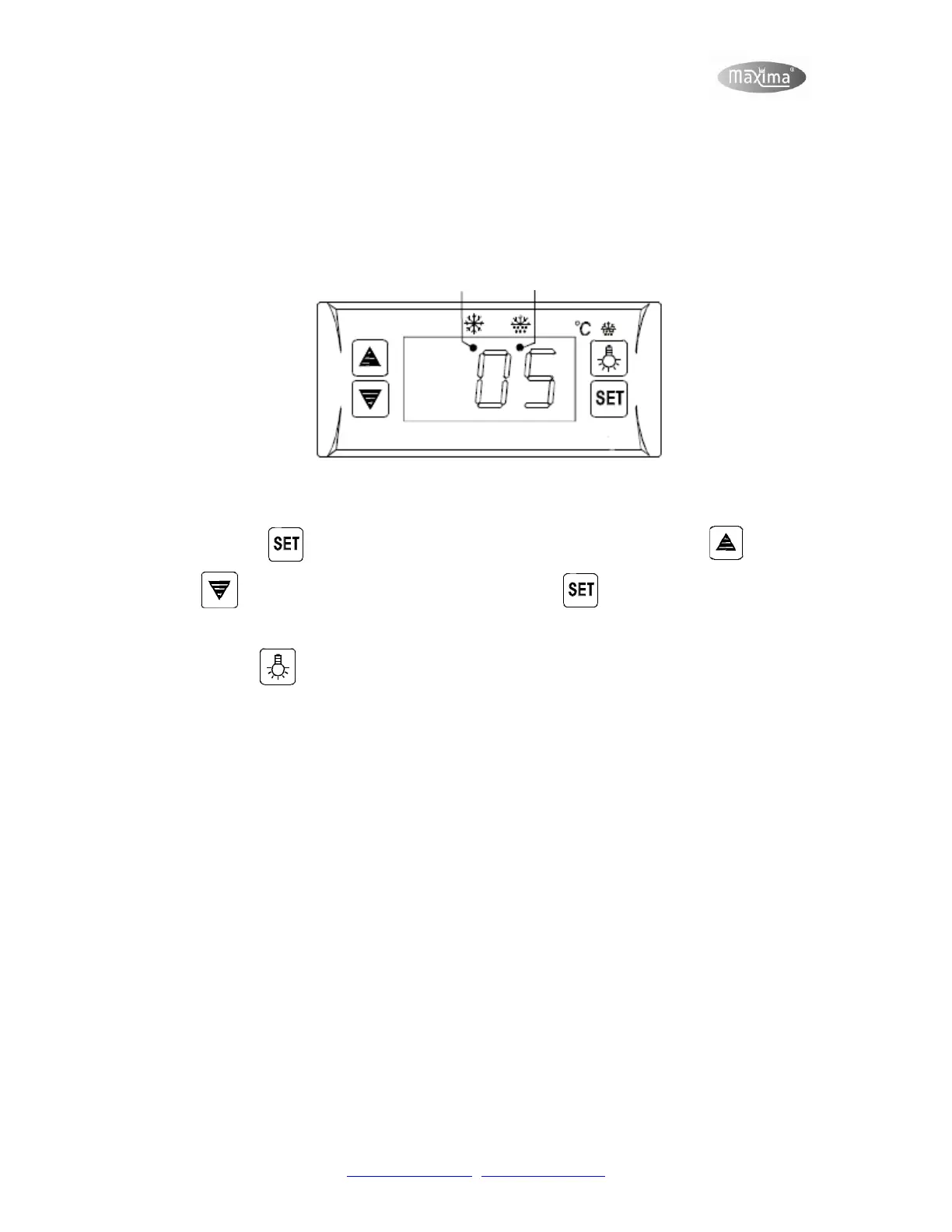
• Use the control panel at the front of the appliance to set the desired temperature.
Refrigerating indicator Defrosting indicator
• On the display you can read the current temperature.
• Press the button to change the temperature settings. Next press on or
to change the temperature and finish with the again to set the changes.
After a moment the current temperature will be shown again.
• With the button it is possible to turn on the light within the cooler. The button has a
second function. When you press the button for 6 seconds you can manually start the
defrosting process.
• The defrosting process will start automatically every 6 hours (manufacturer settings).
• After turning on the appliance, wait for two hours until placing the products in the
appliance.
• Place products 5 cm from the back, this to prevent the products from freezing.
• Do not place wet boxes or products in the appliance.
• Suggestion! We advise you to keep enough space between the products in the cooler,
this to smoothen the air flow. If there is not enough space, the cooling capacity cannot be
guaranteed.
• Suggestion! When you are going to refill the appliance with new supplies, it is advised to
do this at the end of the day. This way the appliance will have enough time to cool all the
products as desired for the next day.
• When the appliance is not being used, turn off the appliance by pressing the ‘On / Off’
button.



 To Next Page
 Loading...