MAXT230HD USER'S MANUAL
Fte maximal Italia s.r.l.u.
ENGLISH
18
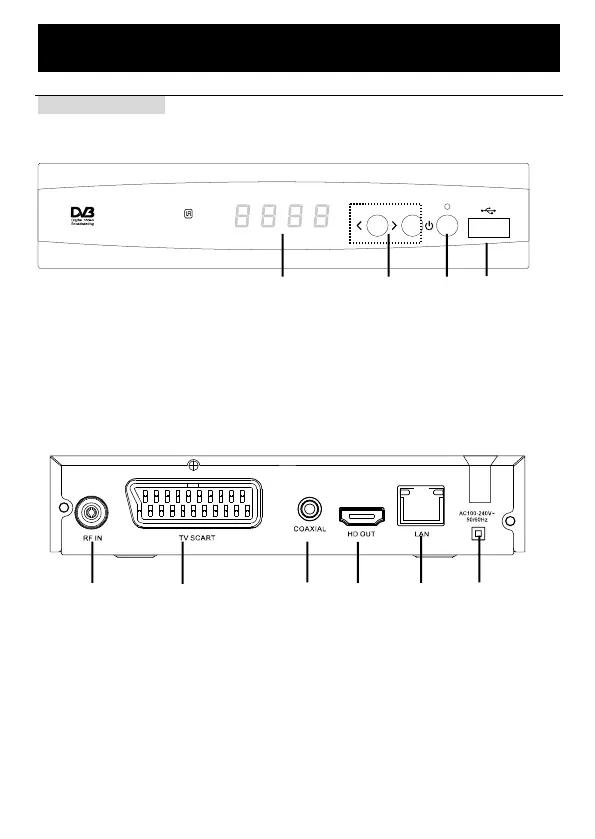
Front and back panel
Front panel Guide:
! " # $
1. USB 2.0 Port: data input from USB storage devices.
2. POWER BUTTON: use to turn on/off the main power supply.
3. CH+/CH-: use to change channels without using the remote control.
4. LED DISPLAY WINDOW: use to display channel number.
Rear panel Guide:
$ # " ! % &
1. RF IN: this socket connects to your external Aerial.
2. TV SCART: this socket connects to your TV.
3. COAXIAL: digital Audio Coaxial output jack
4. HD OUT: high-definition audio and video output used to connect to a HDMI device
5. LAN: ethernet port
6. Power cord cable


 To Next Page