User Manual CM70
Page 8 of 68
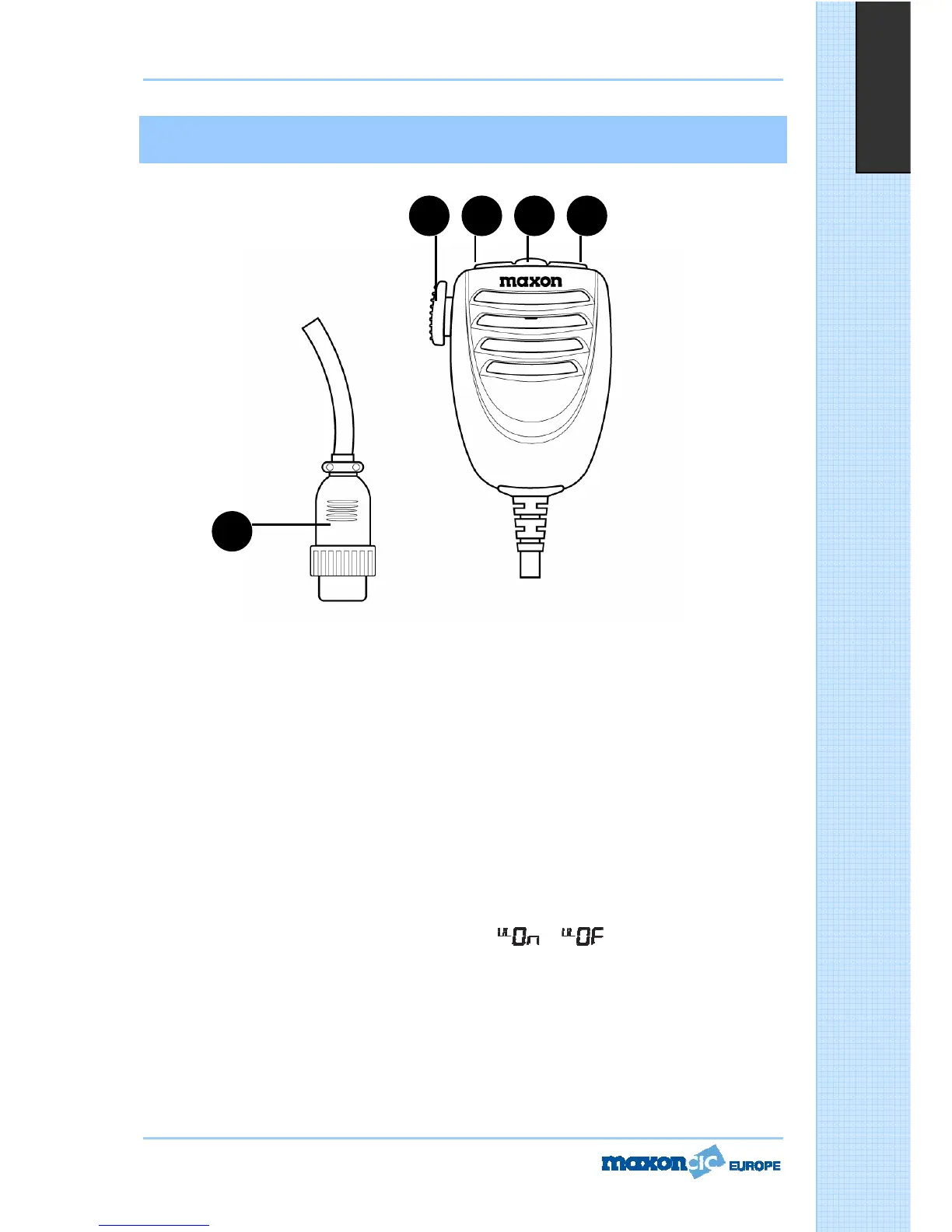
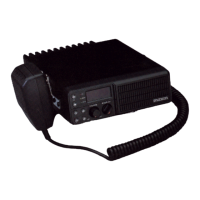
MICROPHONE
16. PTT (Push-to-Talk) Key
Transmitter key. Press the PTT key to transmit and release it to return to the receive mode.
17. UP (Channel Selector) Key
Each time this key is pressed, the channel number will move upward by one channel.
* Can be used instead of
18. LOCK/MODE Key
The LOCK function is enabled by a press/hold of this key locks the keypad and prevents the activation of
unwanted features. When the LOCK function is enabled, the LOCK icon appears on the LCD display.
You can use this key to set ASQ, SQ, BEEP TONE, BACKLIGHT and MEMORY. This key is the same as the
MODE Key on the front of the radio.
* You can also use this key for increasing or decreasing volume level.
Pressing the LOCK/MODE key several times, until the icon
or appears on the LCD. The UP
KEY or DN Key on microphone can also be used to increase or decrease the volume level.
19. DOWN (Channel Selector) Key
Each time this key is pressed, the channel number will move downward by one channel.
* Can be used instead of



 To Next Page