EasyManua.ls Logo

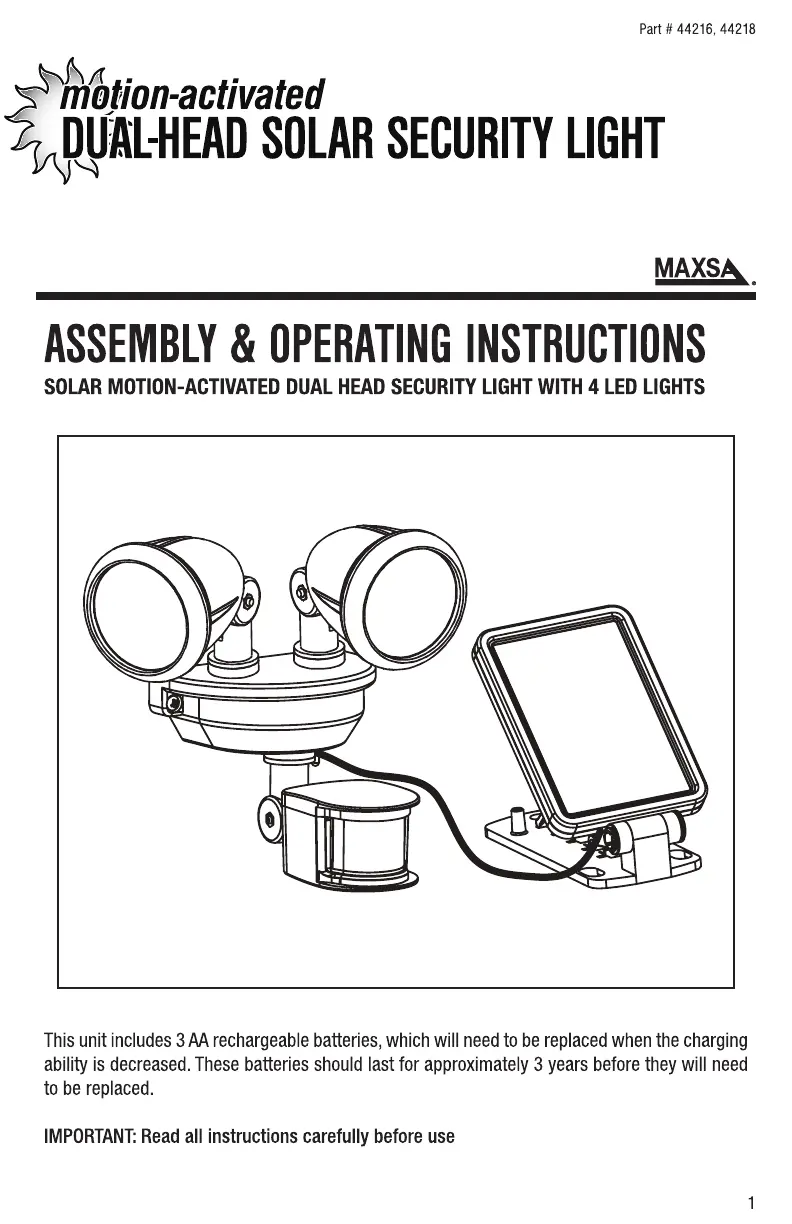
MAXSA 44216 - User Manual

MAXSA 44216
5 pages
Print Icon
To Next Page IconTo Next Page
Loading...

Questions and Answers

  • S
    Scott ClarkJul 28, 2025
    What to do if MAXSA Flood Light switches on for no apparent reason?
    • T
      Tracy FletcherJul 28, 2025
      If your MAXSA Flood Light is activating without a clear cause, there are several things to check: * The sensitivity control might be set too high. Try adjusting the SENS control towards the (-) position. * Ensure there are no moving trees, traffic, or pets triggering the sensor. * Reflective surfaces like windows, water, or white walls could also be the cause. * You can test the motion sensor by covering it with cardboard for a few minutes. If it still turns on, contact MAXSA for help.
  • R
    renee39Aug 5, 2025
    Why won't my MAXSA Flood Light switch on when there is movement?
    • R
      Ruben PalmerAug 5, 2025
      If your MAXSA Flood Light isn't activating with movement, consider the following: * Make sure the power switch is in the AUTO position. * Check that the motion sensor is facing the area where movement is expected. * Ensure the battery has been fully charged in direct sunlight for 3 sunny days. * Verify the LUX control isn't set too far towards the ( ) position. * Confirm the solar panel isn't near any nighttime light sources. * The rechargeable batteries may need replacing.
  • E
    Erin TaylorAug 12, 2025
    What to do if MAXSA 44216 Flood Light quickly flashes or is not bright?
    • M
      Michael GonzalezAug 12, 2025
      If your MAXSA Flood Light is flashing quickly or isn't as bright as it should be: * The battery charge may be low. Turn the power switch to the OFF position and charge the battery for three (3) sunny days, ensuring the solar panel has been placed in direct sunlight. * The rechargeable batteries may need to be replaced.
  • E
    Eric SweeneyAug 19, 2025
    How to stop MAXSA 44216 from switching on during the day?
    • C
      Candice McgeeSep 12, 2025
      If your MAXSA Flood Light is turning on during the day, the LUX control may be set too far towards the (?) position. Adjust the LUX control accordingly.

Summary

ASSEMBLY & OPERATING INSTRUCTIONS

INCLUDED PARTS

Lists and identifies all components included with the solar security light for assembly.

CHOOSING A LOCATION

Guidance on selecting an optimal location for the solar panel to ensure sufficient sunlight exposure.

INSTALLATION AND FIRST USE

Instructions for mounting the light and preparing it for initial operation, including a 3-day charging period.

OPERATING YOUR SOLAR SECURITY LIGHT

Details on how to use the light after initial setup, including adjustment controls for time, sensitivity, and light level.

BATTERY REPLACEMENT AND MAINTENANCE

REPLACING THE RECHARGEABLE BATTERIES

Step-by-step guide for replacing the unit's 3 AA rechargeable batteries when their charging ability decreases.

MAINTENANCE AND STORAGE

Tips for maintaining the solar panel and advice on proper storage to preserve battery life and functionality.

TROUBLESHOOTING

COMMON PROBLEMS AND SOLUTIONS

Addresses issues like the light not turning on, switching on during the day, or flashing intermittently, with possible causes and fixes.

MAXSA 44216 Specifications

General IconGeneral
BrandMAXSA
Model44216
TypeFlood Light
Battery TypeLithium-Ion
Weather ResistanceYes
WaterproofIP44
Mounting TypeWall Mount
ColorBlack
Power SourceSolar
Charging Time6-8 hours of sunlight
MaterialPlastic

Related product manuals