Need help?
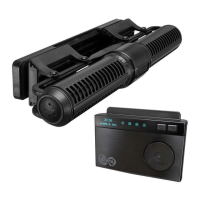
Do you have a question about the Maxspect ICV6 and is the answer not in the manual?
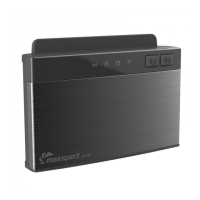
Indicates the status of the ZigBee signal on the ICV6.
Shows whether the ICV6 device is powered on.
Lights up when the device responds to specific operations.
Displays the Wi-Fi connection status, flashing or breathing.
Used to switch between different device functions.
Mobile device connects directly to the ICV6.
Mobile device connects to the ICV6 via a router.
Instructions for switching between AP and STA modes.
Procedure to reset the ICV6 to its default factory settings.
 General
| Dimensions | 95mm x 70mm x 27mm |
|---|---|
| Weight | 200 g |
| Connectivity | Wi-Fi |
| Power Supply | 12V DC |
| Compatibility | Maxspect devices |
| Voltage | 12V |
| Communication | Wireless |

 To Next Page