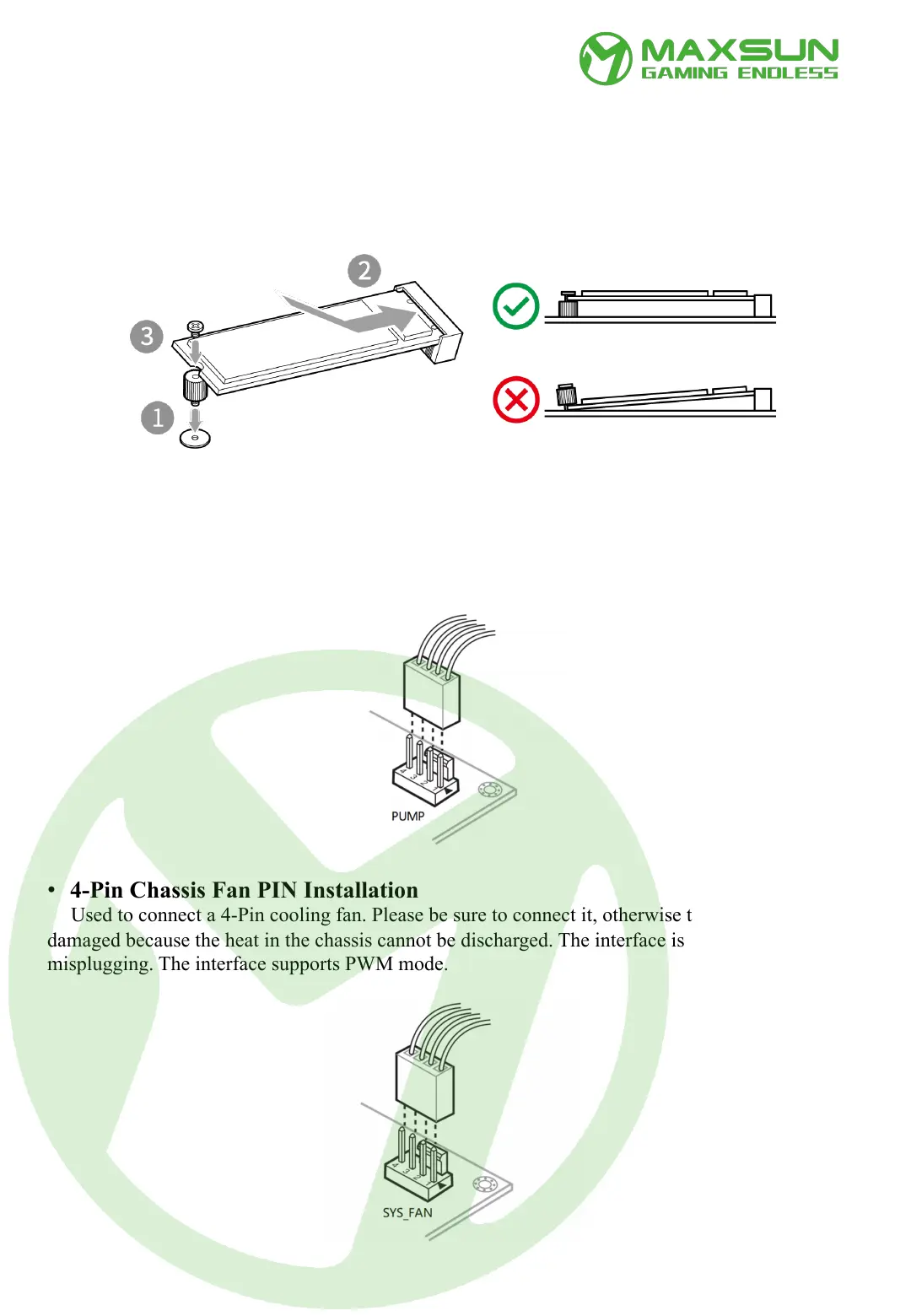
• 4-Pin PUMP PIN Installation
Used to connect the water-cooling water pump of the CPU water-cooling radiator to supply
power to the radiator. Be sure to connect it, otherwise the hardware may be damaged because the
CPU heat cannot be discharged. The interface is designed to prevent misplugging, and the interface
supports PWM mode.
• 4-Pin Chassis Fan PIN Installation
Used to connect a 4-Pin cooling fan. Please be sure to connect it, otherwise the hardware may be
damaged because the heat in the chassis cannot be discharged. The interface is designed to prevent
misplugging. The interface supports PWM mode.
• M.2 (Key_M) Slot Installation
This location is used to install M.2 SSD. Different types will have different length compatibility.
Maximum support is 22110. When installing, please pay attention to tightening the fixing screws as
shown below to prevent SSD damage or data loss due to poor contact during use.
Installation Instructions



 To Next Page