5
After Sales Support
UK/N.IRELAND HELPLINE N
O
:
REP.IRELAND HELPLINE N
O
:
WEBSITE:
EMAIL:
01270 508538
1800 995 036
www.quesh.co.uk
enquiries@quesh.co.uk
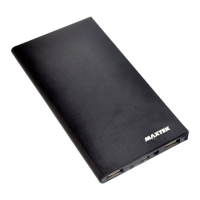
To charge a device, check the power requirments of your device
before selecting the right charge port.
• USB port marked ‘1A’ will charge most mobile phones and
devices that require a 1 amp, 5V charge.
• USB port marked ‘2A’ will charge most mobile phones,
tablets and devices that require a 2 amp, 5V charge.
Using the charge cable supplied by the maufacture for your chosen
device, connect it to either the USB 1A port or USB 2A port.
The charge Icon will appear on your device if the powerbank is
connected and supplying a charge.
Using the Powerbank
Disconnect the devices connected to the USB ports and make sure
the LED light is off. Connect the charge cable supplied to the mi-
cro USB port marked ‘IN’ and the other end to USB port or adap-
tor that is no greater than 1 Amp. A red LED light will indicate it is
charging and will go out once fully charged.
A complete charge will take approximately 8 hours.
Caution:
Check the adaptor used for ‘1A’ marked on the plug face or make
sure you are using a USB 1.0 - 2.0 port on a PC/Laptop.
Charging the Powerbank


 To Next Page