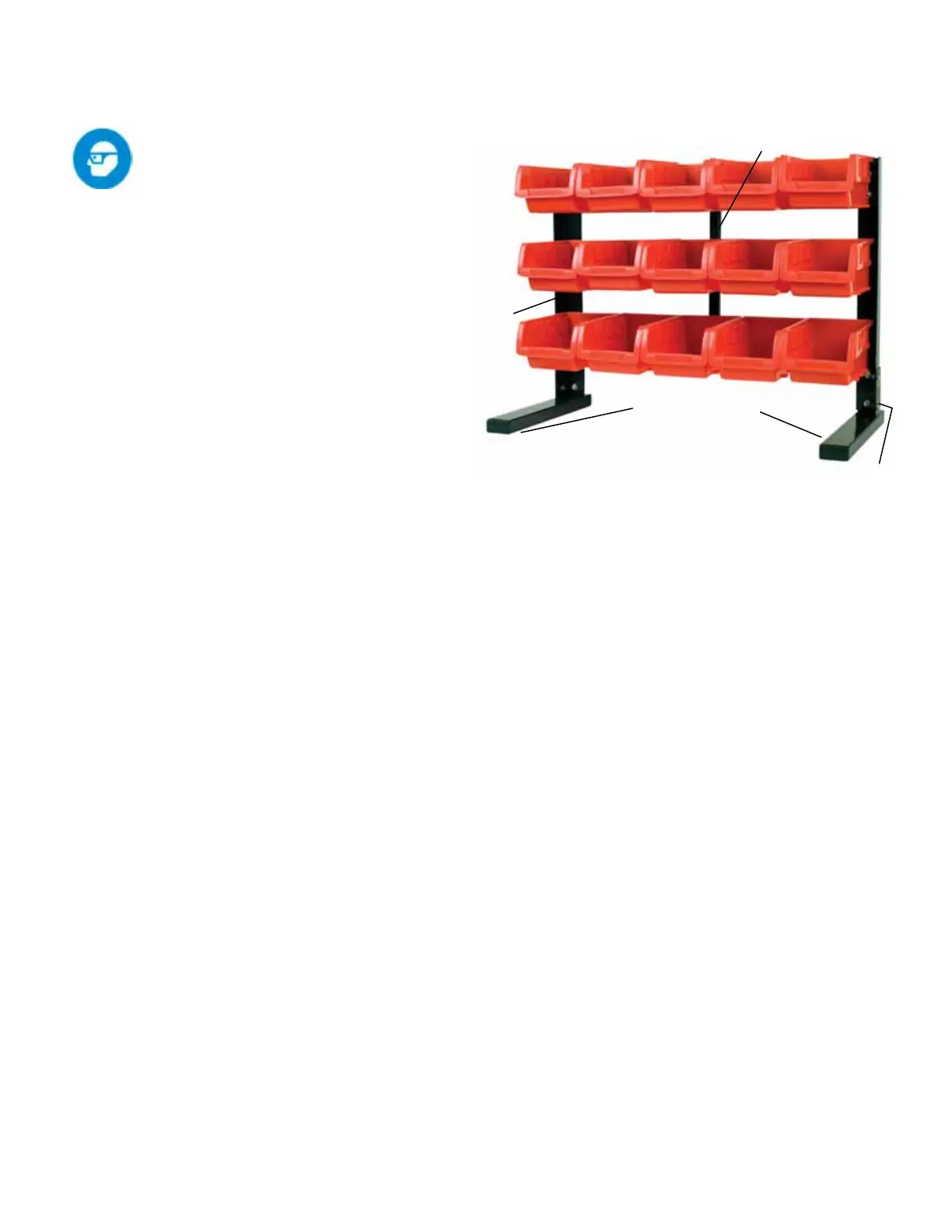
Assembling and Using the
Storage Bin Rack
Always wear ANSI approved
safety goggles.
Refer to the photo to the right and the As-
sembly Diagram on page 5.
A. Read all Personal and Work Area Safety
Warnings on pages 2 and 3 before setting up
and using this product.
B. Attach the Bottom Feet (8) to the Frame
Legs (2) using longer Bolts (6) and Nuts (7).
Make sure the Frame Legs t inside the “L”
bracket on top of the Bottom Feet.
C. Attach the 3 Center Support Brackets (5)
to the Frame Legs (2) and press down to
lock into place. Note: Orient each Center
Support Bracket so that the screw hole in the
center is closest to the lower lip of the Cen-
ter Support Bracket.
D. Attach Upright Support (4) to the back of
the Center Support Brackets (5) using short-
er Bolts (3).
E. Make sure the Rack asssembly sits level
and tighten all hardware.
F. Hang the Bins (1) on the Rack assembly.
G. Loading the Bins: The individual Bins
each have a weight capacity of 2 Lbs.
Do not overload the bins.
Maintaining the Storage Bin Rack
A. The general condition of this product
should be checked periodically. Make sure
that all hardware is tightened. Make sure
that the Bins are in good condition, with no
cracks or other damage.
B. Keep the product clean and free of
grease.
Model 80695 Page 4
Note: Some parts are listed and shown for illustration pur-
poses only, and are not available as replacement parts.
Manufactured for and distributed by:
Maxx Group, LLC, Oxnard, CA 93030 USA
www.maxworks.com
Bottom Feet (8)
Frame
Leg
(2)
Upright Support (4)
“L” Bracket



 To Next Page