14
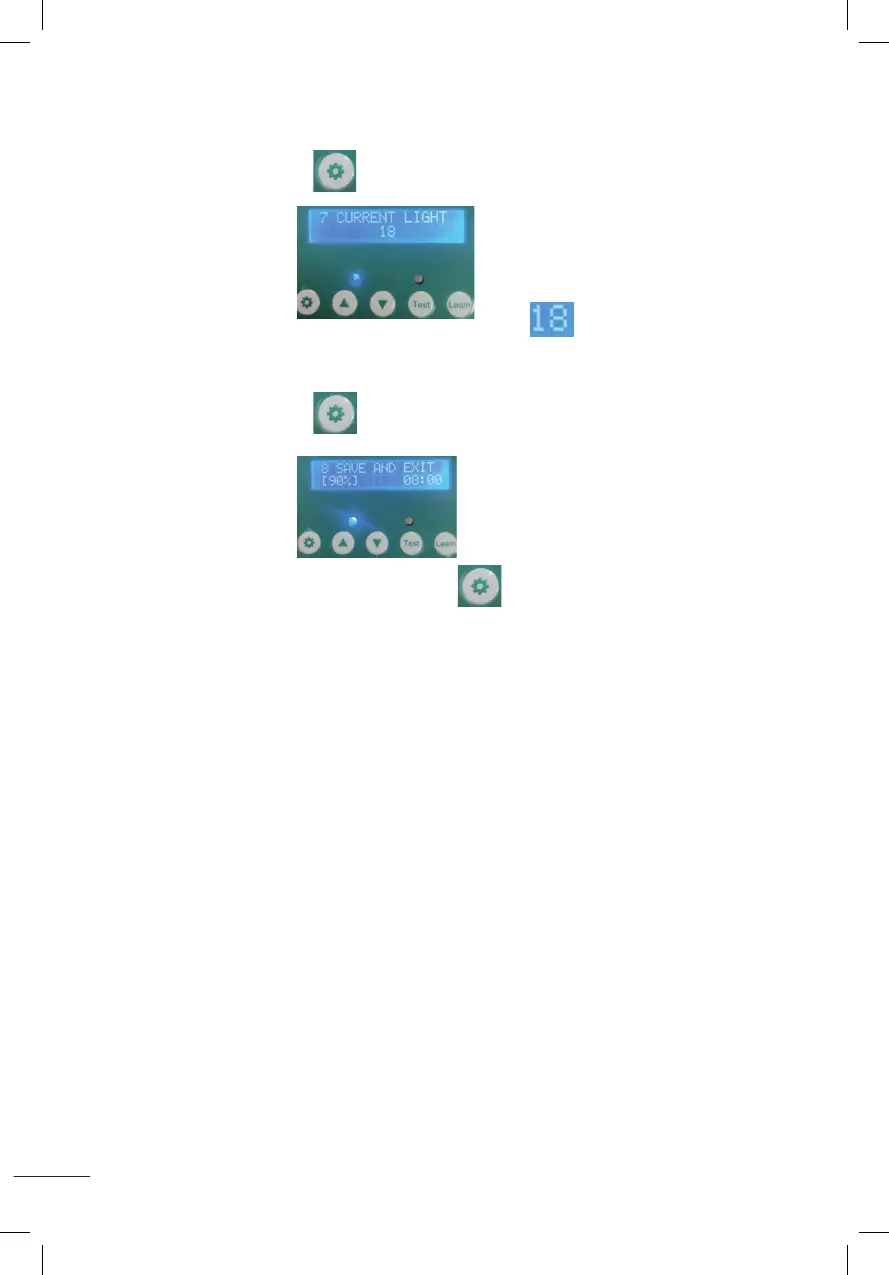
7. DÉTECTION AUTOMATIQUE DES LUMENS ACTUELS
Appuyez sur le bouton de réglage pendant 1 seconde puis relâchez-le, comme
indiquésurl’image
Leslumensactuelssontcommeindiquésurl’image.
8. ENREGISTREZ LES PARAMÈTRES ET REVENEZ À L’ÉCRAN D’ACCUEIL
Appuyez sur le bouton de réglage pendant 1 seconde puis relâchez-le, comme
indiquésurl’image
Appuyez et maintenez enfoncé le bouton de réglage pendant 1 seconde puis
relâchez,lesparamètresdénisserontenregistrésetreviendrontàl’écrand’accueil.
7.Automatic sensing of current Lumens
Press the setting button for 1 second then release,it will display as shown
and the current Lumens is 18 as shown in the figure .
8.Save the settings and return to the desktop
Press the setting button for 1 second then release,it will display as shown
press the setting button again for 1 second then release,it will save the set parameters and return.
7.Automatic sensing of current Lumens
Press the setting button for 1 second then release,it will display as shown
and the current Lumens is 18 as shown in the figure .
8.Save the settings and return to the desktop
Press the setting button for 1 second then release,it will display as shown
press the setting button again for 1 second then release,it will save the set parameters and return.
7.Automatic sensing of current Lumens
Press the setting button for 1 second then release,it will display as shown
and the current Lumens is 18 as shown in the figure .
8.Save the settings and return to the desktop
Press the setting button for 1 second then release,it will display as shown
press the setting button again for 1 second then release,it will save the set parameters and return.
7.Automatic sensing of current Lumens
Press the setting button for 1 second then release,it will display as shown
and the current Lumens is 18 as shown in the figure .
8.Save the settings and return to the desktop
Press the setting button for 1 second then release,it will display as shown
press the setting button again for 1 second then release,it will save the set parameters and return.
7.Automatic sensing of current Lumens
Press the setting button for 1 second then release,it will display as shown
and the current Lumens is 18 as shown in the figure .
8.Save the settings and return to the desktop
Press the setting button for 1 second then release,it will display as shown
press the setting button again for 1 second then release,it will save the set parameters and return.
7.Automatic sensing of current Lumens
Press the setting button for 1 second then release,it will display as shown
and the current Lumens is 18 as shown in the figure .
8.Save the settings and return to the desktop
Press the setting button for 1 second then release,it will display as shown
press the setting button again for 1 second then release,it will save the set parameters and return.


 To Next Page
 Loading...