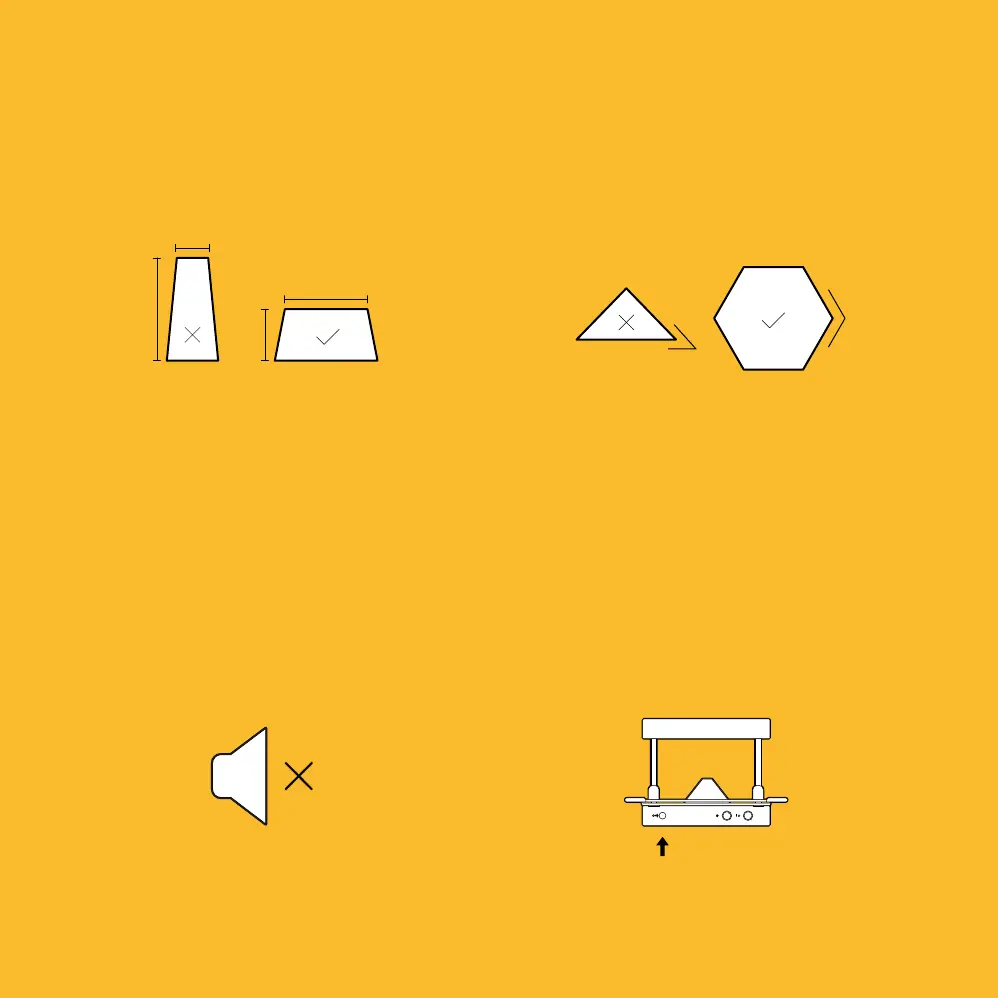
Avoid Webbing
Avoid sharp angles less than 90 degrees. This
can cause ‘webbing’, as the sheet material
can bunch and fold onto itself. Also ensure
that you lower the trays softly when forming.
Mute
If you would like to turn off the FormBox
sounds, turn on the heater to any setting
then press and hold the timer start button for
7 seconds. Repeat to turn them back on.
Vacuum Shut Off
To turn the vacuum off in the middle of
suction, press the timer start button to cut
the power to your vacuum cleaner.
Height / Width Ratio
Generally, templates should be wider than
they are tall. This helps avoid thinning at the
top of the form.
Vacuum Shut Off
To turn the vacuum off in the middle of
suction, press the timer start button to cut
the power to your vacuum cleaner.
41
0
0
1 min.
2 min.
1
2
3
4
5
6
3 min.
4 min.


 To Next Page