13
Installation and User Instructions12
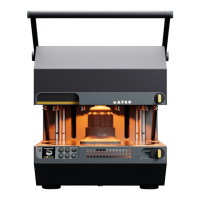
Mayku Multiplier
The full text of the FCC certication is available at the
following internet address: compliance.mayku.me
• This equipment complies with FCC radiation
exposure limits set forth for an uncontrolled
environment. This equipment should be installed
and operated with a minimum distance 20cm
between the radiator & your body.
Changes or modications to this unit not expressly
approved by the party responsible for compliance
could void the user’s authority to operate the
equipment.
WARNING
WARNING
4. Preparation
4.1. How to transport and store the Mayku Multiplier
Ensure that the Multiplier is on a stable surface
before use. Moving the Multiplier during use is
dangerous and may result in injury or death.
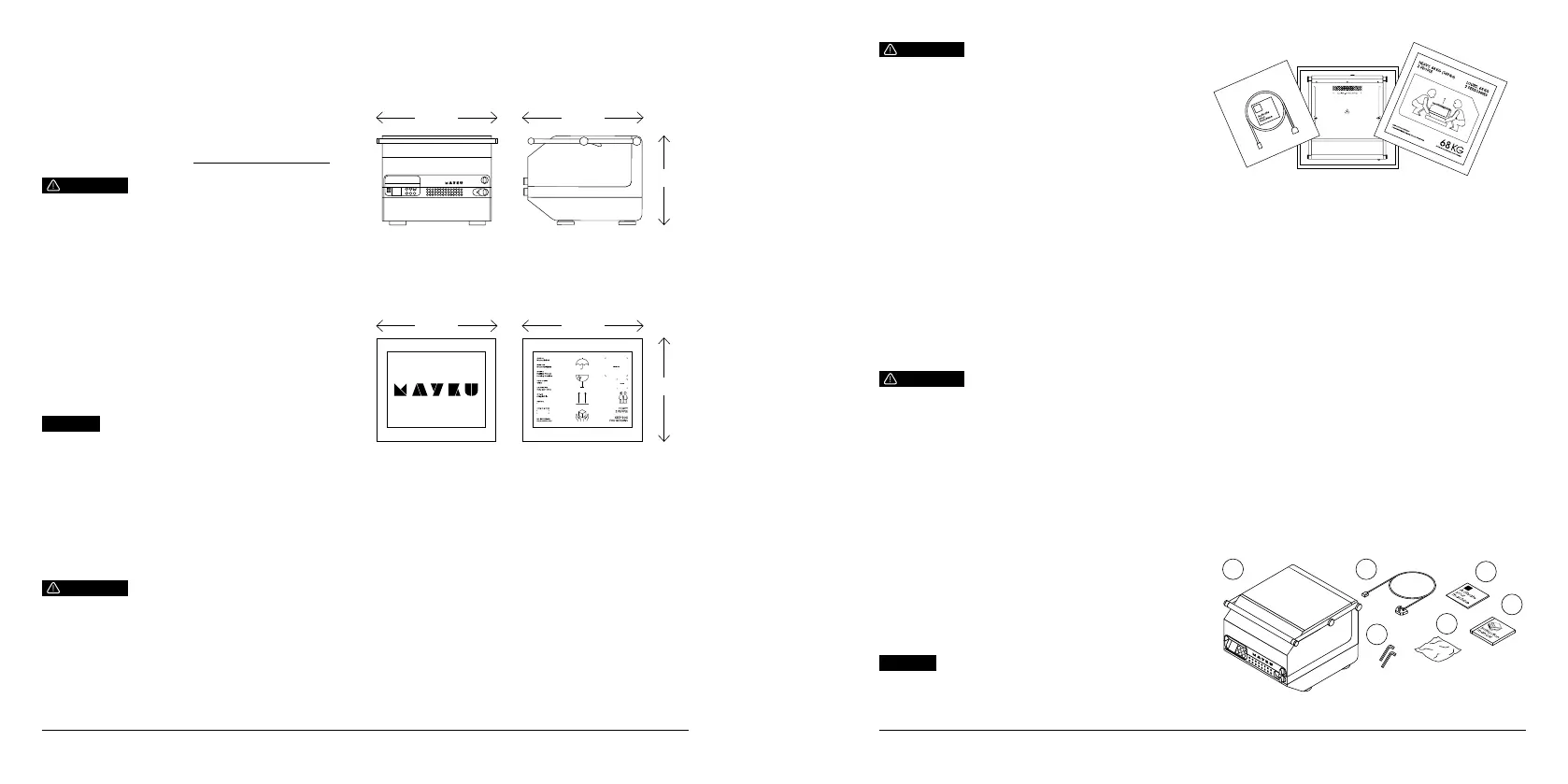
4.1.1. Dimensions and mass
Unboxed
Dimensions: 585mm (L) x 515mm (W) x 420mm (H).
Weight: 59kg (130lbs)
Boxed
Dimensions: 700mm (L) x 700mm (W) x 640mm (H).
Weight: 68kg (149lbs)
515mm 585mm
420mm
Power Switch
Air Accessory
Connector
Fuse
Plug Socket
Back:
Up No
Yes MenuDown
On-Screen
Instructions
On/Off Button
Air Vent
Lock Sheet
Handle
Lock Machine
Front:
Control Panel:
Get to know The Multiplier
Quick Start Guide:
Plug in and
power on
Turn o n
Switching off your machine
Switch your machine off using the power switch on
the control panel and the mains switch on the back
of the machine when not in use.
Keep the lid of the machine
closed when not in use.
Turn o ff
Power off
Now follow
the on- screen
instructions
ActivationLeaflet_090322.indd 1-4 09/03/2022 12:22
Power Switch
Air Accessory
Connector
Fuse
Plug Socket
Back:
Up No
Yes MenuDown
On-Screen
Instructions
On/Off Button
Air Vent
Lock Sheet
Handle
Lock Machine
Front:
Control Panel:
Get to know The Multiplier
Quick Start Guide:
Plug in and
power on
Turn o n
Switching off your machine
Switch your machine off using the power switch on
the control panel and the mains switch on the back
of the machine when not in use.
Keep the lid of the machine
closed when not in use.
Turn o ff
Power off
Now follow
the on- screen
instructions
ActivationLeaflet_090322.indd 1-4 09/03/2022 12:22
Power Switch
Air Accessory
Connector
Fuse
Plug Socket
Back:
Up No
Yes MenuDown
On-Screen
Instructions
On/Off Button
Air Vent
Lock Sheet
Handle
Lock Machine
Front:
Control Panel:
Get to know The Multiplier
Quick Start Guide:
Plug in and
power on
Turn o n
Switching off your machine
Switch your machine off using the power switch on
the control panel and the mains switch on the back
of the machine when not in use.
Keep the lid of the machine
closed when not in use.
Turn o ff
Power off
Now follow
the on- screen
instructions
ActivationLeaflet_090322.indd 1-4 09/03/2022 12:22
3.6. IC compliance statement
This device complies with Industry Canada licence-
exempt RSS standard(s). Operation is subject to the
following two conditions:
1. this device may not cause interference, and
2. this device must accept any interference, including
interference that may cause undesired operation of
the device.
This equipment complies with IC RF radiation exposure
limits set forth for an uncontrolled environment. This
equipment should be installed and operated with
a minimum distance of 20 centimetres between the
radiator and your body.
NOTICE
4.1.2. Lifting, handling and transporting the product
To lift and handle the product safely:
1. Make sure that your path is clear from obstacles.
Make sure that surfaces are not wet or slick.
2. Wear proper protective shoes and gloves.
3. Make sure that the machine is closed and both
locks are set to the “locked” position.
4. Use the top handle or hold the base to lift the
machine. WARNING! Always carry out lifting with
more than one person.
5. Put the machine in the correct location. NOTICE
Make sure that both safety release valves are not
blocked when putting down the machine.
700mm 700mm
640mm
WARNING
The Multiplier shall be placed on a surface that is
rated to the weight of the machine. (59KG, 130lbs)
To transport the product safely:
1. The Multiplier should be shipped in the box included
with the machine, ensuring padding on either side
and front/back of the machine.
2. The packaged machine shall be strapped in transit
to avoid excess movement.
4.1.3. Storing the product / storing during intervals in
normal use
To store the product safely:
1. The machine shall be used and stored on a strong
and stable surface.
2. Ensure the machine is stored in the closed position
at all times.
WARNING
The Multiplier is a heavy machine, and requires a
minimum of (2) people to lift. Do not attempt to lift
the machine by yourself.
4.2.1. Removal of the transport and packaging
restraints
The Multiplier is shipped in a reinforced cardboard box
strapped to a pallet.
Follow these instructions to remove transportation
materials:
1. Cut the plastic shipping straps using a knife or
scissors.
2. Remove the cardboard lid.
3. Slide the cardboard shipping box upwards over the
machine.
4.2. How to install the Mayku Multiplier
Packaging materials should be kept for future
transportation purposes.
NOTICE
HOT SURFACE
4.2.2. Unpacking the product
Once the cardboard lid and shipping box have been
removed follow these steps:
1. Remove the quick start guide, user manual and tool
kit from the foam lid.
2. Lift off the foam lid.
3. Remove the four foam side panels.
4. Remove the angled foam blocks.
5. Follow the lifting instructions in 4.1.2.
6. The machine shall be positioned on a strong and
stable surface.
4.2.3. Packaging contents
Your delivery will contain the following items:
A. Multiplier machine (One)
B. Mains cable (One)
C. Quick start guide (One)
D. Installation and user instructions (One)
E. Set of maintenance tools
Ea. Allen keys (Two)
Eb. Microber cloth (One)
A B
C
D
Eb
Ea


 To Next Page
 Loading...