Options Indicator Light
Temp Boost Sensor: The Heating Delay light indicates that the main
If for any reason the incoming water wash is being extended to heat the water to
temperature is below 120°F, press the On proper temperature,
button to assure the water is heated to proper
temperature for best cleaning and drying Adding a Forgotten Item
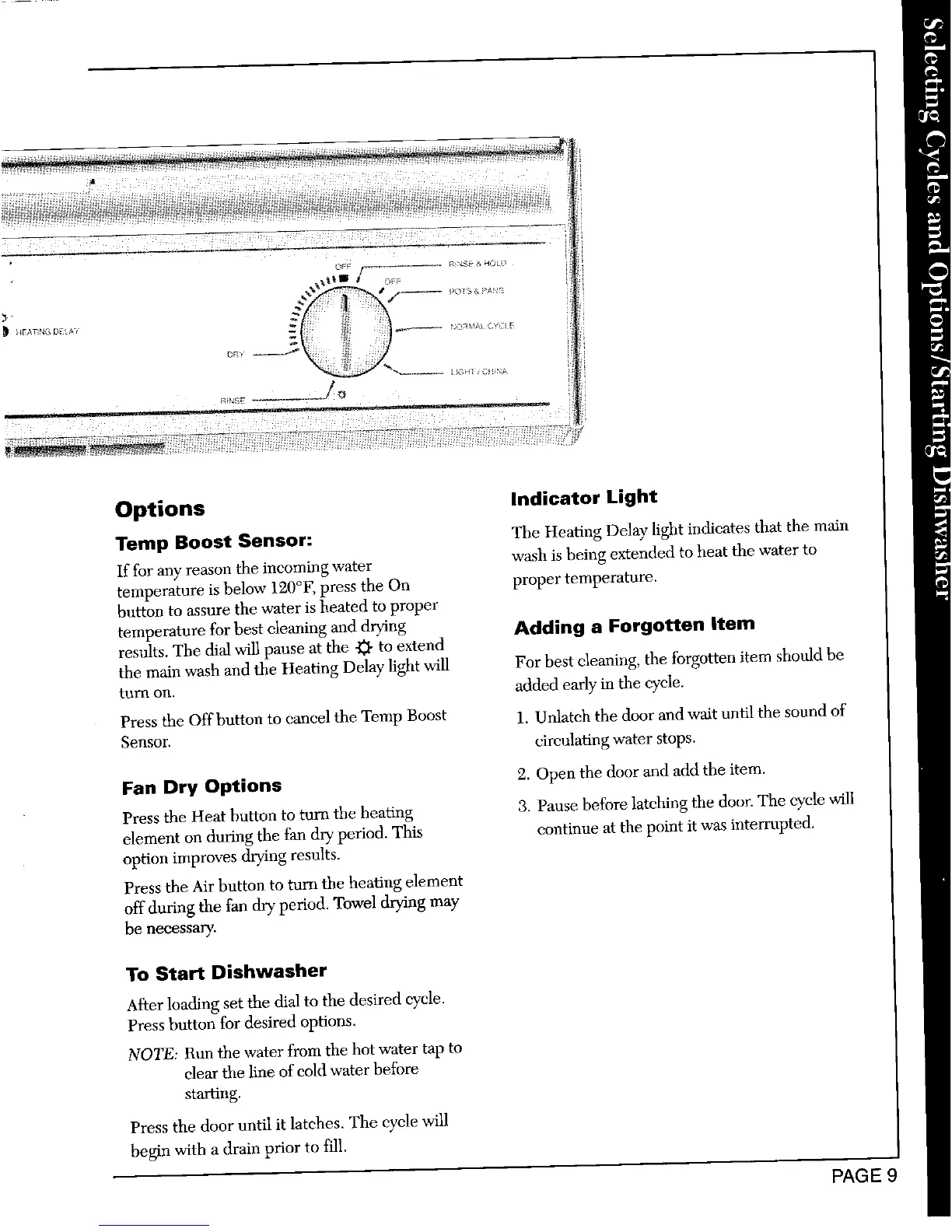
results. The dial will pause at the _ to extend
the main wash and the Heating Delay light will For best cleaning, the forgotten item should be
turn on. added early"in the @e.
Press the Offbutton to cancel the Temp Boost 1, Unlatch the door and wait until the sound of
Sensor, circulating water stops.
Fan Dry Options 2. Open the door and add the item.
Press the Heat button to turn the heating 3. Pause before latching the door. The cycle will
element on during the fan dry period. This continue at the point it was interrupted.
option improves drying results.
Press the Air button to turn the heating element
off during the fan dry period. Towel drying may
be necessary.
To Start Dishwasher
After loading set the dial to the desired cycle.
Press button for desired options.
NOTE: Run the water from the hot water tap to
dear the line of cold water before
starting,
Press the door until it latehes. The cycle will
begin with a drain prior to fill.
PAGE :





 To Next Page