EasyManua.ls Logo

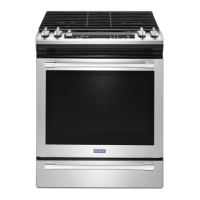
Maytag MGS8800FZ1 - User Manual

Maytag MGS8800FZ1
20 pages
Print Icon
To Next Page IconTo Next Page
Loading...
THANK YOU for purchasing this high-quality product. Register your range at www.maytag.com. In Canada, register
your range at www.maytag.ca.
For future reference, please make a note of your product model and serial numbers. These can be found on the label
located on the oven frame behind the top right side of the oven door.
Model Number _____________________________________ Serial Number _____________________________________
Para una versión de estas instrucciones en español, visite www.maytag.com.
Deberá tener a mano el número de modelo y de serie, que están ubicados en el marco del horno, detrás del lado
derecho superior de la puerta del horno.
Table of Contents
User Guide
Gas Range
W11399127A
RANGE SAFETY .............................................................................2
The Anti-Tip Bracket ....................................................................3
KEY USAGE TIPS ...........................................................................4
AquaLift
®
Self-Cleaning Technology ............................................4
Surface Temperatures ..................................................................4
Preheating ....................................................................................4
Surface Burners ...........................................................................4
FEATURE GUIDE ............................................................................5
Electronic Oven Controls .............................................................7
COOKTOP .......................................................................................9
Surface Burners ...........................................................................9
Surface Grates ...........................................................................10
Burner Size .................................................................................10
Cookware ...................................................................................11
Home Canning ...........................................................................11
OVEN .............................................................................................12
Aluminum Foil .............................................................................12
Positioning Racks and Bakeware ..............................................12
Oven Vent ...................................................................................12
Sabbath Mode............................................................................13
Baking and Roasting ..................................................................13
Broiling........................................................................................13
Convection Cooking ..................................................................14
Cook Time ..................................................................................14
Warming Drawer ......................................................................... 15
Oven Light ..................................................................................15
RANGE CARE ...............................................................................16
Clean Cycle ................................................................................16
General Cleaning ........................................................................17
TROUBLESHOOTING ..................................................................18
ACCESSORIES .............................................................................20

Question and Answer IconNeed help?

Do you have a question about the Maytag MGS8800FZ1 and is the answer not in the manual?

Overview

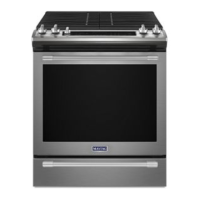
This document is a user manual for a Maytag range, providing comprehensive information on its functions, technical specifications, usage, and maintenance.

Function Description:

The Maytag range is a multi-functional kitchen appliance designed for cooking, baking, broiling, and warming food. It features both a cooktop with multiple burners and an oven. The cooktop is equipped with AquaLift® Self-Cleaning Technology for easy maintenance. The oven offers various cooking modes, including Bake, Convection Bake, Convection Roast, Broil, and Sabbath Mode, catering to diverse culinary needs. It also includes a warming drawer for keeping food warm until serving.

Important Technical Specifications:

Cooktop:

  • Burner Sizes: The cooktop features a variety of burner sizes, including small (auxiliary), medium (semi-rapid), large (ultra-rapid), and oval burners, to accommodate different pot and pan sizes and cooking requirements.
  • Ignition: Electric igniters automatically light the surface burners when control knobs are turned to LITE.
  • Grates: The cooktop is equipped with grates that must be properly positioned before cooking.
  • Gas Type: The appliance is designed for use with natural gas, but can be converted for use with LP gas.

Oven:

  • Temperature Range: The oven can be set to temperatures ranging from 170°F (75°C) to 550°F (288°C) for various cooking tasks.
  • Preheating: The oven requires preheating before baking or roasting. The preheat cycle typically takes 12-15 minutes to reach 350°F (177°C).
  • Racks: The oven comes with multiple racks that can be positioned at different levels to optimize cooking results.
  • Self-Cleaning: The oven utilizes AquaLift® Self-Cleaning Technology, which uses water and low heat to clean the oven interior in under an hour.
  • Power Supply: The appliance requires a 240 V, 20 A dedicated circuit for proper operation.

Warming Drawer:

  • Temperature Settings: The warming drawer offers three temperature settings: Low (140°F/60°C), Medium (180°F/82°C), and High (210°F/99°C), suitable for keeping different types of food warm.

Usage Features:

Cooktop Usage:

  • Surface Burner Operation: To light a surface burner, push in and turn the knob counterclockwise to LITE. All surface burners will click, but only the burner with the control knob turned to LITE will produce a flame. Turn the knob to anywhere between HI and LO for desired heat.
  • Cookware: The manual provides a detailed chart on suitable cookware materials (copper, earthenware, porcelain-on-steel, cast iron, stainless steel, aluminum, ceramic/ceramic glass) and their characteristics for optimal cooking results.
  • Grates: Ensure grates are properly positioned before cooking.

Oven Usage:

  • Setting the Clock: The clock can be set to a 12 or 24-hour cycle.
  • Setting Oven Functions: The oven offers various functions, including Bake, Convection Bake, Convection Roast, Broil, and Sabbath Mode. To select a function, press the corresponding keypad and enter the desired temperature or time.
  • Preheating: The oven will preheat to the set temperature. The display will show "PREHEAT" until the oven reaches the desired temperature.
  • Baking and Roasting: The manual provides guidelines for rack positions for different types of food (e.g., cakes, cookies, roasts).
  • Broiling: The broil function can be set to High or Low. The oven door should be left ajar during broiling.
  • Sabbath Mode: This mode allows the oven to remain on for an extended period without turning off, suitable for religious observances.
  • Delay Start: The oven can be programmed to start cooking at a later time.
  • Cook Time: The oven can be set to cook for a specific duration.
  • Power Preheat: This feature shortens the preheating time.

Warming Drawer Usage:

  • Operation: To use the warming drawer, press "WARMING DRAWER ON" and select the desired temperature setting (Low, Medium, or High).
  • Food Safety: The manual emphasizes food safety guidelines, such as not leaving food in the oven or warming drawer for more than one hour before or after cooking.

Electronic Oven Controls:

  • Display: The display shows the current time, temperature, and selected functions.
  • Tones: Audible signals indicate various events, such as when the oven is preheated or when a cycle is complete.
  • Energy Save Mode: This mode reduces energy consumption by turning off the display and tones.

Maintenance Features:

Cooktop Maintenance:

  • Cleaning: The cooktop should be cleaned regularly to prevent spills from baking on. The manual recommends using mild detergent and warm water for general cleaning. For stainless steel surfaces, a stainless steel cleaner is recommended.
  • Grates: The grates can be cleaned with warm, soapy water or in the dishwasher.
  • Burner Caps: The burner caps should be cleaned regularly to ensure proper flame distribution.

Oven Maintenance:

  • AquaLift® Self-Cleaning Technology: To use this feature, remove all racks and accessories from the oven, pour 1¾ cups (14 oz) of distilled or filtered water onto the bottom of the empty oven, and close the door. Press "AQUALIFT SELF CLEAN" and then "START." The cycle will run for 40 minutes. After the cycle, wipe away any remaining soil.
  • General Cleaning: For general cleaning, use mild soap and water. Do not use abrasive cleaners, steel wool pads, or oven cleaners on painted surfaces.
  • Oven Light: The oven light is a standard 40 W appliance bulb. To replace, unplug the range, remove the glass bulb cover, and replace the bulb.

Warming Drawer Maintenance:

  • Cleaning: The warming drawer should be cleaned with warm, soapy water.

Troubleshooting:

  • The manual includes a comprehensive troubleshooting section that addresses common issues such as "Nothing will operate," "Surface burners will not operate," "Oven will not operate," and "Cooktop making popping noises." It provides possible causes and solutions for each problem.

Accessories:

  • The manual lists various accessories that can be purchased, including cooktop cleaners, grates, burner pans, oven racks, and broiler pans.

Safety Information:

  • The manual includes important safety instructions and warnings, such as the danger of tipping the range, the risk of fire or explosion from gas leaks, and food poisoning hazards. It emphasizes the importance of proper installation and regular maintenance to ensure safe operation.

Maytag MGS8800FZ1 Specifications

General IconGeneral
BrandMaytag
ModelMGS8800FZ1
CategoryRanges
LanguageEnglish

Related product manuals