4
SECTION III
CONTROL SETUP PROCEDURE
IMPORTANT: READ ALL INSTRUCTIONS BEFORE OPERATING.
The fabric setting key pads along with the digital display are used to setup the dryer controls.
The display can contain 3 numbers or letters and a decimal point. These are used to indicate the price, time
remaining and setup codes and related code values available for use in programming the appliance.
HOW TO USE THE KEYPADS TO PROGRAM THE CONTROLS
1. The WHITES & COLORS keypad is used to adjust the values associated with setup codes. Pressing the
keypad will increment the value by one (1). Rapid adjustment is possible by holding the keypad down.
2. The PERMANENT PRESS keypad will advance you through the setup codes. Pressing the keypad will
advance you to the next available setup code. Holding the keypad down will automatically advance
through the setup codes at a rate of one (1) per second.
3. The DELICATES keypad is used to select or deselect options.
START OPERATING Setup
CAUTION: The service access door must not be opened unless power is first disconnected from the
dryer.
Before proceeding it is worth noting that, despite all the options available, an owner can simply choose to
uncrate a new commercial machine, hook it up, plug it in and have a unit which operates.
PD units are preset at the factory for fixed cycle price with top off.
SECTION IV
SETUP CODES
The PERMANENT PRESS keypad will advance you from code to code. The WHITE & COLORS keypad
will change the code value. The DELICATES keypad will select or deselect options.
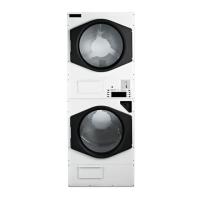
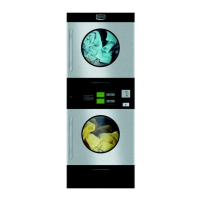
NOTE: On stacked dryers programming selections apply to both dryers.
The setup code is indicated by the one or two left hand characters. The setup code value is indicated by the
two or three right hand characters.


 To Next Page