Need help?
Do you have a question about the Maytag MLG32PDB and is the answer not in the manual?
Indicates the appliance is inoperative. Enter setup mode to view diagnostic code.
Indicates the appliance cannot be operated. Coins/inputs stored in escrow until normal operation restored.
Describes initial appliance programming and behavior after power failure.
Details the four types of pricing: Fixed Vend, Accumulator, Fixed Cycle with Top Off, and Free Cycles.
Explains how to use WHITES & COLORS, PERMANENT PRESS, and DELICATES keypads to adjust values and navigate codes.
Provides caution regarding service access and notes factory presets for PD units.
Configures the number of quarters for cycle price and minutes per quarter.
Sets dryer pricing type, cycle counter, and money counter options.
Configures special cycle price, dry time, time-of-day clock, and specific day pricing.
Defines coin values, temperature settings, and cool down times for different cycles.
Covers add coins, coin/debit options, price suppression, escrow clearing, and temperature settings.
Lists error codes (d2-d23) related to dryer thermistors, motors, coin controls, and voltage.
Explains how to enter and use diagnostic and help modes for troubleshooting and information display.
This document provides a comprehensive user manual for the Maytag MLG32PDB Microprocessor Stacked Dryer Models, offering detailed instructions for operation, setup, and troubleshooting. It emphasizes safety precautions and proper maintenance to ensure years of safe, efficient, and trouble-free operation.
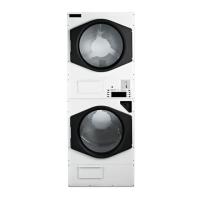
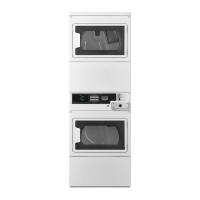
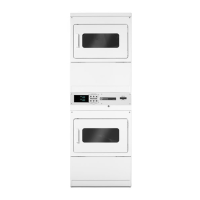
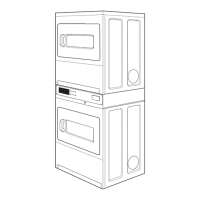
The Maytag MLG32PDB is a microprocessor-controlled stacked dryer designed for commercial use. It features advanced engineering, design, and safety concepts to provide efficient drying. The dryer operates by tumbling clothes in a heated drum, removing moisture through a ventilation system. The microprocessor control system allows for various cycle selections, pricing options, and diagnostic capabilities, making it adaptable to different operational needs. The stacked configuration optimizes space, making it suitable for laundromats or other commercial settings where space is a premium.
The dryer is designed for straightforward operation. To start a cycle, users must insert coins until "SELECT CYCLE" flashes on the display. For PD models, the purchased minutes are also shown. The door must be closed before a cycle can be selected. Users then press the desired fabric setting keypad (WHITES & COLORS, PERMANENT PRESS, or DELICATES) to initiate the drying process. Once started, the drying time counts down regardless of whether the door is open or closed. "COOL DOWN" appears near the end of the cycle, with specific cool-down times for each fabric setting (1 minute for WHITES & COLORS, 3 minutes for PERMANENT PRESS, and 3 minutes for DELICATES). If a cycle is interrupted by opening the door, the selected cycle flashes in the display, and the user must close the door and press the desired fabric setting keypad to restart. Fabric selection can be changed at any time by touching a different fabric setting keypad. Free cycles automatically terminate when the door is opened.
The manual details several pricing options:
The display shows "0 minutes" after initial installation and plugging in. After opening and closing the dryer door, the display shows the price. For free cycles, "SELECT CYCLE" flashes.
The control setup procedure allows operators to customize various settings using the fabric setting keypads and digital display. The WHITES & COLORS keypad increments values, the PERMANENT PRESS keypad advances through setup codes, and the DELICATES keypad selects or deselects options. Programming selections apply to both dryers in a stacked unit.
Setup codes include:
The manual also describes how to view cycle and money counters if enabled.
The manual stresses the importance of proper maintenance and safety. It states that only properly trained and competent technicians should service the equipment. All safety precautions displayed on the equipment or specified in the installation/operator's manual must be observed. Crucially, the door switch or heat circuit devices should never be disabled, and the dryer must never be operated with any back guards, outer tops, or service panels removed, as this could result in personal injury or fire.
Before any covers or guards are removed for cleaning, adjusting, installation, or testing, the electric supply and gas or steam supply must be disconnected and locked out according to OSHA standards. All wires must be labeled prior to disconnection when servicing controls to prevent wiring errors that could cause improper and dangerous operation. Proper operation must be verified after servicing. Dryers should never be left unattended while in operation. Children should not be allowed to play on or near the dryer(s) and must be supervised if near the dryer(s) in operation.
The manual also provides diagnostic codes to help identify and resolve issues:
The DRYER DIAGNOSTIC MODE is entered by depressing the DELICATES keypad for one second while in setup codes one through six or with a diagnostic code present. Diagnostic codes are cleared upon entry, and all display segments flash. If a diagnostic code persists, it must be corrected before a diagnostic cycle can be executed. A diagnostic cycle (seven minutes of heat, one minute of cool-down) can be started by pressing the PERMANENT PRESS keypad. The WHITES & COLORS keypad increments the diagnostic cycle minutes up to 99, then rolls over to 2 minutes. The PERMANENT PRESS keypad cancels this cycle and exits diagnostic mode.
The DRYER HELP MODE is accessed by pressing the WHITES & COLORS keypad while in special pricing option step 2.XX or while "dAS" displays. In help mode, the software revision is displayed. The WHITES & COLORS keypad exits help mode at any time. In help mode, other display symbols and elements reflect the state of various inputs and outputs, such as "PRICE" for upper motor trying to run, "ADD" for upper pocket heating, "BATTERY" for upper motor sensed, "OR" for lower motor trying to run, "SELECT" for lower pocket heating, and "CYCLE" for lower motor sensed.
For replacement parts, users are directed to contact the distributor from which the dryer was purchased or Maytag directly. An "IMPORTANT NOTE TO PURCHASER" advises obtaining instructions from the local gas supplier regarding what to do if gas is smelled, and these instructions must be posted prominently near the dryer. The dryer(s) must not be installed or stored in an area exposed to water and/or weather. It is also explicitly stated not to store or use gasoline or other flammable vapors and liquids near the appliance, not to dry mop heads in the dryer, and not to use the dryer in the presence of dry cleaning fumes.
 General
| Brand | Maytag |
|---|---|
| Model Number | MLG32PDB |
| Type | Gas Dryer |
| Capacity | 7.0 cu. ft. |
| Color | White |
| Dryer Venting | 4-way venting |
| Number of Temperature Settings | 4 |
| Wrinkle Prevention Option | Yes |
| Energy Star Certified | No |
| Width | 29 inches |

 To Next Page