33
Open the
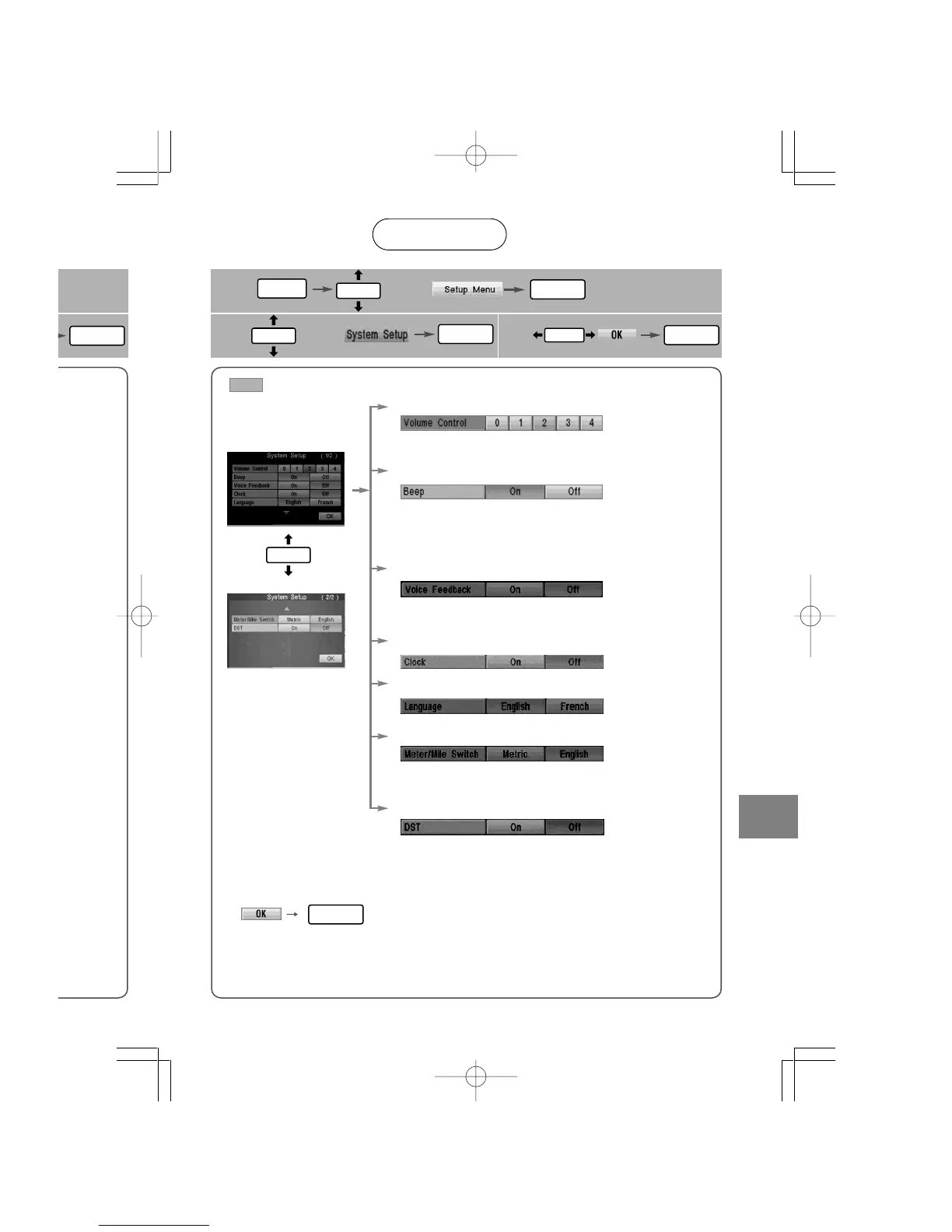
[System Setup]
screen
■ Volume control (5 levels)
■ Beep
●On : Beep activated when pressing buttons in the
remote control.
●Off : Beep inactivated when pressing buttons in the
remote control.
●On : Activates voice feedback.
●Off : Cancels voice feedback.
■ Language
■ Changeover meter/mile
●Metric : Meters
●English : Miles
■ Voice Feedback*
■ Clock
: Default
■ How to exit
■ Daylight Saving Time(Summer Time)
●On : Daylight saving time mode is enabled.
(The navigation internal clock gains 1 hour).
●Off : Daylight saving time mode is disabled.
Setup
System
User setting
1
2
select
3
select
MENU
ENTER
ENTER
ENTER
ENTER
ENTER
ENTER
ENTER
ENTER
Sets the volume for voice guidance and voice feedback*.
When the volume is set to 0, the voice is turned off.
* The operation status is announced by voice.
(e.g. changing the map orientation, starting or terminating
the route calculation, staring or terminating the simulation,
displaying the maneuver list.)














 To Next Page