Black plate (295,1)
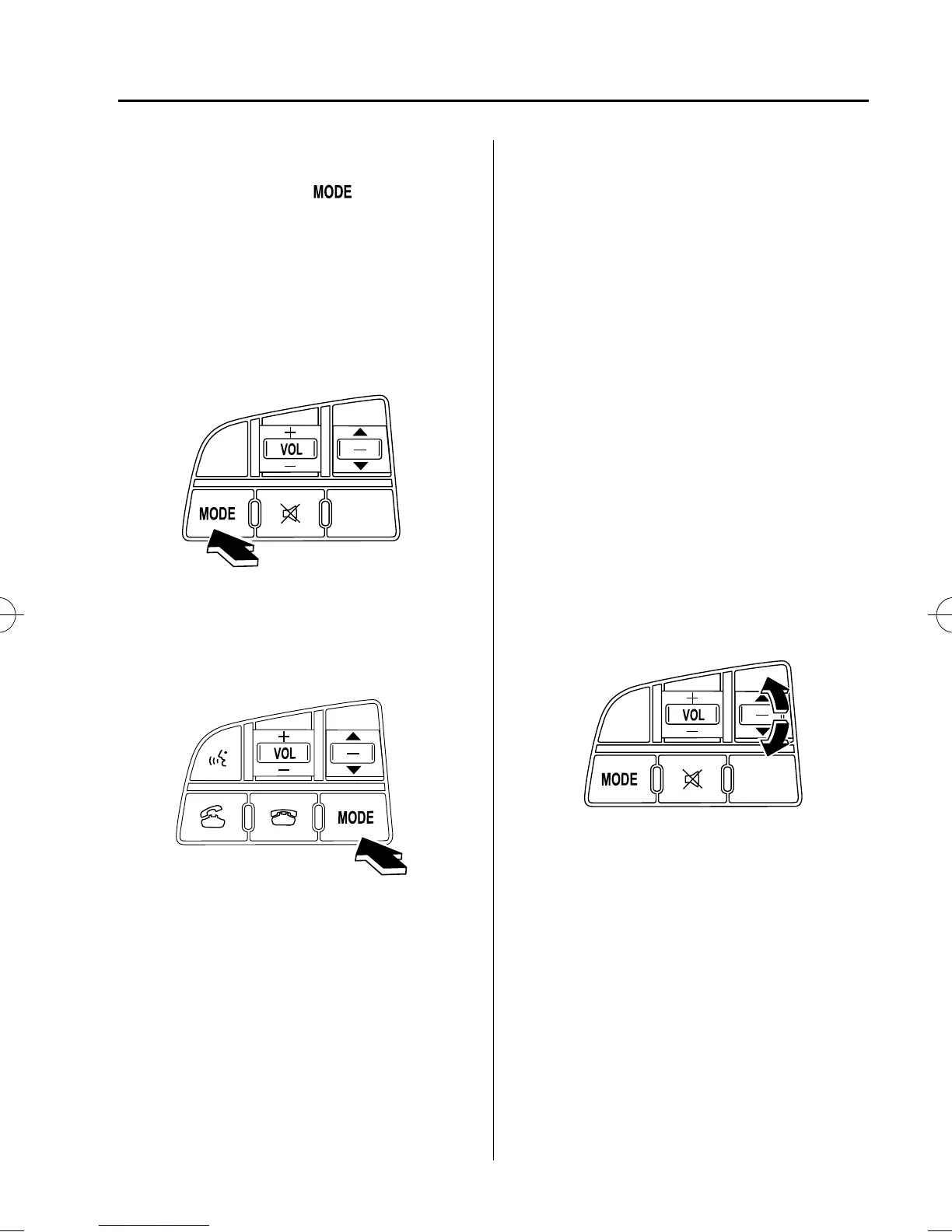
qChanging the Source
Press the mode switch ( ) to change
the audio source (FM1 radio → FM2
radio → AM radio → CD player or CD
changer → SIRIUS1 → SIRIUS2 →
SIRIUS3 → AUX → BT audio →
cyclical).
Without Bluetooth Hands-Free
With Bluetooth Hands-Free
NOTE
CD, CD changer, SIRIUS digital satellite
radio, and BT audio modes cannot be selected
in the following cases:
l
SIRIUS digital satellite radio unit, or BT
audio unit is not equipped on the audio
system.
l
CD has not been inserted.
The AUX mode is unavailable unless you
connect a commercially available portable
audio unit (such as an MP3 player) to the
auxiliary jack. Connect a portable audio unit
or similar product on the market to the
auxiliary jack to listen to music or audio over
the vehicle's speakers. Change the audio
source to AUX mode (page 6-59).
qSeek Switch
Without Bluetooth Hands-Free
Interior Comfort
Audio System
6-57
Mazda3_8BY7-EC-11F_Edition1 Page295
Friday, June 17 2011 2:56 PM
Form No.8BY7-EC-11F



 To Next Page