R099/13
Page 4 of 19
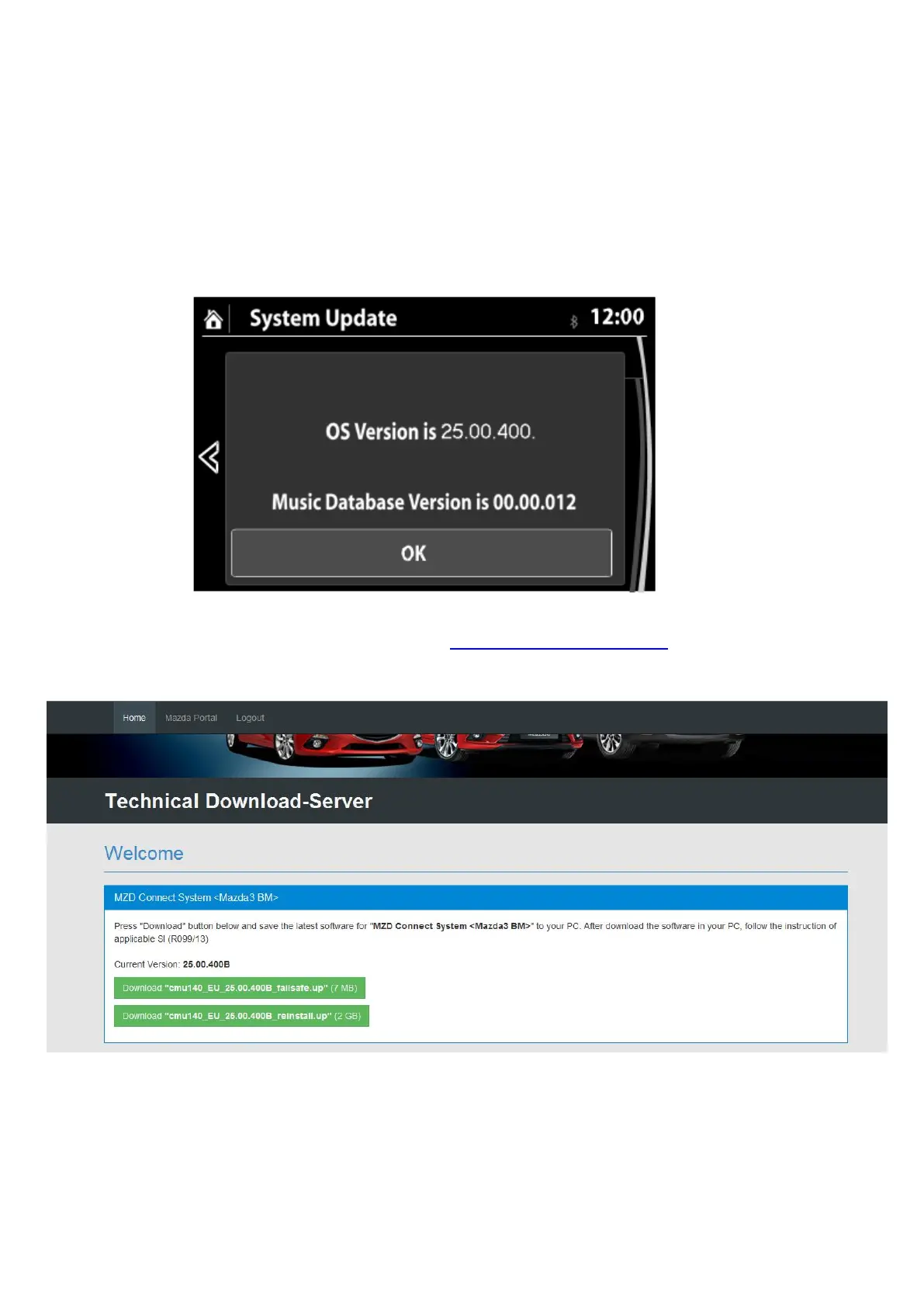
6. Make sure the software version is 25.00.400 or later, then select OK. If it is not 25.00.400
or later, update the system using a USB memory stick with the latest software according
to the “Reflash Procedure” as below.
Note: Use a new USB memory stick (USB2.0 and 8GB or more) with the latest software
which is downloaded according to the instruction to following “MZD CONNECT Software
downloads procedure”.
MZD CONNECT Software downloads procedure
You can download the latest software at http: https://mazdashare.com/mtds/
Mazda Technical Download server (MUMfied):
Note: Access to this application is controlled by you dealers Mazda Portal administrator.
1. Format a new USB memory stick.
2. Download the latest software to the USB memory stick from the web site with the above
URL.



 To Next Page