16
ACTIVE
DRIVING DISPLAY
(SPORT NAV MODELS)
ADJUSTING THE DISPLAY
1. Ensure your seat is set to your driving position
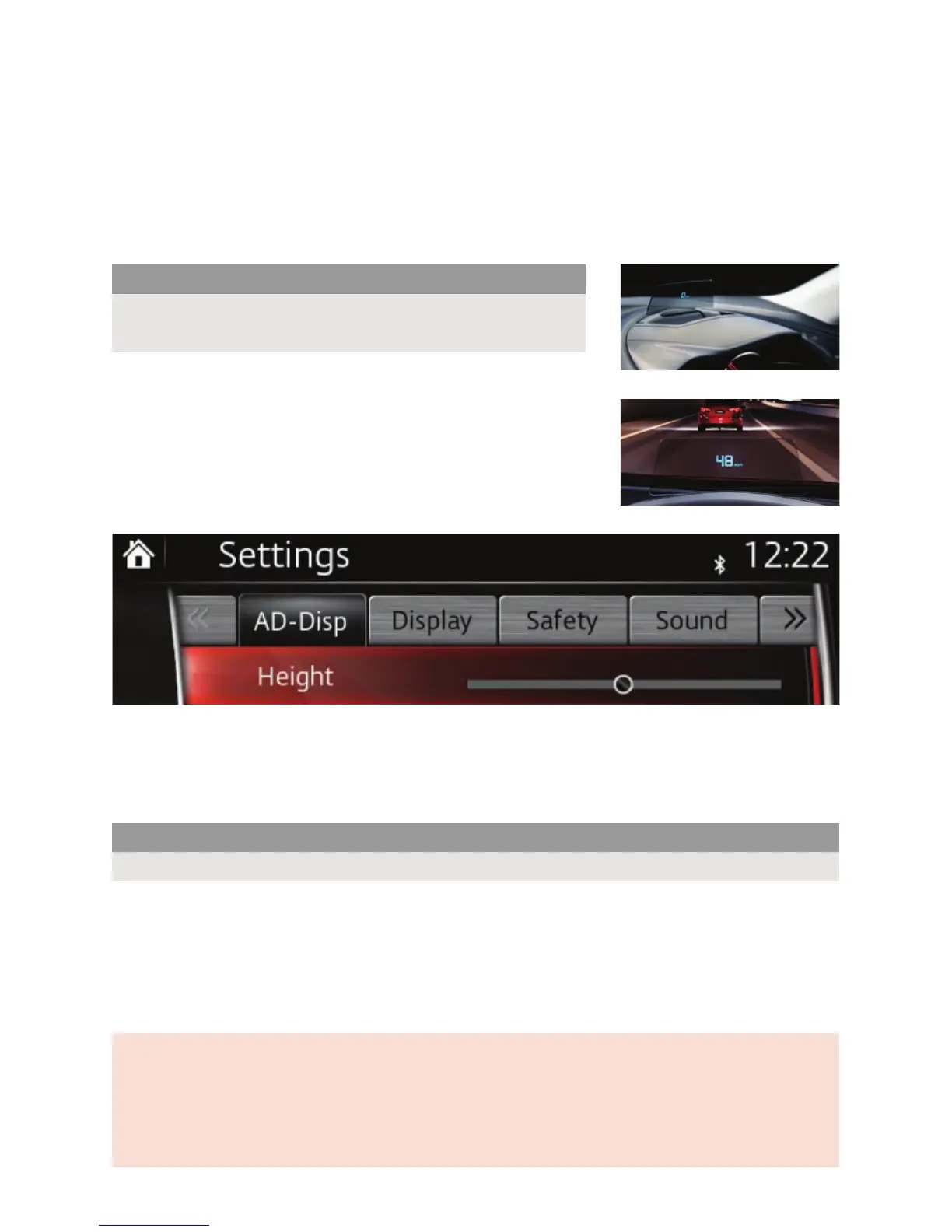
2. Select Settings from the Home screen
3. Select AD-Disp from the top menu
4. Select Height
5. Use either the touch-screen or Multimedia Commander to
slide the bar left or right to select a suitable height for the
head-up display.
DEACTIVATING THE DISPLAY
1. From within the AD-Disp settings menu (see above), select Active Driving Display and untick
the box. Please note this only deactivates the display rather than folding away the screen.
2. To re-activate the display, tick the box.
ACTIVATING TURN-BY-TURN NAVIGATION ON THE DISPLAY
1. From within the AD-Disp settings menu (see above), select Navigation and tick the box to
display turn-by-turn navigation instructions. This will then show the next turn and distance on
the head-up display whenever a route is set
2. To deactivate turn-by-turn navigation from the display, untick the box.
Please note:
DO NOT ADJUST THE HEAD-UP DISPLAY MANUALLY.
This may damage the display.
MORE INFORMATION ON MZD-CONNECT INFOTAINMENT
For more information on any of the functions explained in this guide, or any part of the connectivity or
infotainment systems in your Mazda3 please visit mazda.co.uk/mazda3/connectivity where you can view
easy-to-follow how-to guides of some of the most common functions.
mazda.co.uk 08457 48 48 48
Part Number: 810079183 August 2014
Please note:
The Active Driving Display will re-activate each time the vehicle’s engine is started.



 To Previous Page