EasyManua.ls Logo

Mazda 3 - Drivers View

Mazda 3
46 pages
Print Icon
To Next Page IconTo Next Page

To Previous Page IconTo Previous Page
Loading...
1
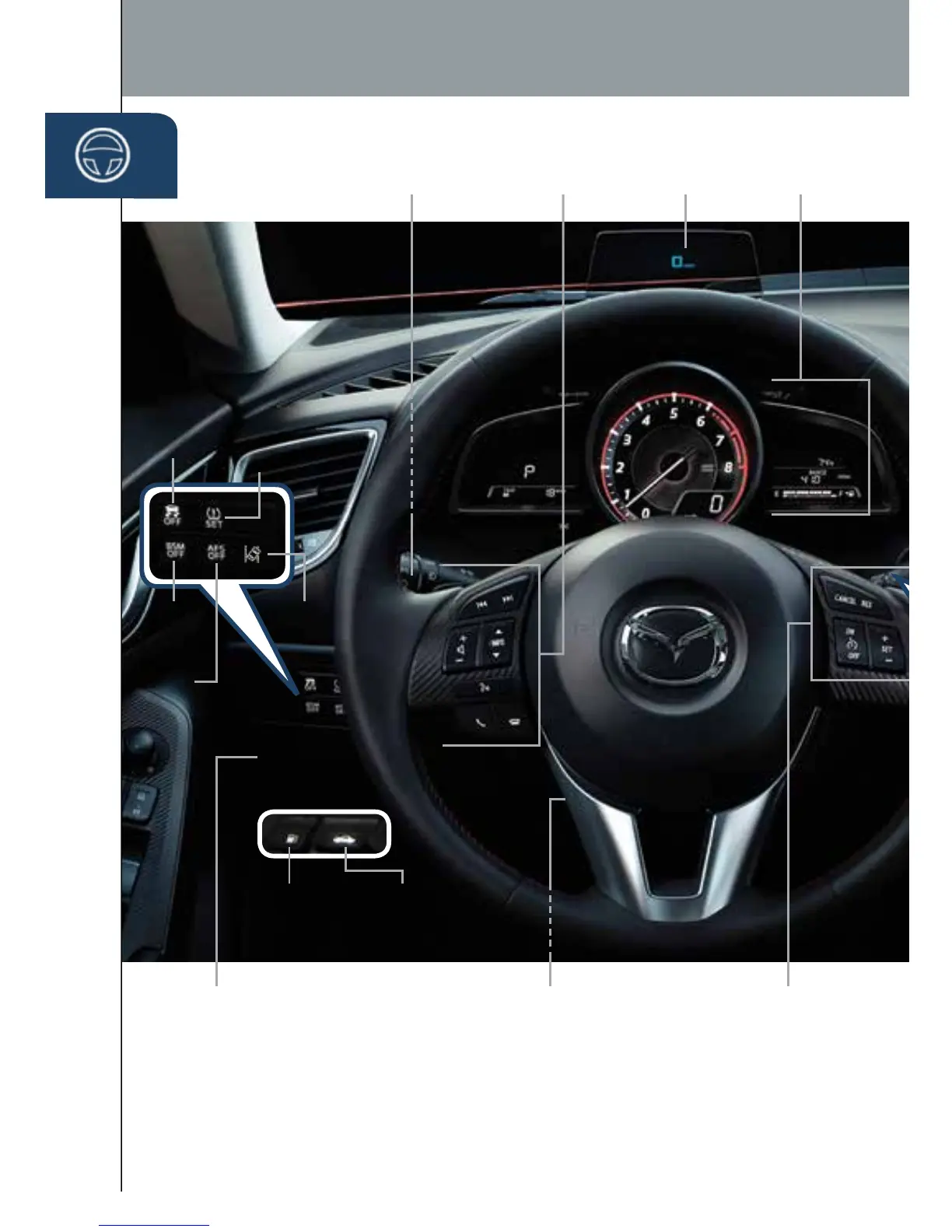
Driver’s View
LIGHTING/
TURN SIGNALS
(P. 23)
BLUETOOTH
®
HANDS-FREE/
AUDIO
(PP. 11-12, 29-32)
ACTIVE
DRIVING
DISPLAY
1
(P. 15)
TILT/TELESCOPING
STEERING WHEEL
RELEASE LEVER
3
BSM
(P. 21)
LDWS
(P. 17)
TPMS
SET
(P. 16)
AFS
(P. 15)
DSC
OFF
MAZDA RADAR
CRUISE CONTROL
(PP. 17-18)
FUEL
FILLER LID
RELEASE
HOOD
RELEASE
INSTRUMENT
CLUSTER
(PP. 3 5 - 3 8)
1
DO NOT try to adjust the angle or open/close the Active Driving Display by hand. Fingerprints on the display
will make it difcult to view and manual operation could cause damage. Always adjust the Active Driving
Display using the AD-Disp tab in Settings (pg. 16).
3
To provide a better view of the instrument cluster, adjust the steering wheel up or down/in or out.
TRUNK
RELEASE
(4-DOOR)
START/STOP
ENGINE BUTTON
(PP. 5 - 6 )
1669736_15_Mazda3_SSG_041514.indd 1 4/15/14 2:16 PM

Other manuals for Mazda 3

Related product manuals