5
–
49
Interior Features
Audio System
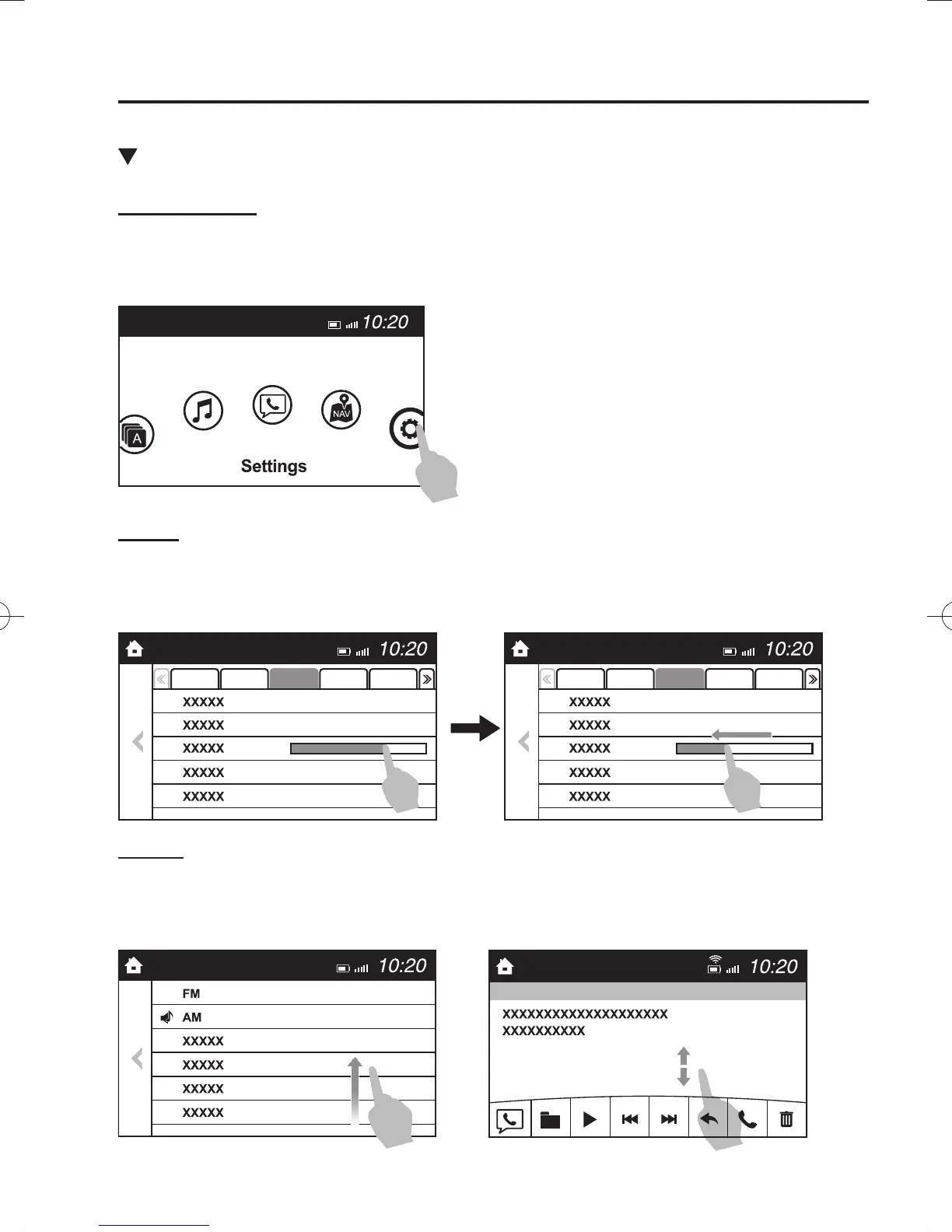
Basic Operation Method
T O U C H & T A P
1. Touch or tap on the item indicated on the screen.
2. The operation is launched and the next item is displayed.
SLIDE
1. Touch the setting item displaying a slider bar.
2. Touch the slider with your ¿ nger and move to the desired level.
S W I P E
1. Touch the screen with your ¿ nger and move up or down.
2. Items which were not displayed can be displayed.
/C\FCA(,'''A'FKVKQPKPFD/C\FCA(,'''A'FKVKQPKPFD



 To Next Page