2 of 4
8
PCM cover
(See PCM Cover Installation Note
.)
9 Connectors
10 Battery tray and PCM component
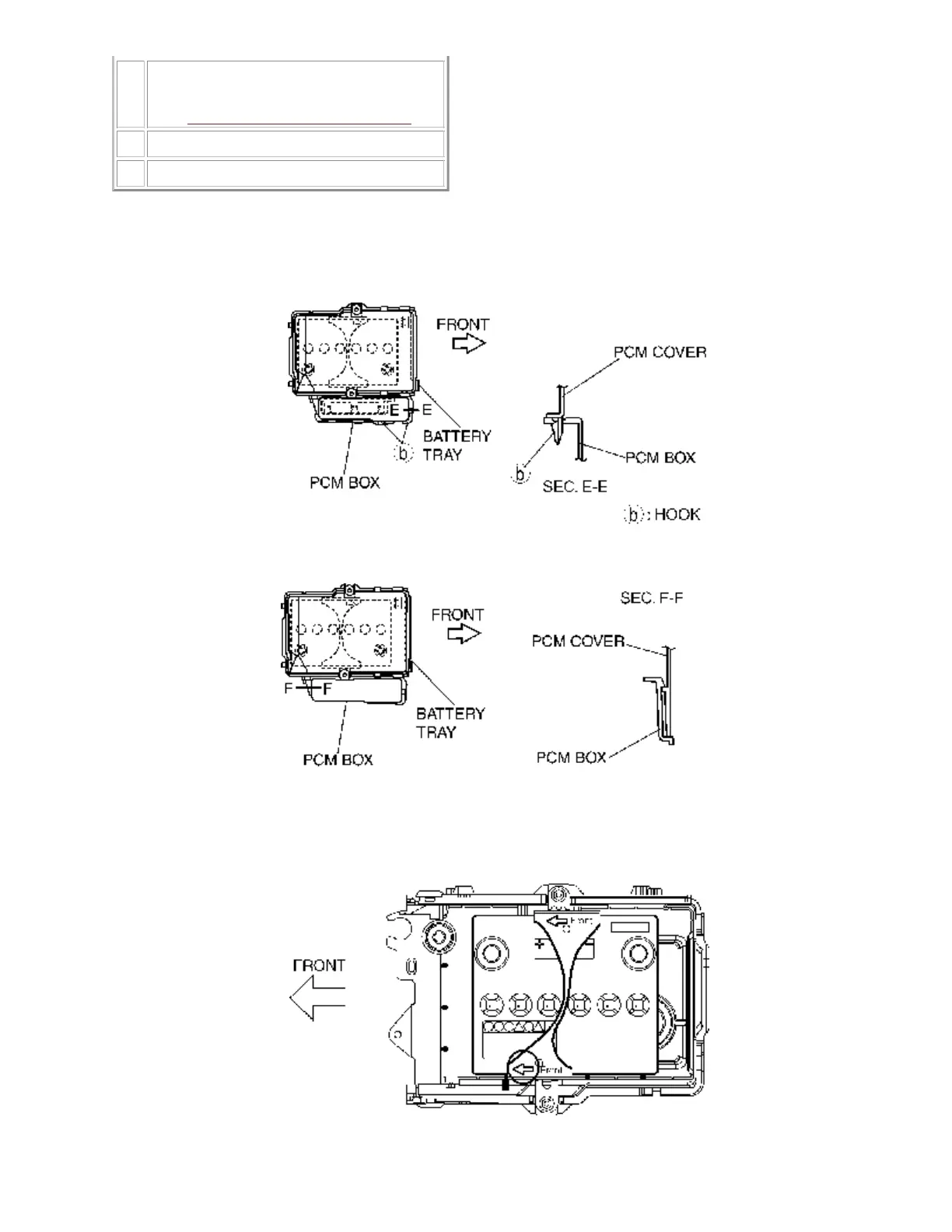
PCM Cover Installation Note
Install with the PCM cover hooks B aligned with the PCM box holes at two points.1.
Install the PCM cover to the PCM box hook.2.
Battery Clamp Installation Note
Assemble the battery clamp so that the arrow on it is pointed toward the front of the vehicle.
1.
Battery Box Installation Note






 To Next Page