No. Item Explanation
6
Commander knob (selection):
Rotate or slide the commander knob to highlight/select the on-screen func-
tions you want to use.
7
Commander knob (select):
Depress the commander knob to select the desired on-screen function you
want to use.
8
Back button:
Returns to previous screen.
▼
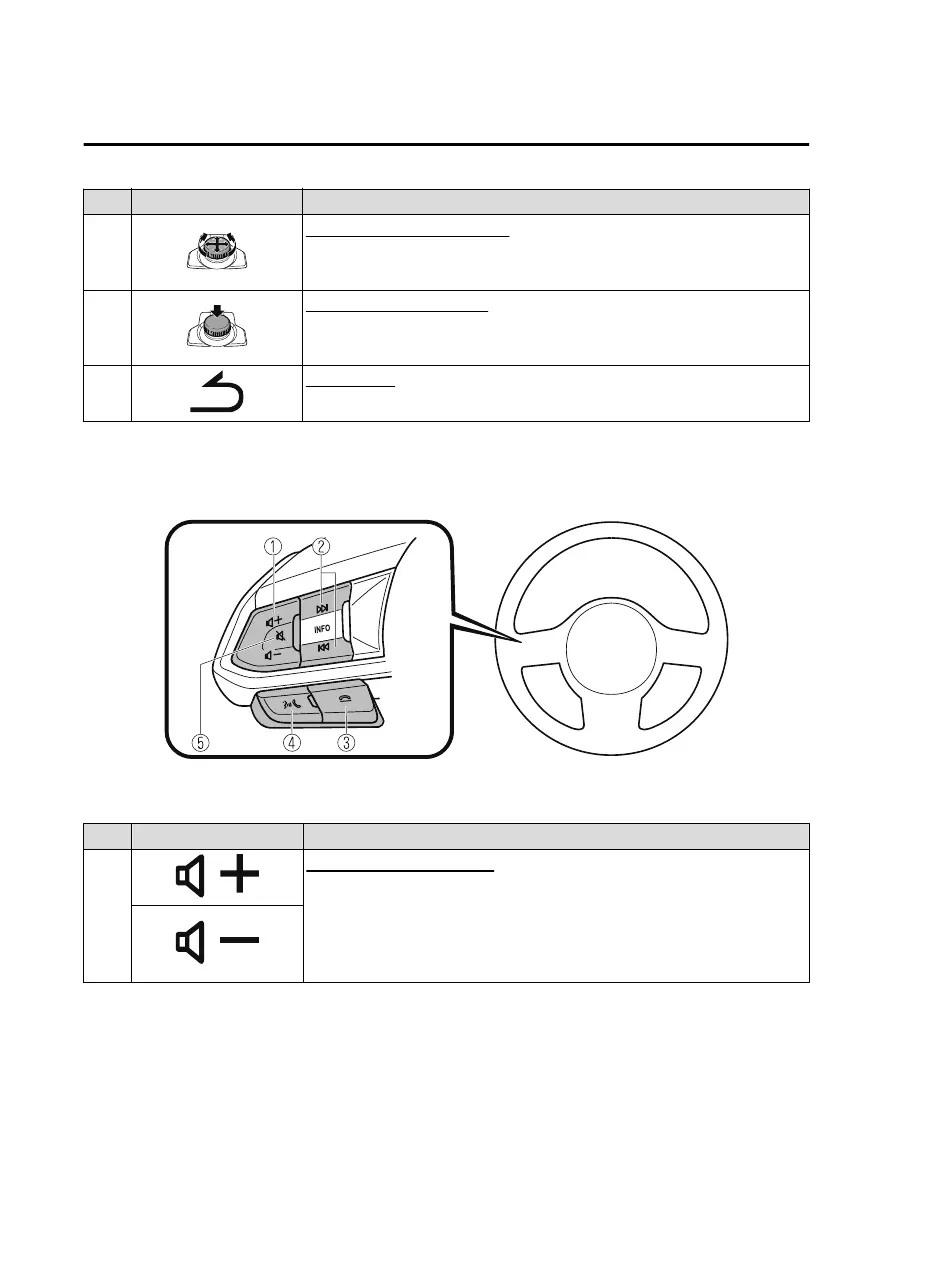
Audio Remote Control Switch Operation
The audio remote control switch is on the left side of the steering wheel. You can operate
basic audio functions, pick up/hang up the phone, or activate voice control using the switch.
The shape of the switches may differ depending on the vehicle specifications.
No. Item Explanation
1
Volume adjustment button:
Press the (+) or (-) button to adjust the volume.
If you adjust the volume during voice guidance, the volume of the voice guid-
ance will change.
If you adjust the volume during a hands-free call, the conversation volume
will change.
Interior Features
Mazda Connect (Mazda Connect (Type B))
5-38
CX-5_8JM9-EA-20G_Edition1_old 2020-6-2 16:33:11



 To Next Page