*
2 During the daytime, the running lights turn on automatically. During the nighttime, the headlights,
position lights, tail lights, and the number plate lights turn on automatically.
*
3 During the daytime, the running lights, position lights, tail lights, and the number plate lights turn on
automatically. During the nighttime, the headlights, position lights, tail lights, and the number plate
lights turn on automatically.
*
4 When the light switch is switched to the OFF position while the vehicle is stopped, all of the lights
that are turned on turn o. When the light switch is switched from a position other than
to the
position while the vehicle is stopped, the running lights or the headlights turn o. When
starting to drive the vehicle, the lights that are turned o turn on again.
NOTE
The running lights can be disabled using the personalisation features (page 4-42).
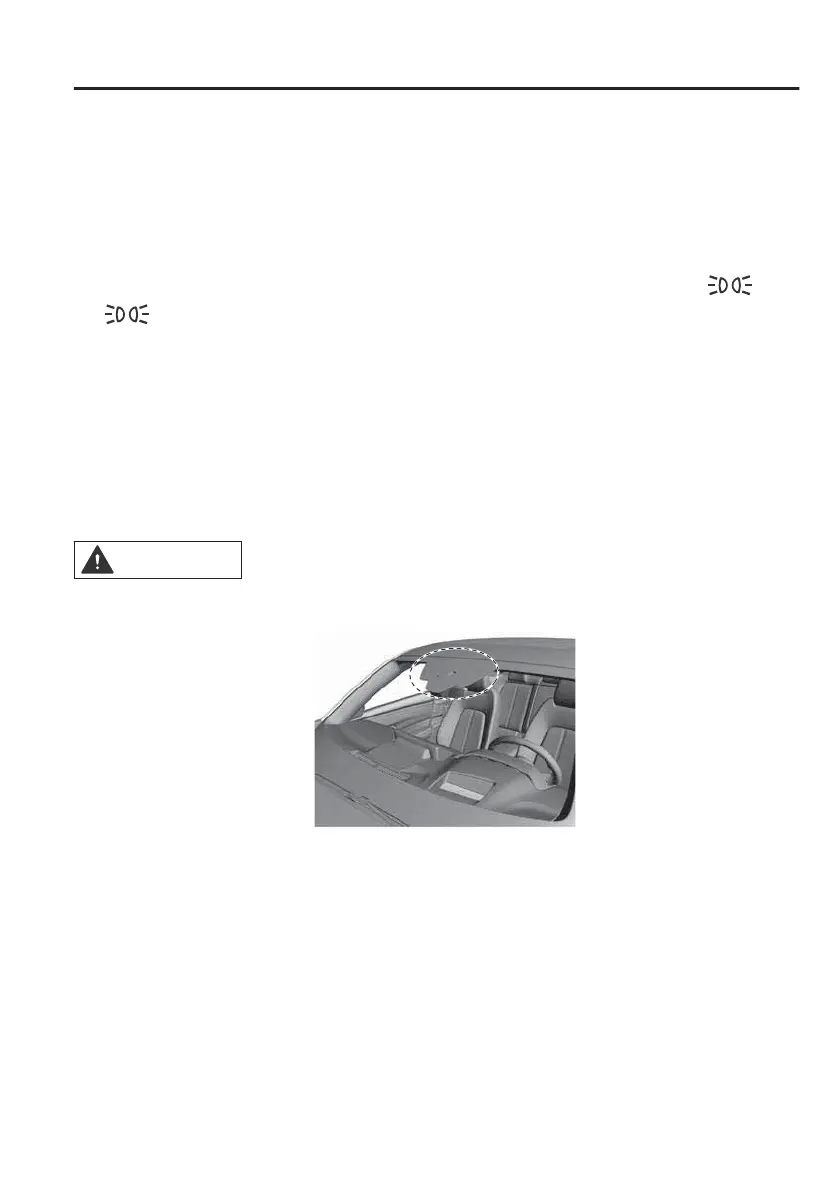
Auto-light control
When the power switch is switched ON, the light sensor detects the brightness of
the surrounding area and the headlights and the exterior lights turn on/o
automatically according to the surrounding brightness. When the power switch is
switched OFF, the headlights and the exterior lights turn o automatically.
CAUTION
¾Do not shade the light sensor by adhering a sticker or a label on the windscreen.
Otherwise the light sensor will not operate correctly.
¾The light sensor also works as a rain sensor for the auto-wiper control. If the wiper
lever is in the AUTO position with the power switch switched ON, the wipers may
operate automatically. Be careful not to pinch your hand or fingers. Otherwise, it
could cause injury or damage to the windscreen wipers. When cleaning the
windscreen (especially when removing snow or ice with the power switch
switched ON (EV system on)), make sure that the wiper switch is turned o. If the
wipers are operated, it could cause a problem with the windscreen wiper or
damage the wiper blade.
When Driving
Switches and Controls
4-39



 To Next Page