NOTE
x
Operation of the leaving home light
can be turned on or o.
Refer to the Settings section in the
Mazda Connect Owner's Manual.
x
When the transmitter lock button is
pressed and the vehicle receives the
transmitter signal, the headlights turn
o.
x
When the headlight switch is turned
to the OFF position, the headlights
turn o.
▼
Headlight Levelling
The number of passengers and weight
of cargo in the luggage compartment
change the angle of the headlights.
The angle of the headlights will be
automatically adjusted when turning
on the headlights.
A system malfunction or operation
conditions are indicated by a warning.
Refer to Exterior Light Warning
Indication/Warning Light on page
7-41.
▼
Running Lights
Some countries require moving
vehicles to have their lights on (running
lights) during the daytime.
The running lights turn on or
o
automatically.
NOTE
(Except countries prohibited by law)
The running lights can be deactivated.
Refer to the Settings section in the
Mazda Connect Owner's Manual.
Rear Fog Light
▼
Rear Fog Light
The rear fog light can be used when
the power switch is switched ON.
The rear fog light helps your vehicle to
be seen.
The headlights must be turned on to
turn on the rear fog light.
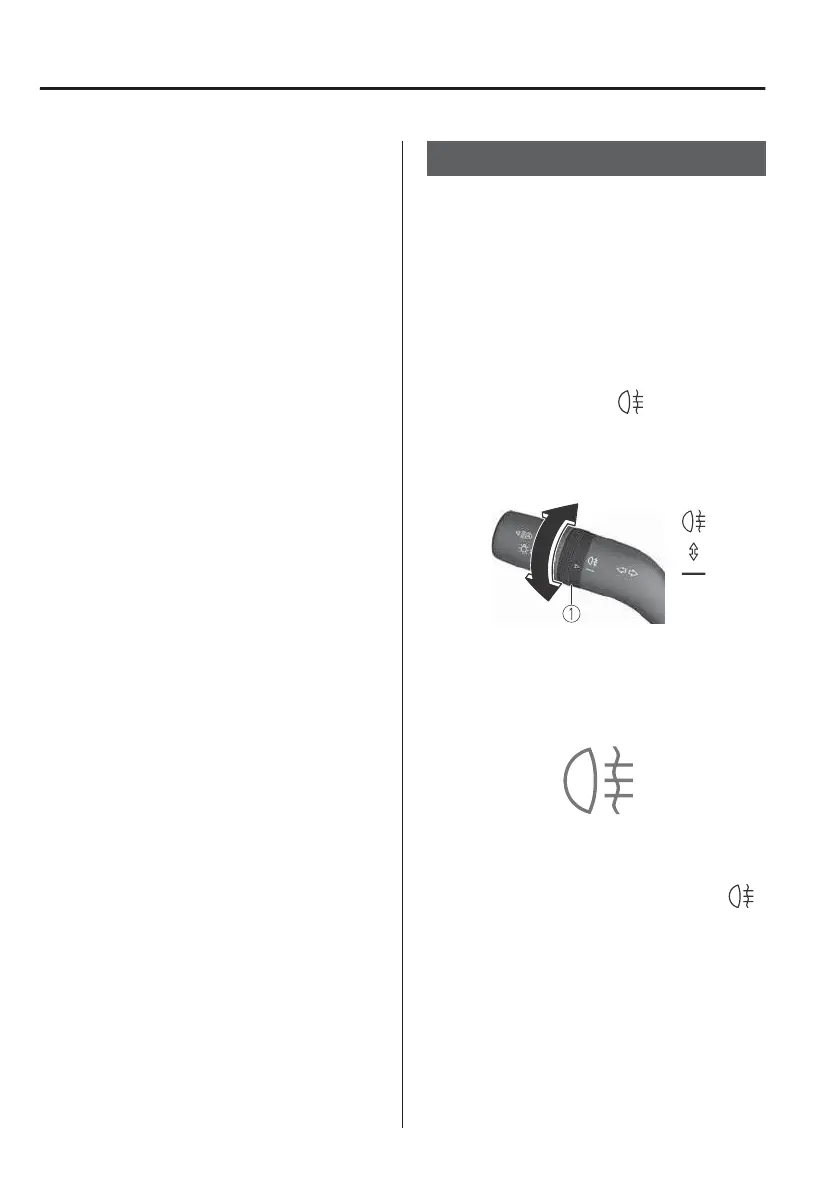
To turn the rear fog light on, rotate the
fog light switch to the
position (the
fog light switch returns to its original
position automatically).
1. Fog light switch
The rear fog light indicator light in the
instrument cluster illuminates while the
rear fog light is on.
To turn the rear fog light o, do any of
the following:
x
Rotate the fog light switch to the
position again (the fog light switch
returns to its original position
automatically).
x
Turn the headlight switch to the OFF
position.
The rear fog light indicator light in the
instrument cluster goes o when the
rear fog light is turned o.
When Driving
Switches and Controls
4-42



 To Next Page