Cancelling the parking brake
automatic operation
The parking brake automatic operation
can be cancelled by doing any of the
following after switching the power
switch from ON to OFF.
Auto operation cancel method 1
1. Switch the power switch ON.
2. Release the parking brake manually.
3. Turn o the AUTOHOLD.
4. Press the EPB switch continuously
for 2 seconds or longer (until a
sound is activated).
5. Release the EPB switch and switch
the power switch OFF within 5
seconds after the sound was
activated.
After the auto operation is
cancelled, a sound is activated one
time, and the EPB switch indicator
light switches from illumination to
flashing, and then turns o after 3
seconds.
Auto operation cancel method 2
1. Switch the power switch ON.
2. Release the parking brake manually.
3. Turn o the AUTOHOLD.
4. Switch the power switch OFF with
the EPB switch pressed while the
brake pedal is not depressed.
When the auto operation is
cancelled, a sound is activated one
time, and the EPB switch indicator
light goes from normal flashing to
faster flashing, and then turns o
after 3 seconds.
NOTE
x
When cancelling the parking brake
auto operation and parking the
vehicle, shift the selector lever to the
P position and then use wheel
blocks.
x
The auto operation may not cancel if
the vehicle is parked on a steep
slope.
When the power switch is switched
ON, the parking brake auto operation
is restored.
▼
Warning Light
The warning light turns on when the
system has a malfunction.
Refer to Brake System Warning
Indication/Warning Light on page
7-32.
▼
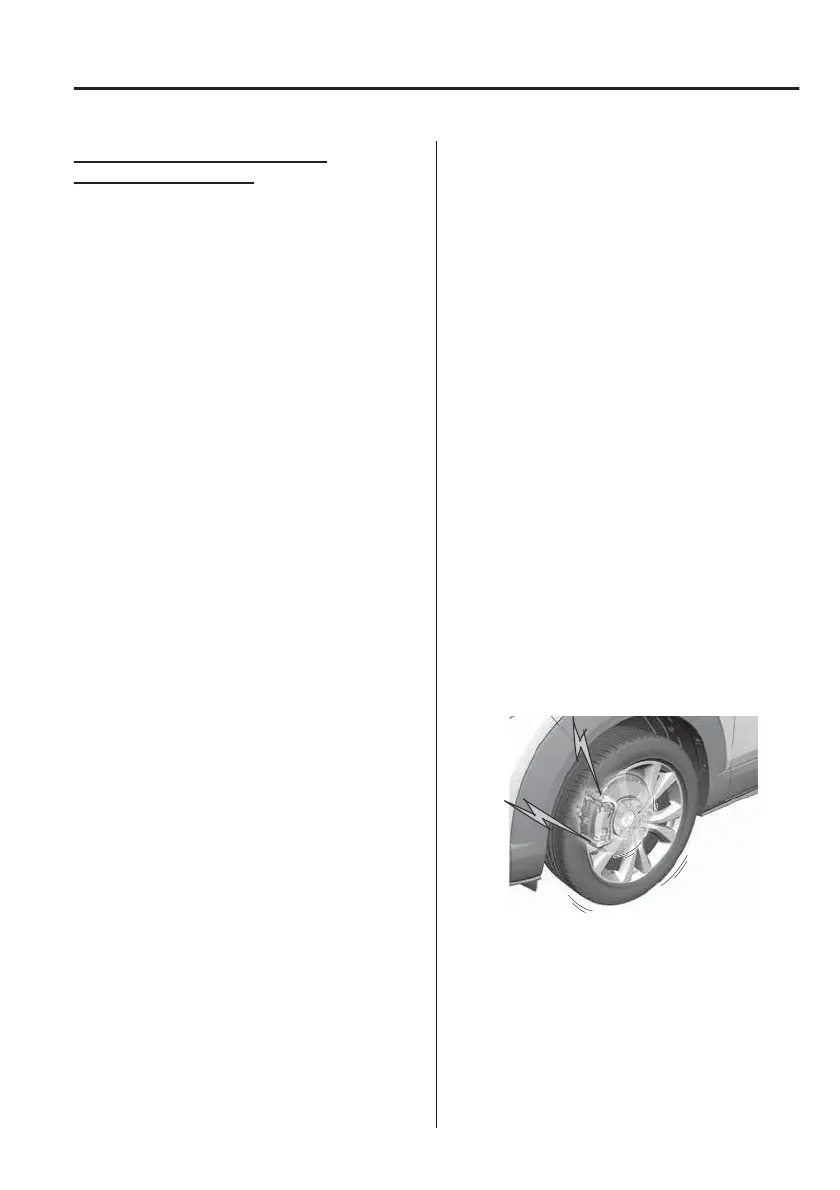
Brake Pad Wear Indicator
When the disc brake pads become
worn, the built-in wear indicators
contact the disc plates. This causes a
screeching noise to warn that the pads
should be replaced.
When you hear this noise, consult an
expert repairer (we recommend an
Authorised Mazda Repairer) as soon as
possible.
When Driving
Brake
4-57



 To Next Page