Edit
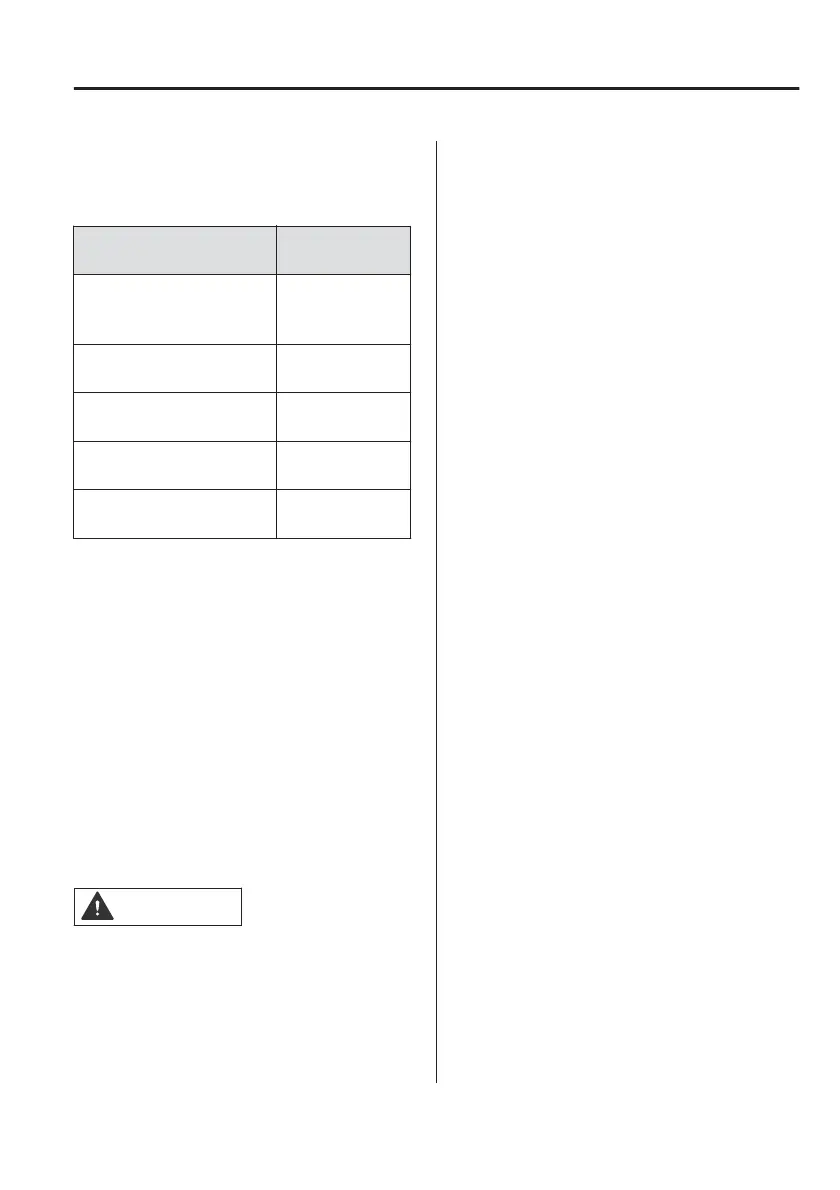
The Climate Control Timer settings can
be edited.
Function
Available setting
changes
Departure Time
Time
(10-minute inter-
vals)
Repeat
Monday ʊ Sun-
day
Temperature
15.5ႏ (61 ႔) ʊ
28.5ႏ (83 ႔)
Front Defroster
Enable,
Disable
Rear Defroster
Enable,
Disable
▼
Turning On the Air-Conditioning
System from A Remote Location
(Remote Air-Conditioning)
Using your Smartphone, you can turn
on the air-conditioning system
remotely before departing. You can
check the cabin temperature and the
setting status using your Smartphone
while the remote air-conditioning is
operating.
To operate the remote
air-conditioning, switch the power
switch OFF.
Please refer to local Mazda website for
more Connected Service information.
CAUTION
¾To use the remote air-conditioning,
it is necessary to subscribe to
Connected Service.
¾The remote air-conditioning can be
used when your Smartphone is
connected to your vehicle using the
Connected Service.
¾The remote air-conditioning may not
be available depending on the
model of the Smartphone you are
using. Please check in advance.
Interior Features
Air-Conditioning System
5-13



 To Next Page