No. Item Explanation
6
Mute button:
Press the button to mute.
Press it again to cancel the mute.
NOTE
If you press the mute button to mute an audio source which can be
paused, such as Apple CarPlay, USB audio, or Bluetooth
®
audio, while
it is playing, the song playback pauses. Press the mute button again to
cancel the mute and the pause at the same time.
▼
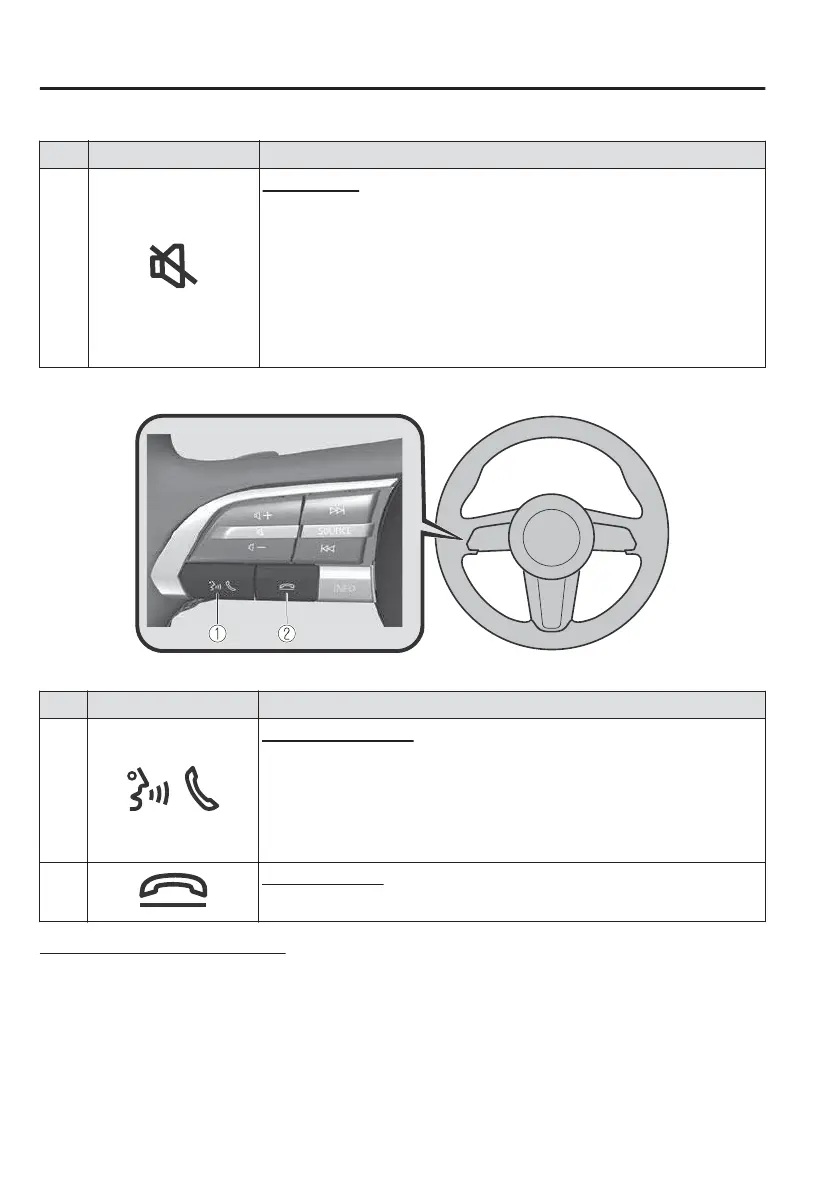
Operation Using Voice Recognition Function
The shape of the switches may dier depending on the specifications.
No. Item Explanation
1
Talk/Pick-up button:
When the button is pressed, the voice recognition top screen is dis-
played and the voice recognition is activated.
(While voice guidance is being announced)
Press the button to skip the voice guidance.
2
Hang-up button:
Press the button to end the voice recognition.
Voice recognition activation
When the talk/pick-up button on the audio remote control switch is pressed, top
screen of the voice recognition will be displayed.
NOTE
When an Apple CarPlay or Android Auto™ compatible device is connected, the
Mazda Connect voice recognition system is disabled to allow the use of Siri or
Android Auto™ voice recognition at any time with the talk/pick-up button.
Interior Features
Mazda Connect
5-24



 To Next Page