Black plate (232,1)
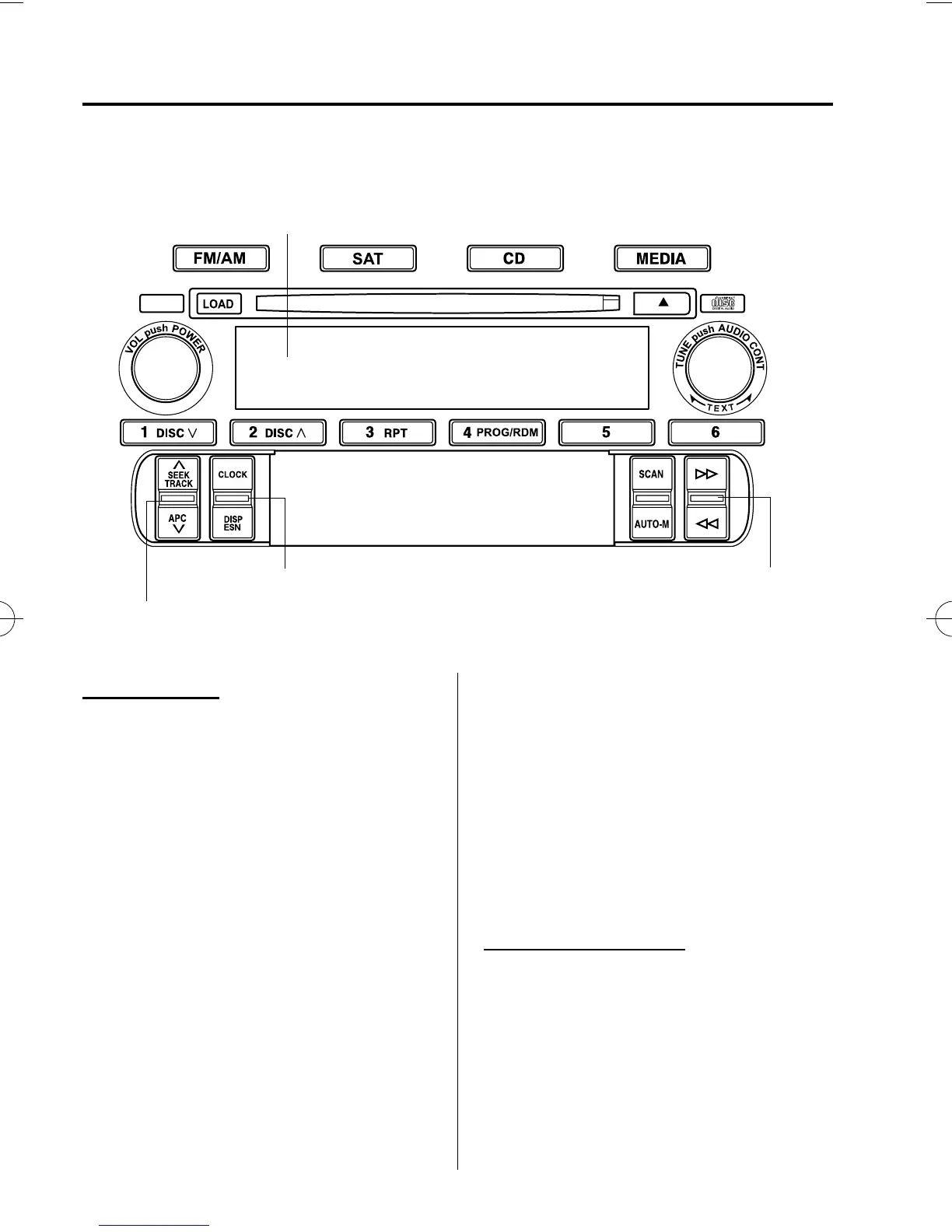
qClock
Hour/Minute set switch
Clock/Display switch
12/24-hour clock time switch
Display
Setting the time
The clock can be set at any time when the
ignition switch is in the ACC or ON
position.
1. To adjust the time, pull up the clock/
display switch for about 2 seconds until
a beep is heard.
2. The currently set time and hour setting
display flashes.
l
Time adjustment
To advance the hours, pull up the
hour/minute set switch.
To advance the minutes, press down
the hour/minute set switch.
l
Switching between 12 and 24-hour
clock time
To change the display to 12-hour
clock time, pull up the 12/24-hour
clock time switch.
To change the display to 24-hour
clock time, press down the 12/24-
hour clock time switch.
3. Pull up the clock/display switch again
to start the clock.
Exact ho ur adjustment
1. To set the exact hour, pull up the clock/
display switch for about 2 seconds until
a beep is heard.
The clock's current time will flash.
6-24
Interior Comfort
Audio System
MX-5_8X49-EA-07F_Edition2 Page232
Monday, June 25 2007 11:19 AM
Form No.8X49-EA-07F











 To Next Page