Black plate (63,1)
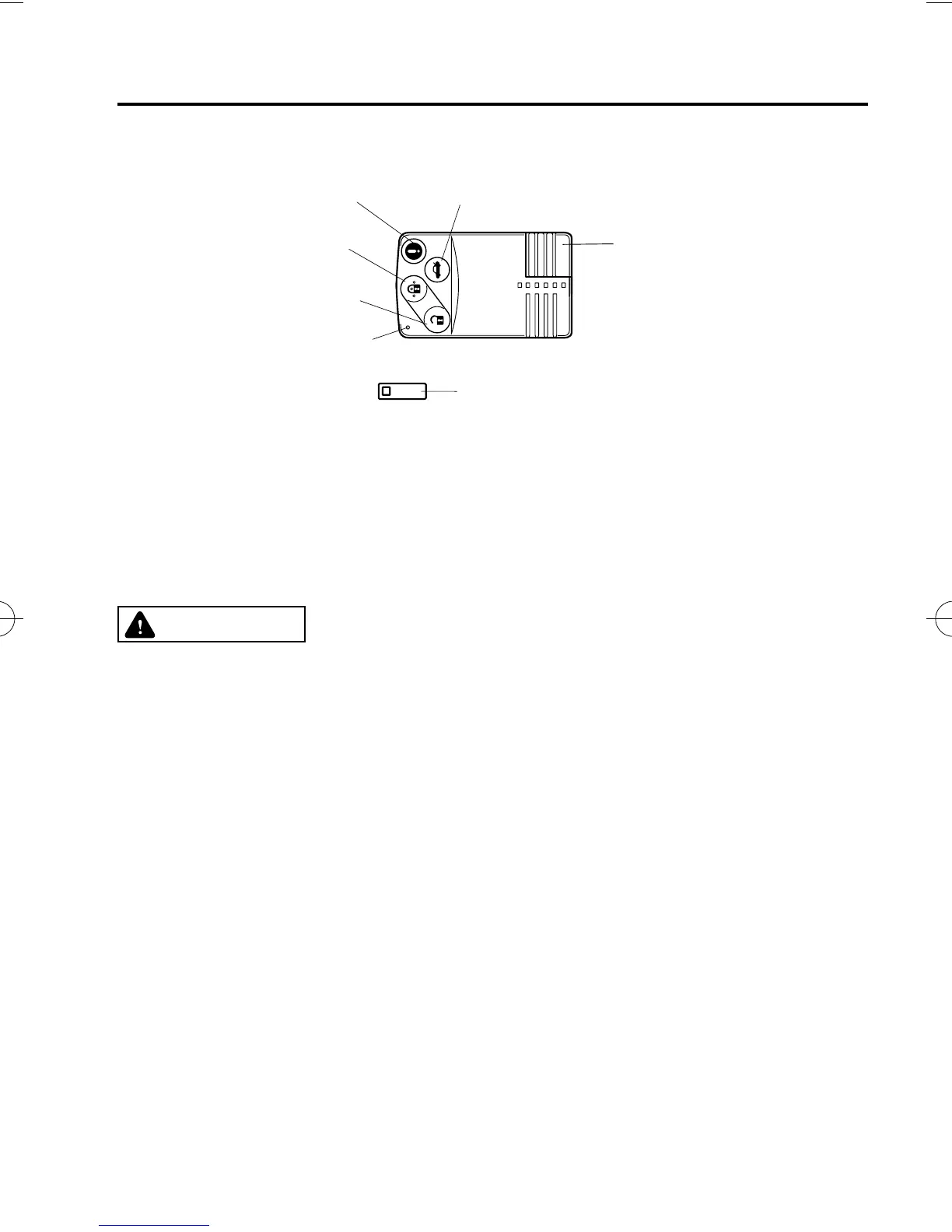
Panic button Trunk button
Key code number plate
Operation indicator light
Unlock button
Lock button
Auxiliary key
A code number is stamped on the plate attached to the key set; detach this plate an d store it
in a safe place (not in the vehicle) for use if you need to make a replacement key.
Also write down the code number and keep it in another safe and handy place, but not in
the vehicle.
If your key is lost, consult your Authorized Mazda Dealer with the code number ready.
CAUTION
Ø Because the advanced key uses low-intensity radio waves, it may not function
correctly under the following conditions:
Ø
The advanced key is carried with communication devices such as cellular
phones.
Ø
The advanced key contacts or is covered by a metal object.
Ø
The advanced key is near electron ic devices such as personal computers.
Ø
Non-Mazda genuine electronic equipment is installed in the vehicle.
Ø
There is equipment which discharges radio waves near the vehicle.
Ø
If the vehicle is near equipment such as wireless pay devices installed at certain
gas stations.
Ø The advanced key may consume battery power excessively if it receives high-
intensity radio waves. Do not place the advanced key near electronic devices such
as telev isions or personal computers.
Ø To avoid damage to the advanced key, DO NOT:
Ø
Drop the advanced key.
Ø
Get the advanced key wet.
Ø
Disassemble the advanced key.
Ø
Expose the advanced key to high temperatures on places such as the
dashboard or hood, under direct sunlight.
Ø
Place he avy objects on the advanced key.
Ø
Put the advanced key in an ultrasonic cleaner.
Ø
Put any magnetized objects close to the advanced key.
Knowing Your Mazda
Advanced Keyless Entry and Start System
3-3
MX-5_8X49-EA-07F_Edition2 Page63
Monday, June 25 2007 11:18 AM
Form No.8X49-EA-07F











 To Next Page