GETTING STARTED
Always check the Owner’s Manual for more operating information and safety features
Getting
Started
Getting
Started
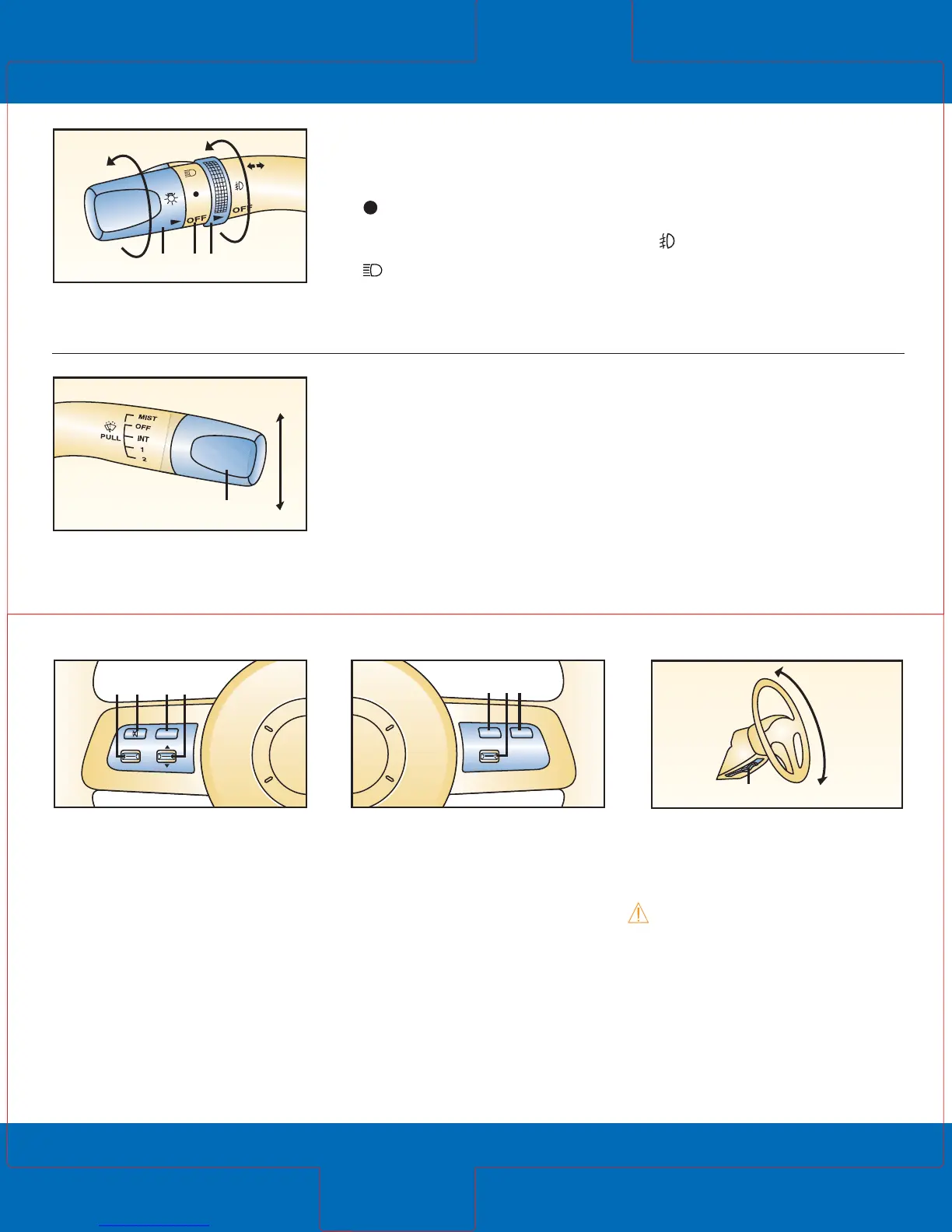
Steering-wheel audio
controls*
To increase/decrease volume:
Push up/press down switch (1).
Press (2) to mute.
Press (3) to select AM, FM1,
FM2, CD, SIRIUS* radio mode.
Push up/press down (4) to
seek next/previous preset radio
station/CD track.
Press and hold up/down (4)
to seek radio stations in AM,
FM1, FM2.
Tilt steering-wheel lever
Pull lever (8) down to
unlock column, adjust angle
of column.
WARNING: Do not adjust
steering-wheel while driving.
Turn signal/lighting
control lever
OFF = Lights off
= Tail, parking and
dashboard lights on: Rotate
knob (1) to first notch
= Tail, parking, dashboard
and headlights on; rotate
knob (1) to second notch
High beams on/off: Push lever
(2) forward/pull lever back to
original position.
To flash high beams: Pull back
lever (2) slightly and release.
= Fog lights* on: Rotate (3);
functions only with headlight
low beams on
Turn signals right/left: move
lever up/down.
1 32
4
Windshield wiper/
washer lever
Intermittent wiper: One click down.
Normal wiper speed: Two
clicks down.
Fast wiper speed: Three clicks down.
Single wipe: Push lever up.
Wash and wipe: Pull lever (4)
toward you and hold; washer
and wipers will be activated
until lever is released.
Cruise control*
Operates above 19 mph.
Press ON/OFF switch (5) to
enable/disable.
To set speed: Press switch (6)
down and release.
To increase set speed: Push switch
(6) up and release at desired speed.
To decrease set speed: Press
switch (6) down and release at
desired speed.
To cancel: Tap brake or clutch
pedal (manual transmission)
or press CANCEL switch (7).
*Denotes optional equipment
75
ON OFF CANCEL
RES/
+
SET/–
6



 To Next Page