CONNECTED SERVICES
Allows you access to a range of live data options within
the navigation system
– Live traffic updates
– Live weather information
– Live fuel prices
– Advanced local search.
Connected Services are a subscription service. A 60-day
free trial is included with your navigation system and
commences the first time you connect the car to a Wi-Fi
hotspot. After the free trial has finished you must purchase
a subscription to continue using Connected Services. To do
this, please refer to the instructions on page 15.
SETTING UP A WI-FI HOTSPOT
Use your mobile device to create a Wi-Fi hotspot to use Connected Services. Every mobile device
will have different settings, so please refer to the device’s instruction manual for how to setup a
Wi-Fi hotspot. The system can be connected to any available Wi-Fi hotspot.
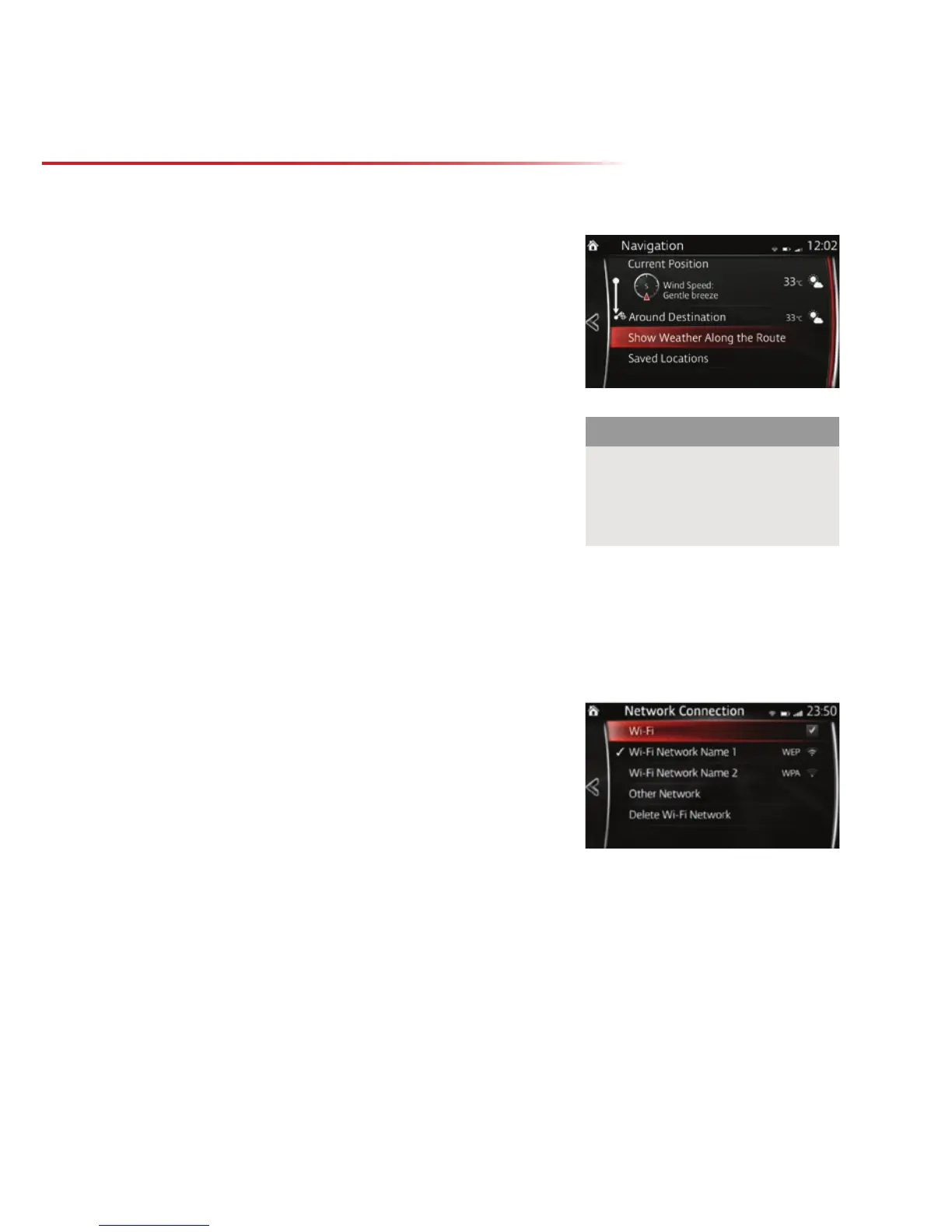
CONNECTING THE CAR TO A WI-FI HOTSPOT
1. Select Settings from the Home screen
2. Select Devices from the top menu
3. Select Network Management
4. Ensure Wi-Fi connectivity is turned on
5. As long as the Wi-Fi network is made visible to all
devices, then the name of the network should show
on this screen. Select the desired network
6. Select Password
7. Enter the password - passwords are case sensitive
8. Select Connect to
9. Once a connection is made, the Wi-Fi symbol will show in white at the top of the screen
showing the strength of the signal.
Upon first connecting to a Wi-Fi network and accessing the navigation menu the system will ask
you to confirm you are happy to use Wi-Fi for data. Once a Wi-Fi connection has been made, the
car will automatically connect to that network whenever it is available.
Please note:
To use live services a valid free
trial period or paid subscription
is required as well as a Wi-Fi
connection for the data transfer.
NAVIGATION
CONNECTED SERVICES



 To Next Page