DRIVER CONTROLS
Always check the Owner’s Manual for more operating information and safety features
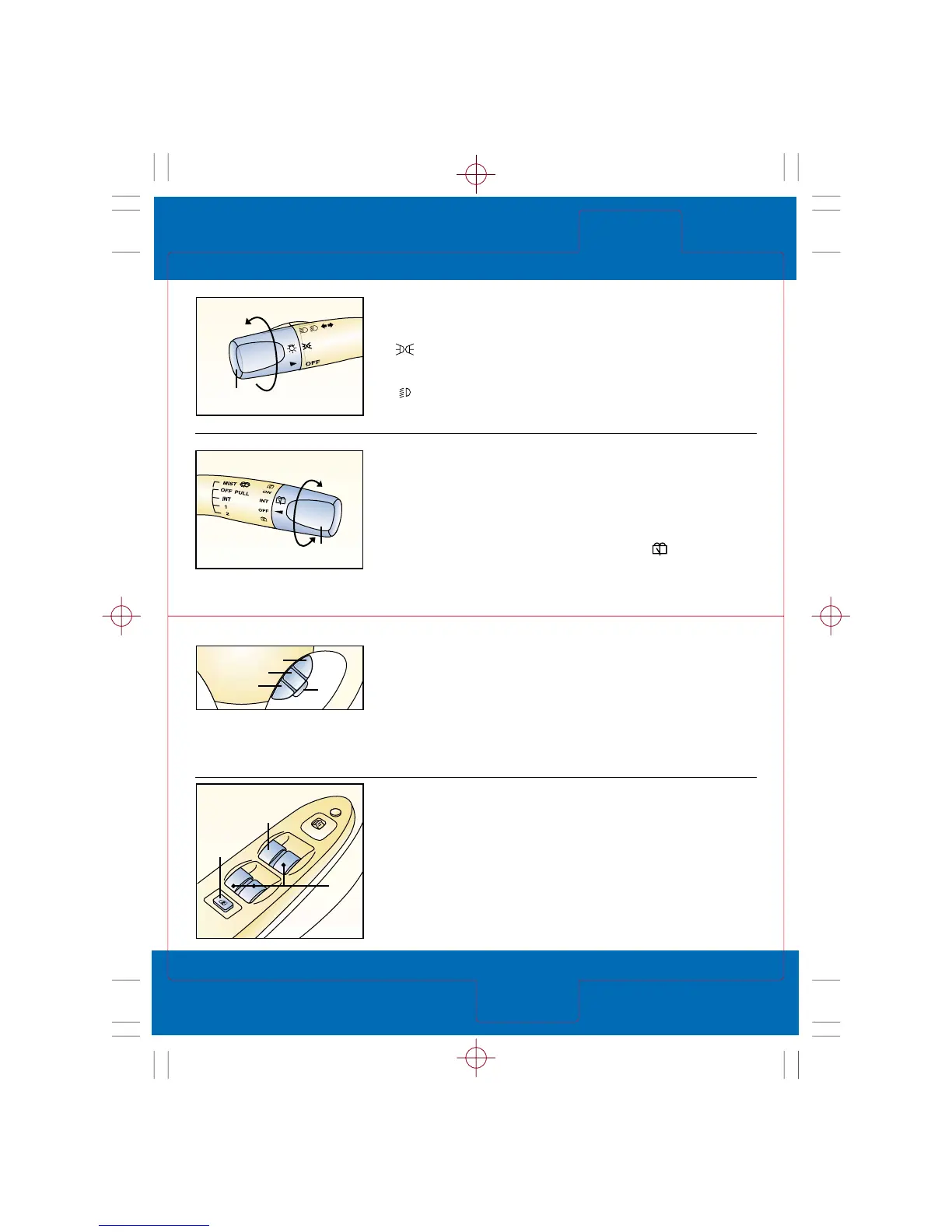
Wiper/washer control lever
Single wipe: Push lever up
Washer: Pull back, also operates
wipers
Intermittent wiper: One
click down
Normal wiper speed: Two
clicks down
High-speed wiper: Three
clicks down
Rear window wiper/washer
(Protegé5)
To activate rear interval wiper:
Rotate knob (2) up to INT
To activate rear normal speed
wiper: Rotate knob (2) up to ON
To activate rear washer: Rotate
knob (2) to and release
Turn signal/lighting
control lever
OFF = Lights off
= Tail, dashboard and parking
lights on: Rotate knob (1)
to first notch
= Tail, dashboard, parking
and head lights on: Rotate
knob (1) to second notch
High beams on/off: Push lever
forward for high beams/pull back
for low
To flash high beams: Pull lever
back slightly and release
Turn signals right/left: Move lever
up/down
To set speed: Accelerate to
desired speed and press
SET/COAST (2)
To accelerate: Press and hold
RESUME/ACCEL (3); release button
at desired speed
To decelerate: Press and hold
SET/COAST (2); release button at
desired speed
Power windows
Ignition must be on
All windows controlled from the
driver’s armrest; passenger doors
have separate switches
1. Driver’s window: One-touch-
down; push down firmly and
release, window goes down
all the way; pull switch back
briefly to stop; press lightly and
hold for normal operation
Incremental acceleration: Press
and release (3); each tap =
plus 1 mph
Incremental deceleration: Press
and release (2); each tap =
minus 1 mph
To cancel: Press CANCEL (4) or
MAIN (1); tap brake pedal or
depress clutch pedal*
2. Passenger window switches:
Push down and hold to open,
pull back and hold to close
3. Power window lockout switch:
Press down until click, only
driver’s window switches
operate; press again and
passenger window switches
function again
Driver
Controls
Switches
Quick Tips Mazda Protegé/Protegé5 page 6
page 7
Revised September 23, 2002







 To Next Page