Black plate (280,1)
1. Press the voice recognition/hands-free
switch with a short press (without
navigation system) or a long press
(with navigation system).
NOTE
For vehicles with the navigation system, you
can also press the voice recognition/hands-free
switch with a short press and say: [Beep]
“Telephone” or “Phone”.
2. Say: [Beep] “Dial”
3. Prompt: “Number, please”
4. Say: [Beep] “XXXXXXXXXXX (Ex.
“555-1234”) (Telephone number)”
5. Prompt: “Dialing XXXXXXXXXXX
(Ex. “555-1234”) (Telephone number)
is this correct?”
6. Say: [Beep] “Yes” or “No”.
7. When “Yes” is spoken, the call is
made.
When “No” is spoken, the procedure
returns to Step 3.
NOTE
The “Dial” command and a telephone number
can be combined.
Ex. In Step 2, say, “Dial 123-4567”, then,
Steps 3 and 4 can be skipped.
qReceiving an Incoming Call
1. Prompt: “Incoming call, press the
phone button to answer”.
2. To accept the call, press the voice
recognition/hands-free switch with a
short press.
To reject the call, press the voice
recognition/hands-free switch with a
long press.
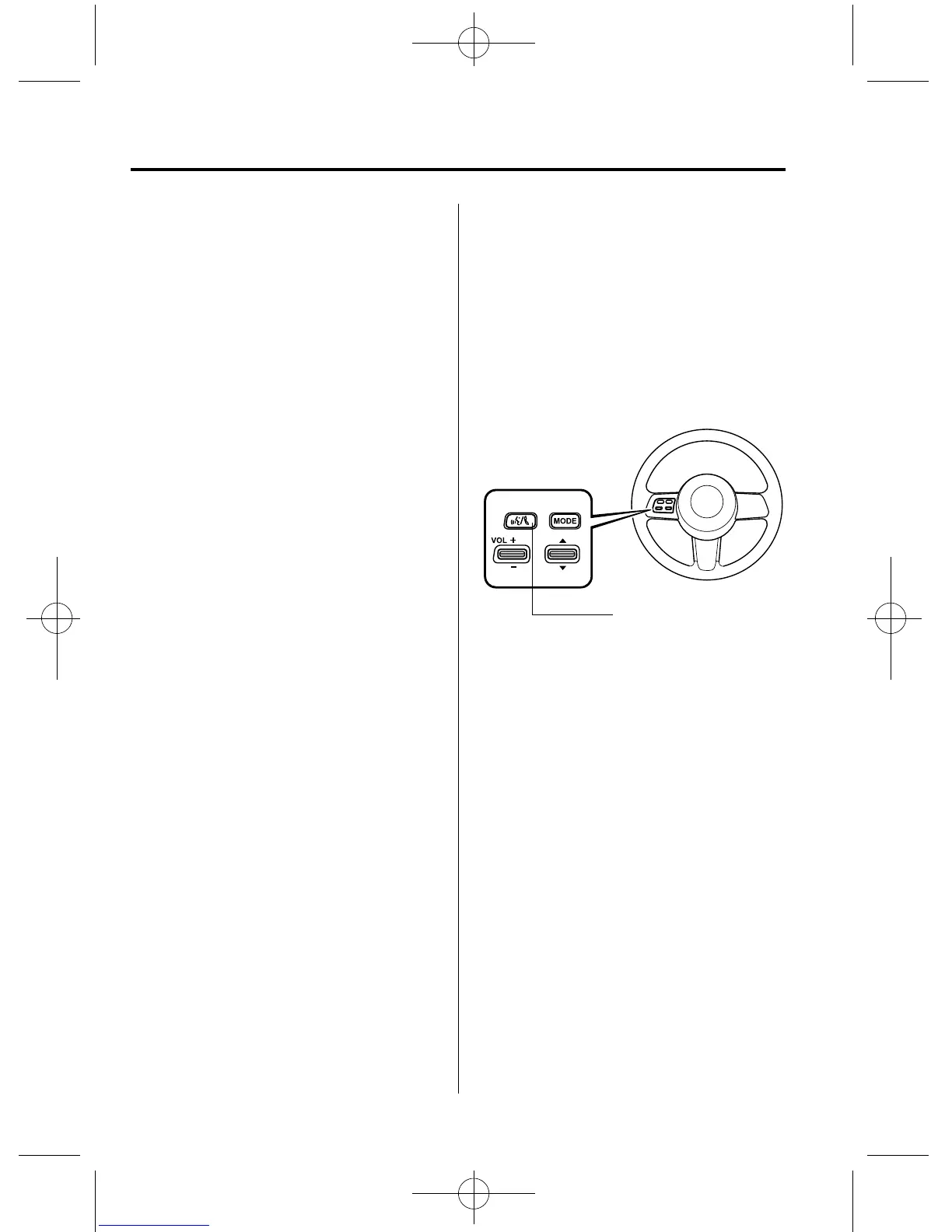
Voice recognition/hands
-
free switch (Phone button)
qHanging Up a Call
Press the voice recognition/hand s-free
switch during the call with a long press.
A beep sound will confirm that call is
ended.
6-64
Interior Comfort
Bluetooth Hands-Free
RX-8_8BQ7-EA-10H_Edition1 Page280
Wednesday, July 14 2010 11:51 AM
Form No.8B



 To Next Page