9
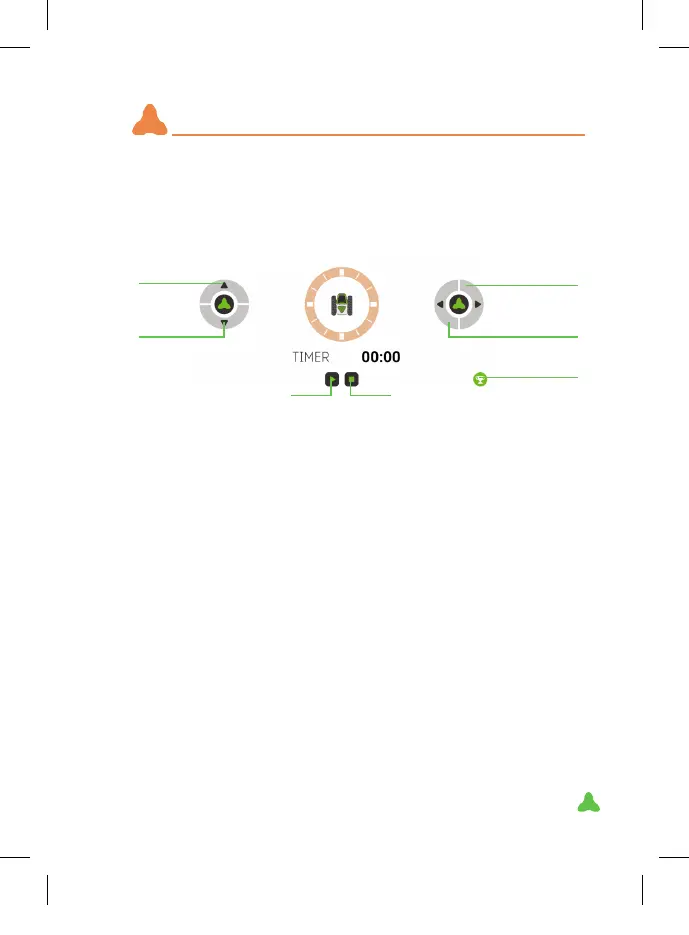
1. Prepare a circuit with the barriers and the START and FINISH.
2. Prepare the robot in the START box.
3. Press Play to start the timer.
4. Complete the circuit as quick as you can.
5. Press STOP when you get to the nish box.
NOTE: the obstacle sensor will detect the barriers if you get close. This
disables the robot a few seconds; the more times it detects you, the
more seconds it will be disabled (5 sec, 7 sec and 10 sec). He’ll change
his facial expression to angry. After Mazzy stops by fence, it shall be
turn 90 degree left or right.
RANKING: if your time is among the top 5, you can save it and check
out the results later to compete with your friends. To restart the rank-
ing, press the trash button on this screen and conrm the deletion.
IDEA: use any everyday object to create your own custom circuits.
GAME
IMPORTANT: The sensor must be connected for this play mode.
To remove the warning when entering Game Mode, click any part of
the screen.
Forward
Right
Ranking
Play Stop
Back
Left
XT380851_MAZZY-IMAPP-EN-v5.indd 9 29/5/20 10:54



 To Next Page